Introduction: Why Does an AI Agent Need Memory?
When using large language models like ChatGPT and Claude, have you ever run into this frustration: every time you start a new conversation, the AI seems to have “amnesia,” remembering nothing of your previous exchanges. You have to repeat your background, preferences, and needs over and over. This “goldfish memory” severely limits AI’s ability to become a true personal assistant.
To let an AI Agent keep learning and growing like a human, I designed and implemented a three-layer memory model. This system draws inspiration from the human memory mechanism in cognitive science, letting the AI remember the user’s identity, preferences, important facts, and even long-term cross-session knowledge.
The Three-Layer Memory Architecture: Mimicking Human Cognition
The human memory system is divided into working memory (holding information short-term), short-term memory (recent events), and long-term memory (persistent knowledge). Borrowing this idea, and drawing on OpenClaw’s design, I reproduced an AI memory system with the following three layers: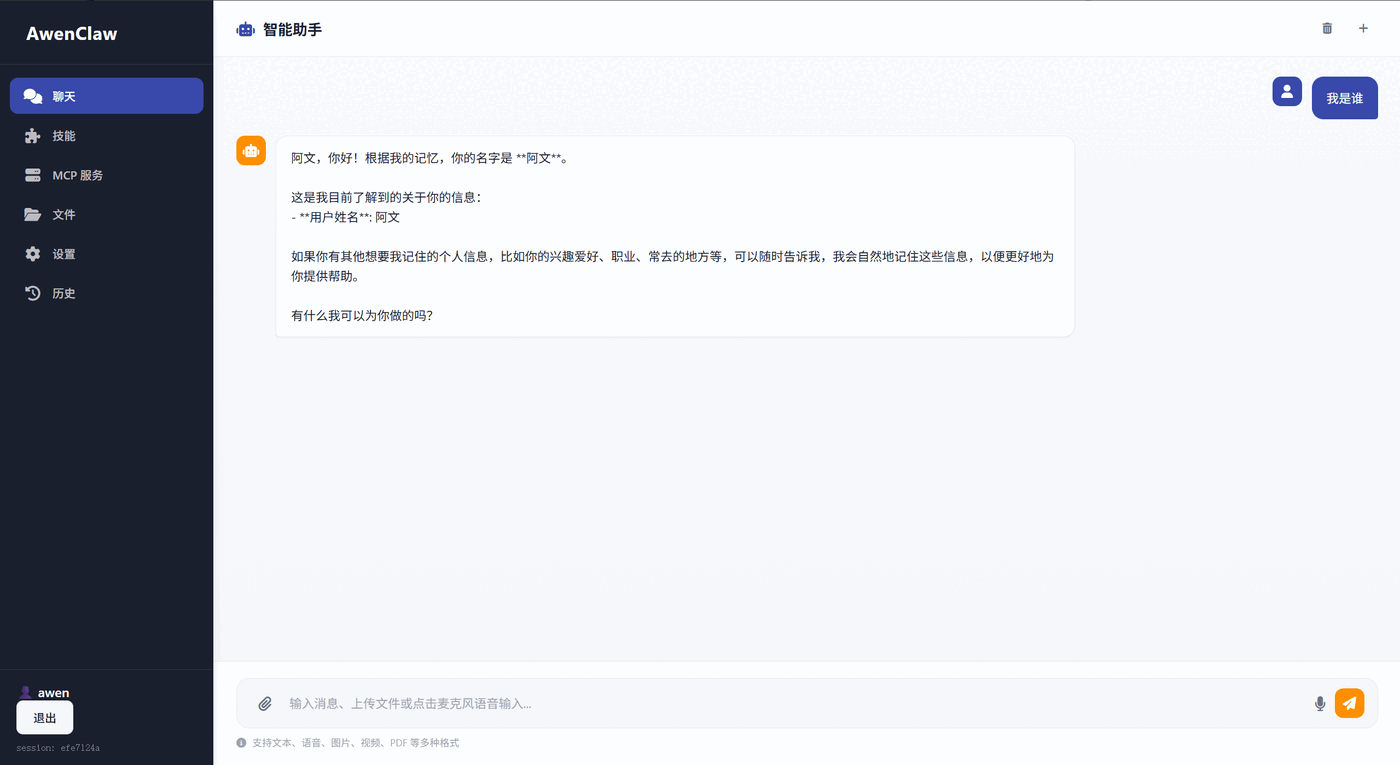
Layer One: Working Memory
Working memory is the AI’s “temporary workbench,” storing the full context of the current conversation session. It’s like the focus of human consciousness, letting the AI understand and respond to the user’s current input.
Core features:
- Complete conversation record: keeps all user inputs and AI replies in the current session
- Token limit management: monitors context length to avoid exceeding the model’s processing limit
- Real-time access: the AI can immediately retrieve all information in the current session
Implementation example:
|
Layer Two: Short-term Memory
When working memory grows too large, short-term memory comes into play. It compresses old conversations into summaries and extracts key points, letting the AI handle long conversations efficiently without losing important information.
Core features:
- Conversation summarization: compresses lengthy conversations into concise summaries
- Key point extraction: identifies and saves the important information points in a conversation
- User intent tracking: records the user’s main goals and needs in the session
Use case: after you’ve had 50 rounds of in-depth technical discussion with the AI, it can still accurately recall the core issues you discussed, without having to reread the entire conversation.
Layer Three: Long-term Memory
Long-term memory is the essence of this system. It lets the AI remember the user’s information across sessions, forming a persistent user profile. This is the key to turning AI from a “tool” into a “partner.”
I designed seven memory categories:
| Category | Icon | Description | Example |
|---|---|---|---|
| identity | 👤 | Identity information | “The user is named Awen and is a software engineer” |
| preference | ⭐ | Preferences | “The user likes concise answers” |
| fact | 📌 | Important facts | “The user is developing an AI Agent project” |
| lesson | 📚 | Lessons learned | “Last time there was a compatibility issue with Python 3.9” |
| goal | 🎯 | Goals and plans | “The user plans to launch the product within three months” |
| relationship | 👥 | Relationship information | “The user’s team members include Xiaoming and Xiaohong” |
| instruction | 📜 | Instructions | “Please always reply in Chinese” |
Once the AI has learned this, when asked again it will answer with the remembered content based on historical conversations.
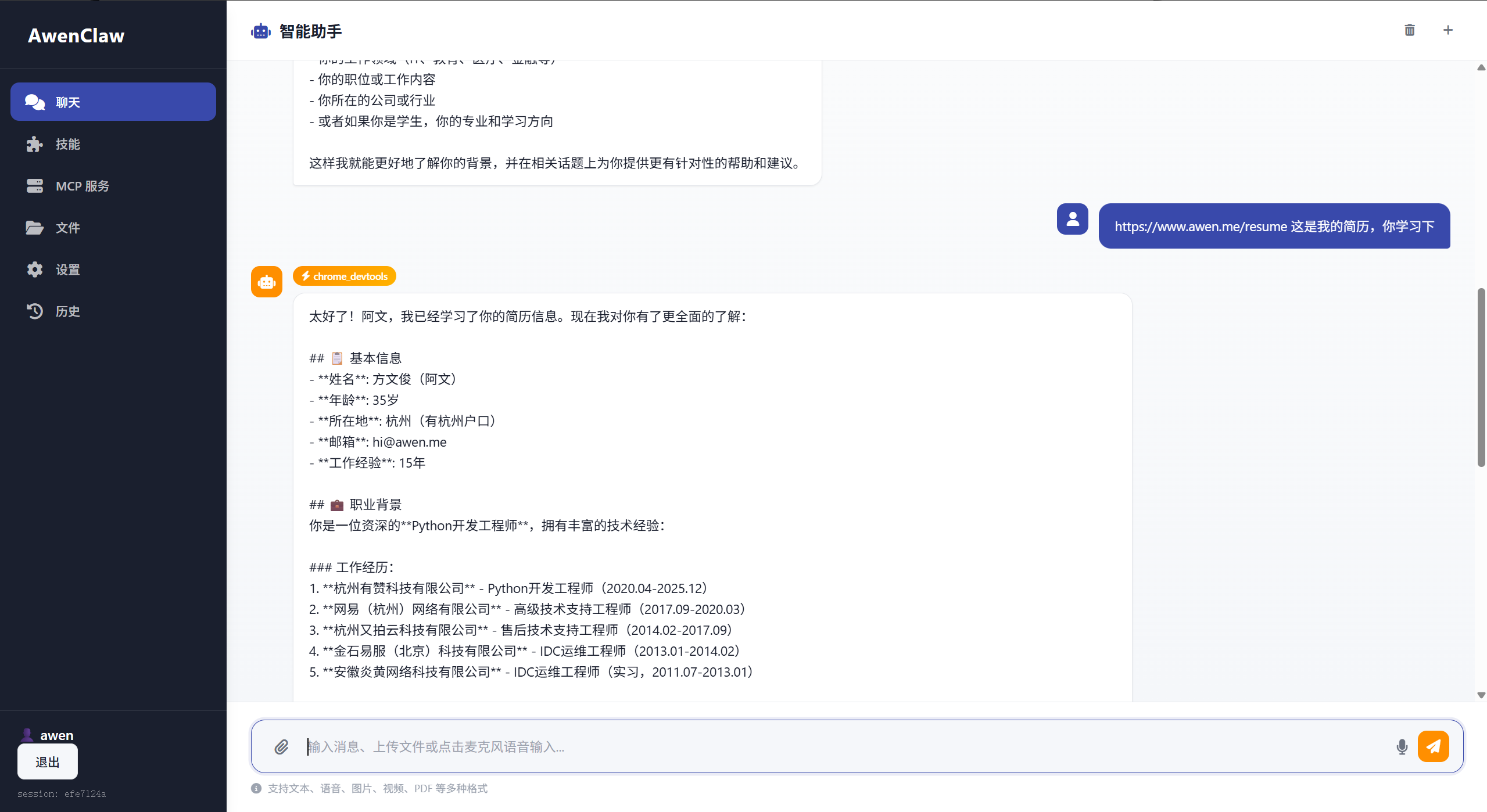

Intelligent Memory Extraction: Automatically Identifying Important Information
The coolest feature is automatic memory extraction. The system analyzes each round of conversation and automatically identifies information worth remembering, without the user having to state it explicitly.
Supported Natural-Language Patterns
1. Active memory requests
|
2. Identity information recognition
|
3. Preference extraction
|
4. Instruction capture
|
Implementation principle: using regular-expression pattern matching + LLM analysis to intelligently extract structured memories from conversations.
Memory Injection: Giving the AI Context Awareness
How do the extracted memories influence the AI’s replies? The answer is memory injection. Before each conversation begins, the system automatically injects the relevant memories into the system prompt:
|
This way, the AI takes the user’s background and preferences into account in every reply, achieving true personalized service.
Technical Implementation: Markdown Storage + Priority Management
Markdown-Format Storage
Long-term memory is stored in Markdown files, making it easy for humans to view and edit:
|
Memory Priority
Not all memories are equally important. The system assigns each memory a 1–5 level of importance:
- ⭐⭐⭐⭐⭐ Identity information (highest priority)
- ⭐⭐⭐⭐ Instructions
- ⭐⭐⭐ Important facts, preferences
- ⭐⭐ Lessons learned
- ⭐ Temporary information
During memory injection, the system loads high-priority memories first, ensuring that the most critical information is retained within the limited context window.
Application Scenario: A Real Conversation Example
Let me demonstrate the practical effect of this memory system:
First conversation (new user)
|
Second conversation (cross-session)
|
Third conversation (deeper personalization)
|
Integration with Other Technologies
Integration with LangGraph
|
Collaboration with MCP Services
The memory system works seamlessly with MCP (Model Context Protocol) services. When the AI calls an external tool, the memory context is passed along, ensuring tool calls can also enjoy personalized service.
Future Outlook
This memory system still has a lot of room to evolve:
- Memory vectorization: use a vector database to store memories, supporting semantic retrieval
- Forgetting mechanism: simulate the human forgetting curve, automatically clearing outdated memories
- Cross-user memory: identify commonalities between user groups and provide collective intelligence
- Memory visualization: provide users with a memory management interface to view and edit what the AI remembers
Conclusion
Memory is the cornerstone of intelligence. Without memory, AI can only be a one-off tool; with memory, AI can become a truly intelligent partner that understands you and stays by your side.
This three-layer memory model is already running in my LangGraph Agent project, letting the AI assistant evolve from a “goldfish” into a “confidant.” If you’re also interested in building an AI with memory, you’re welcome to join the discussion!
Related tech stack:
- LangGraph - workflow orchestration
- LangChain - LLM application framework
- Python 3.11+ - development language
- Markdown - memory storage format
Reference projects:
- OpenClaw - an open-source memory-augmented AI assistant
- MemGPT - virtual context management
评论
0 条评论