In The Three-Body Problem, Wallfacer Rey Diaz wore a special black wristwatch to carry out his Mercury nuclear-deterrence plan. The watch monitored his vital signs — heart rate, blood pressure, body temperature — in real time and continuously transmitted a suppression signal outward. As long as Rey Diaz was alive, the signal never stopped; the moment he died or lost his vital signs, the signal would be interrupted, the hydrogen bombs on Mercury would detonate instantly, Mercury would fall into the sun, and the entire solar system would ultimately be destroyed.
The “Cradle System” in Three-Body: Vital Signs as Deterrence
In The Three-Body Problem, Wallfacer Rey Diaz wore a special black wristwatch to carry out his Mercury nuclear-deterrence plan. The watch monitored his vital signs — heart rate, blood pressure, body temperature — in real time and continuously transmitted a suppression signal outward. As long as Rey Diaz was alive, the signal never stopped; the moment he died or lost his vital signs, the signal would be interrupted, the hydrogen bombs on Mercury would detonate instantly, Mercury would fall into the sun, and the entire solar system would ultimately be destroyed.
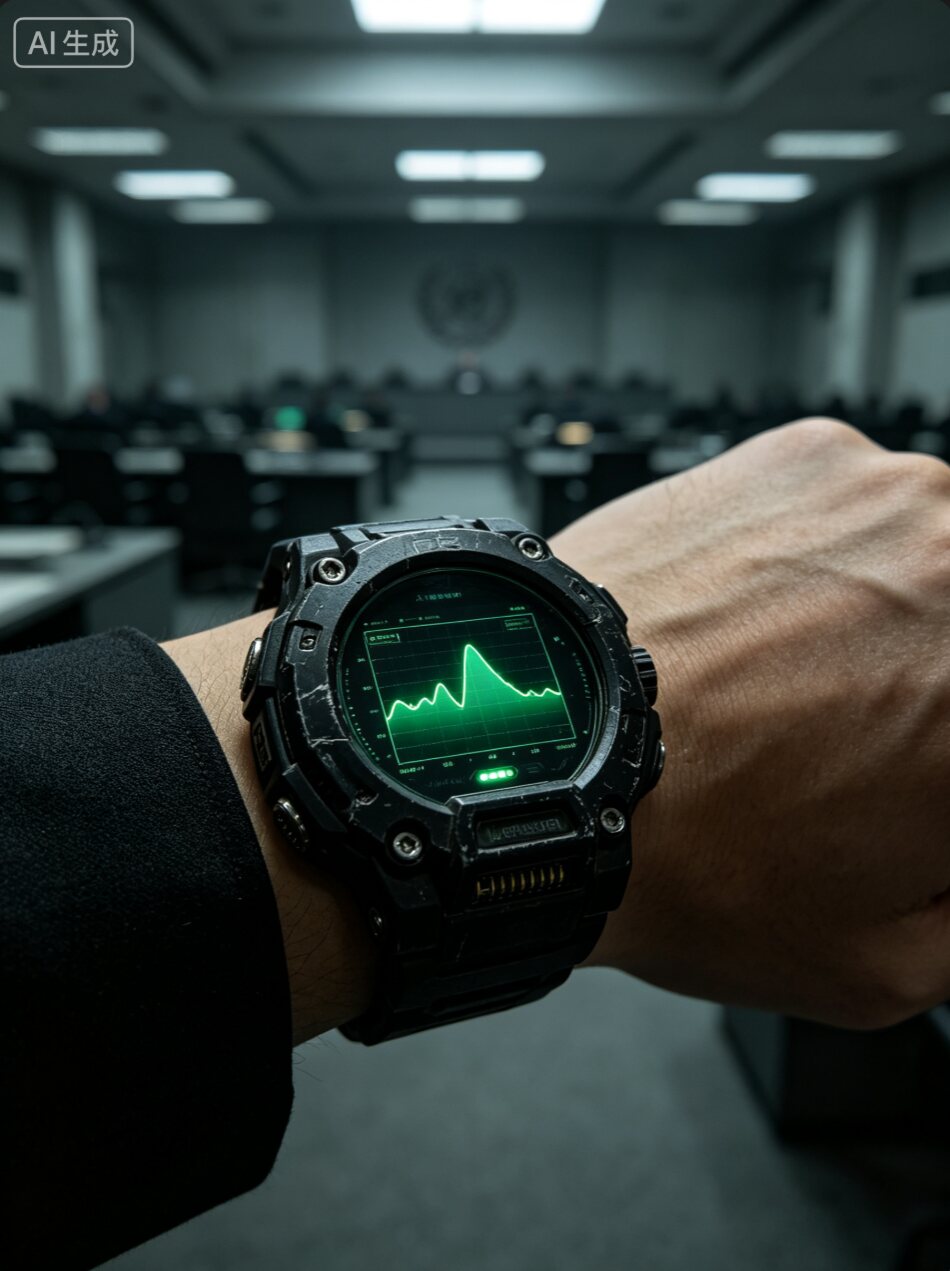
This is where the name “cradle system” comes from:
- The watch keeps transmitting the signal = the cradle keeps rocking → the hydrogen bombs stay dormant, locked down;
- Rey Diaz dies → the signal is interrupted = the cradle stops rocking → all the hydrogen bombs detonate instantly.
At the hearing, the Wallbreakers exposed Rey Diaz’s plan, and the United Nations was about to put him on trial. Rey Diaz raised his left hand to show off this cradle watch, threatening that if he were killed, the Mercury nuclear bombs would destroy all of humanity. The representatives of every nation, in fear, had no choice but to let him return to Venezuela.
I happen to have a smartwatch that supports heart-rate broadcasting, and I wear it every day for running and sleep tracking. Since it’s already on my wrist 24 hours a day, could it serve as a “human presence sensor”? The answer is yes.
This immediately made me think of the “cradle system” in The Three-Body Problem.
The “no heartbeat, no unlock — lock instead” thing I later built is, in effect, a miniature cradle system: my Mac continuously listens for my heart-rate broadcast; as long as the heartbeat is there, the screen stays on; the moment the heartbeat is interrupted, the screen locks immediately. Except what it deters isn’t the Trisolarans — it’s my own security awareness.
I’ve open-sourced this project on GitHub: monkey-wenjun/HeartRateLockWidget. If you’re interested, feel free to download and try it, or submit a PR.
Background: The Screen Must Lock When I Leave, but I Always Forget
Of course, more importantly🐶, the company office has fairly strict security rules: you must lock your screen when you leave your desk. Easy to understand in principle, but always bumpy in practice — going to the restroom, getting water, heading to a meeting, I often just stand up and walk away with the screen still on.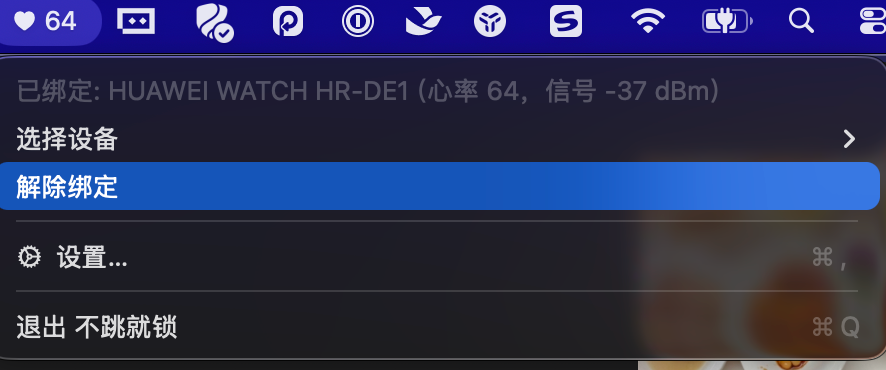
In an ideal world, “leave and lock” should satisfy a few conditions:
- Frictionless: no manual action from me, and no extra hardware to wear.
- Prompt: the screen should lock within a few seconds of me leaving my desk.
- No false positives: it shouldn’t suddenly lock while I’m sitting at the computer working normally.
- Privacy: my biometric data must not be uploaded to the cloud.
Why Not Use BLEUnlock and Instead Reinvent the Wheel?
Before building this app, I had already researched open-source solutions, such as BLEUnlock. Its idea is simple: have the Mac continuously scan the signal strength (RSSI) of a BLE device you carry, and when the signal drops below a certain level, assume the person has left, then lock the screen.
This approach sounds great, but it has a fundamental problem: it only judges “whether the device is nearby,” not “whether the person is still there.” In real use, you run into plenty of false-trigger scenarios:
- Your phone or watch is charging on the desk, you step a few feet away to get water, the RSSI fluctuates a bit, and it decides you’ve “left”;
- The device is in your pocket, your body blocks the signal causing a brief RSSI dip, and the screen suddenly locks;
- Open-plan offices are full of Bluetooth devices, and signal interference leads to misjudgments.
In other words, BLEUnlock guesses whether the person is there based on the “Bluetooth signal,” whereas my watch can broadcast heart-rate data. Heart rate is a living, continuously changing physiological signal — only when worn on a living person’s wrist does it produce a real heartbeat value once per second. As long as the heart-rate broadcast continues, the wearer is most likely still there; only when the heart rate is interrupted does it mean the person has truly walked away or taken off the watch.
So the core of my approach is: use heart rate — a “vital sign” — for presence detection, rather than relying solely on Bluetooth signal strength. RSSI serves only as an auxiliary reference; what actually triggers the lock is “no heart rate received for a certain period of time.” This makes the false-trigger rate much lower.
Core Idea: Heart-Rate Broadcast + Signal Strength to Judge “Is the Person Still There”
BLE (Bluetooth Low Energy) heart-rate devices broadcast the standard heart-rate service 0x180D, in which the heart-rate measurement characteristic 0x2A37 pushes the current heart rate once per second. As long as the watch is within Bluetooth range of the Mac, the Mac receives stable heart-rate data.
When my body moves some distance away from the Mac:
- The heart-rate broadcast is interrupted, and the Mac receives no heart rate for longer than a certain period.
- Even if it’s still broadcasting, the RSSI drops significantly.
So the decision logic is simple:
- Heart-rate timeout: no heart rate received for more than 10 seconds → device considered lost → lock the screen.
- Weak signal: RSSI below -75 dBm for 3 consecutive seconds → person considered to have walked away → lock the screen.
These two conditions complement each other: the former handles the watch being taken off or Bluetooth being turned off; the latter handles the person walking away while the broadcast continues.
Project Structure
I split the app into three parts:
|
HeartRateLock is a status-bar app with no Dock icon; once launched, it hides in the menu bar and continuously scans and listens for heart-rate data. HeartRateWidget is a WidgetKit extension responsible for displaying the heart rate on the desktop or in Notification Center.
Key Implementation
1. Scanning and Binding the Device
When scanning with macOS’s CoreBluetooth, I don’t specify a service UUID, so it lists all nearby BLE advertising devices. The user finds their watch — sorted by signal strength — in the “Select Device” menu in the menu bar and clicks to complete the binding. The binding information is persisted, so it reconnects automatically on the next launch.
|
There’s a gotcha here: for privacy protection, macOS doesn’t expose a BLE device’s MAC address to apps; it only gives you a randomly generated CBPeripheral.identifier. So you can’t filter by MAC address — the user has to select the device manually. Also, many watches don’t expose their names in advertisements, so the first binding may show “Unknown Device.” After a successful connection, I read the real device name from the GAP service 0x2A00 to correct it.
2. Parsing Heart-Rate Data
The notification data format of the heart-rate measurement characteristic follows the BLE standard:
|
Parsing code:
|
3. Lock-Screen Trigger
Every time a heart rate is received or an RSSI reading is taken, lastAliveAt is updated. A check runs once per second:
|
Weak-signal detection works similarly: once the signal stays below the threshold for the configured number of consecutive seconds, the screen locks — avoiding false locks caused by RSSI jitter.
4. Triggering the macOS Lock Screen
Originally I used /System/Library/CoreServices/Menu Extras/User.menu/Contents/Resources/CGSession -suspend, but newer versions of macOS have removed that path. To stay compatible across system versions, I built a three-layer fallback:
- Call the private interface
SACLockScreenImmediateinlogin.framework. - If that’s not found, try
CGSession -suspend. - If neither works, fall back to
pmset displaysleepnowto turn off the display, which — combined with the system setting “Require password after wake” — achieves the equivalent of a screen lock.
|
5. Sharing Data Between the Widget and the App
The Widget extension and the main app run in different processes and can’t share memory directly. I used a little trick: the main app (non-sandboxed) writes a plist file directly inside the Widget’s container, and the Widget reads from its own container. This is more stable than App Group’s UserDefaults(suiteName:), and it also sidesteps the macOS AppData TCC policy restrictions on Widget reads.
|
The Widget requests a timeline refresh once per second, but the actual refresh frequency is decided by the system scheduler — so the main app handles real-time behavior, and the Widget is just the display layer.
What Else I Added
Idle-Lock Fallback
In case I don’t wear the watch one day, the app also has built-in keyboard/mouse idle detection. It uses CGEventSource.secondsSinceLastEventType to read the last keyboard and mouse activity time, and locks the screen after the configured number of seconds. This fallback can also be limited to specific time windows — for example, only enabled during working hours.
Launch at Login
I register a login item with SMAppService.mainApp.register() so the app starts automatically at boot — no need to add it manually under “System Settings > General > Login Items.”
Settings Panel
Clicking “Settings…” in the status bar lets you adjust:
- Weak-signal lock threshold (-90 to -40 dBm)
- Consecutive weak-signal seconds
- Heart-rate timeout seconds
- Keyboard/mouse idle-lock seconds and time window
- Launch-at-login toggle
Real-World Results
Wear the watch and sit at your desk, and the status bar shows your real-time heart rate. Stand up to go to the restroom, and after two or three meters the RSSI starts to drop; about 3 seconds later, the screen locks automatically. When you come back and unlock the computer, the watch reconnects and the heart rate keeps showing.
False triggers are extremely rare, because the screen only locks when “sustained weak signal” and “interrupted heart rate” are both satisfied. When I’m sitting in my chair typing normally, even if the RSSI fluctuates occasionally, no lock is triggered.
Where This Could Go: A Real “Cradle System” Should Go Further
The current logic is “heart rate gone → screen locked,” which is really just the beginning. If you truly want to turn it into a “vital signs as deterrence” system like the one in the Three-Body world, you can keep building on this open-source project.
For example, a more serious state combination: the watch is clearly still on the wrist, the Bluetooth signal isn’t weak, but the heart rate suddenly stops. What does that mean? Most likely the person hasn’t walked away — the heart has stopped beating. In that case, merely locking the screen lacks a sense of ceremony. You could trigger some automations with more “cradle system” flavor:
- Auto-commit code: upon detecting heart rate at zero with a normal signal, immediately run
git add -A && git commit -m "chore: 最后的提交" && git pushto make sure no code is lost — a responsible programmer to the end. - Auto-send a message: post to your colleagues’ Slack/Feishu group: “I’ve gone off to fight in the Battle of the Dark Forest; let’s discuss the requirements next iteration.”
- Delete the database but don’t run: since the person is gone, there’s no point keeping the servers. You could design a “gentle database wipe” process — first back up to object storage, then clear the database, and finally cancel all cloud accounts. Truly “delete the database without running away,” because you can no longer run.
- Trigger the last-will script: open the pre-written
last_will.shand distribute your Bitcoin private key, your unfinished side projects, and the name of your secret crush, all at once.
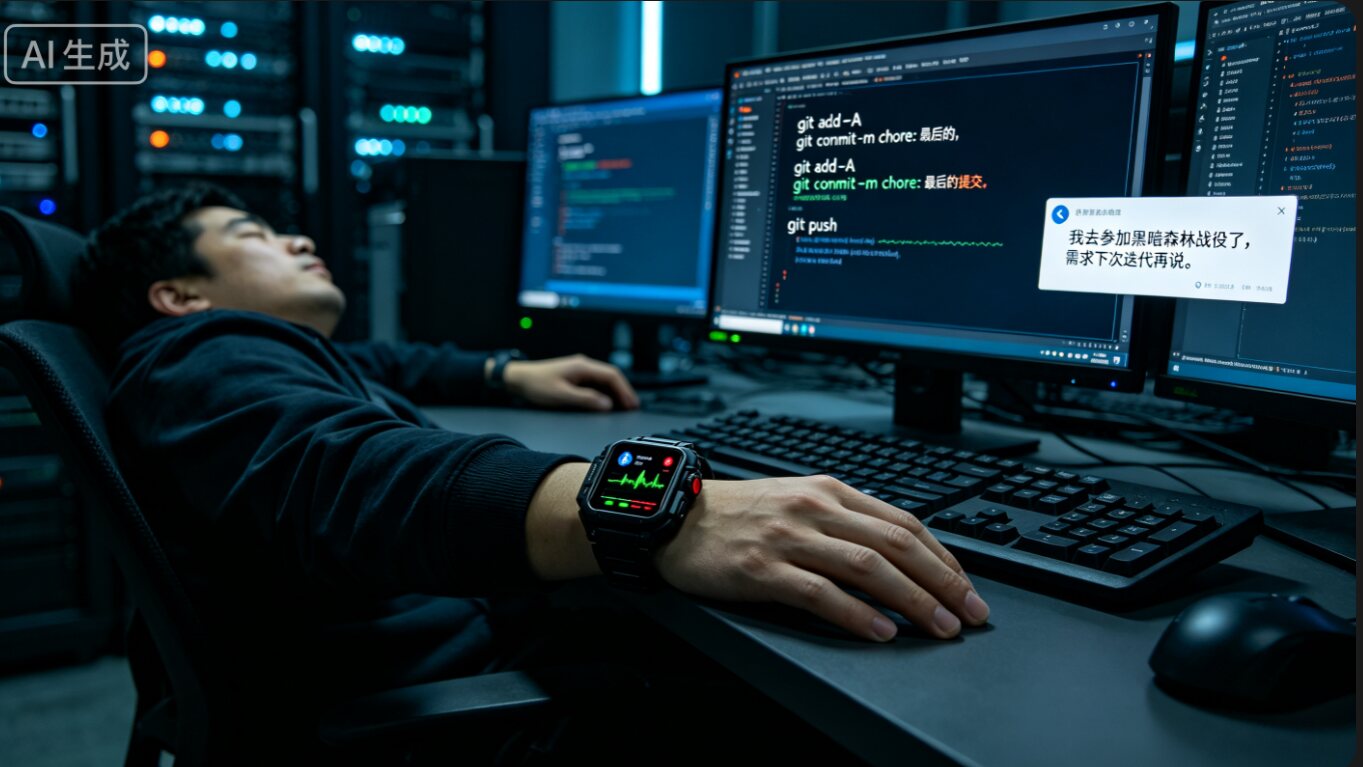
Of course, I’d suggest these features exist only as Easter eggs and stay disabled by default. After all, a stopped heartbeat isn’t necessarily a real stopped heartbeat — the watch battery might be dead, the Bluetooth stream might have dropped, or you might have just taken the watch off and left it on the desk. An accidental “auto-commit code” is acceptable; an accidental “database wipe,” and you might get to meet Rey Diaz ahead of schedule.
Pitfalls I Hit
- macOS doesn’t expose MAC addresses: the watch can’t be identified automatically — you must bind it manually once.
- Some Huawei watches don’t broadcast the standard heart-rate service: they only use Huawei Health’s private protocol, so those watches won’t work.
- CGSession was removed: the lock-screen API changed in newer systems, requiring multi-layer fallbacks.
- App Group shared storage blocked by TCC: after the main app wrote to the App Group’s UserDefaults, the Widget couldn’t read it; I ended up writing the plist directly into the Widget container instead.
- Sandbox permissions: locking the screen requires Accessibility permission; on first run you must allow it in System Settings.
评论
0 条评论