Over the weekend of Typhoon No. 13, “White Dolphin,” it was wind and rain outside and there was nowhere to go. So I curled up at home and pulled out a workout app I’d written in the first half of the year to tinker with — the goal was clear: make it connect to my Huawei Watch GT5, and at the same time strip out all the ads and cluttered information from the original app.
Why Rebuild It
In the first half of the year I developed a workout-logging app (RUNNINGGO). Cycling, running, and heart-rate straps all worked, but there was always one regret: it couldn’t connect to my Huawei watch. The heart rate, blood oxygen, body temperature, HRV, and sleep data on the watch are visible in the official app, but there are too many ads and too much messy information. I wanted a clean, focused logging tool that pulls workout data together in one place and syncs it to my own backend, so I can check trends on the web whenever I like.
The Technical Route: Gadgetbridge + Porting Only the Huawei Module
Huawei’s proprietary Bluetooth protocol for its watches has no public documentation, and reverse-engineering it from scratch would be too much work. Fortunately there’s an open-source project called Gadgetbridge, which has already implemented the connection protocols for most bands and watches on the market — including the Huawei Watch GT series connection, pairing manual, and data-dictionary sync.
So my plan was: build on Gadgetbridge and port over only the Huawei-related modules, dropping every other brand. Specifically that includes:
- Bluetooth connection and automatic reconnection (remembering the last paired device and reconnecting automatically after a drop)
- P2P data-dictionary sync: heart rate, blood oxygen, body temperature, HRV, mood, sleep, daily status
- Workout record import: summary → details → pace → GPS track
- Pushing watch settings: toggles for real-time heart-rate detection, sleep monitoring, body-temperature measurement, and so on
This way I didn’t have to chew through the protocol from scratch, and I wouldn’t be dragged down by the code for the dozens of other brands inside Gadgetbridge — both the package size and the logic stay lean.
Two AIs Pair-Programming Together
For this rework I used two models at the same time, DeepSeek-V4-Flash and Kimi, dividing the labor:
- One handled protocol parsing and background logic: field parsing of the Huawei data dictionary, hourly/daily deduplication before writing to the database, and merging workout records — this kind of “gnawing on code” work it did very steadily
- The other handled UI and interaction: card layouts, charts, settings pages, and hunting down all sorts of edge-case bugs
In practice, the two models turned out to be strongly complementary. When protocol parsing got stuck, switching to the other model with a different line of thinking often produced progress; on UI details, the other model could spot the problem at a glance. This “dual-model pairing” way of developing is considerably more efficient than working alone.
Backend Implementation of the AI Workout Advice
Beyond the app side, I also gave this system a Go backend (blog_api, Gin framework) dedicated to generating AI workout advice:
- Endpoint:
GET /api/v1/workouts/advice?days=7, with per-IP rate limiting. The card on the app’s home page calls it directly, supporting a 7-day / 30-day toggle. - Input aggregation: Package up the last N days of workout data (number of sessions, total distance, total duration, average heart rate, distribution of workout types, per-record summaries) along with the day’s health data (HRV, body temperature, resting heart rate, respiratory rate, weight, blood glucose, sleep duration — automatically falling back to the most recent record when there’s no data for the current day) and hand it to the AI.
- Generating advice: Call DeepSeek (
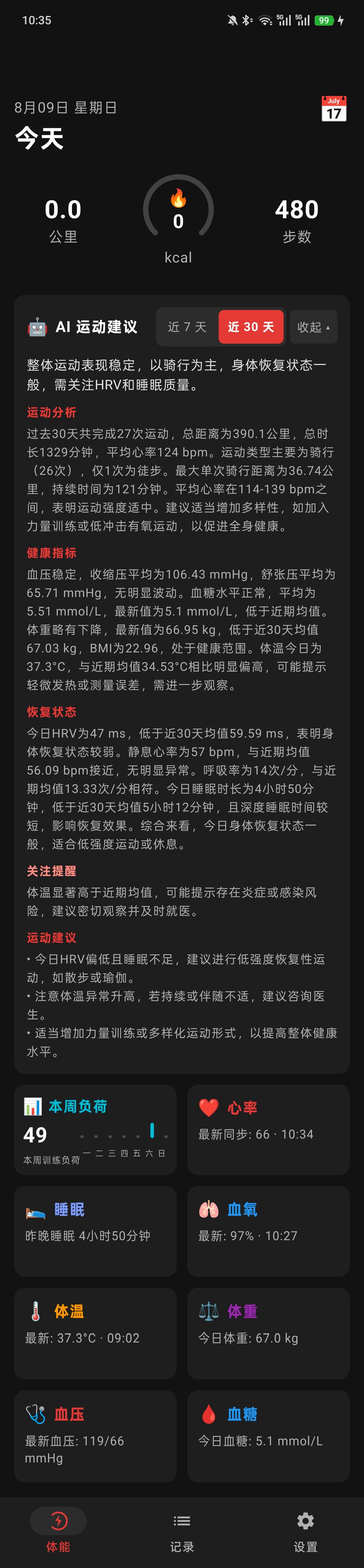
deepseek-chat) through the OpenAI-compatible protocol, outputting a structured overall assessment, workout analysis, health metrics, recovery status, alerts worth attention, and workout recommendations. - Recovery-status comparison: The AI compares today’s HRV, resting heart rate, and sleep against the average of the last N days — for example, “Today’s HRV is 47ms, below the 7-day average of 59ms, with insufficient sleep; low-intensity recovery training or rest is recommended.”
- Caching: Results are cached for up to 12 hours, avoiding repeated model calls every time you open the home page.
So behind the AI workout advice card on the app’s home page sits a complete “data aggregation → large-model analysis → cached delivery” pipeline, with the 7-day and 30-day perspectives switchable at any time.
What It Looks Like After the Rework
Once the data pipeline was connected, the app became a pure logging tool:
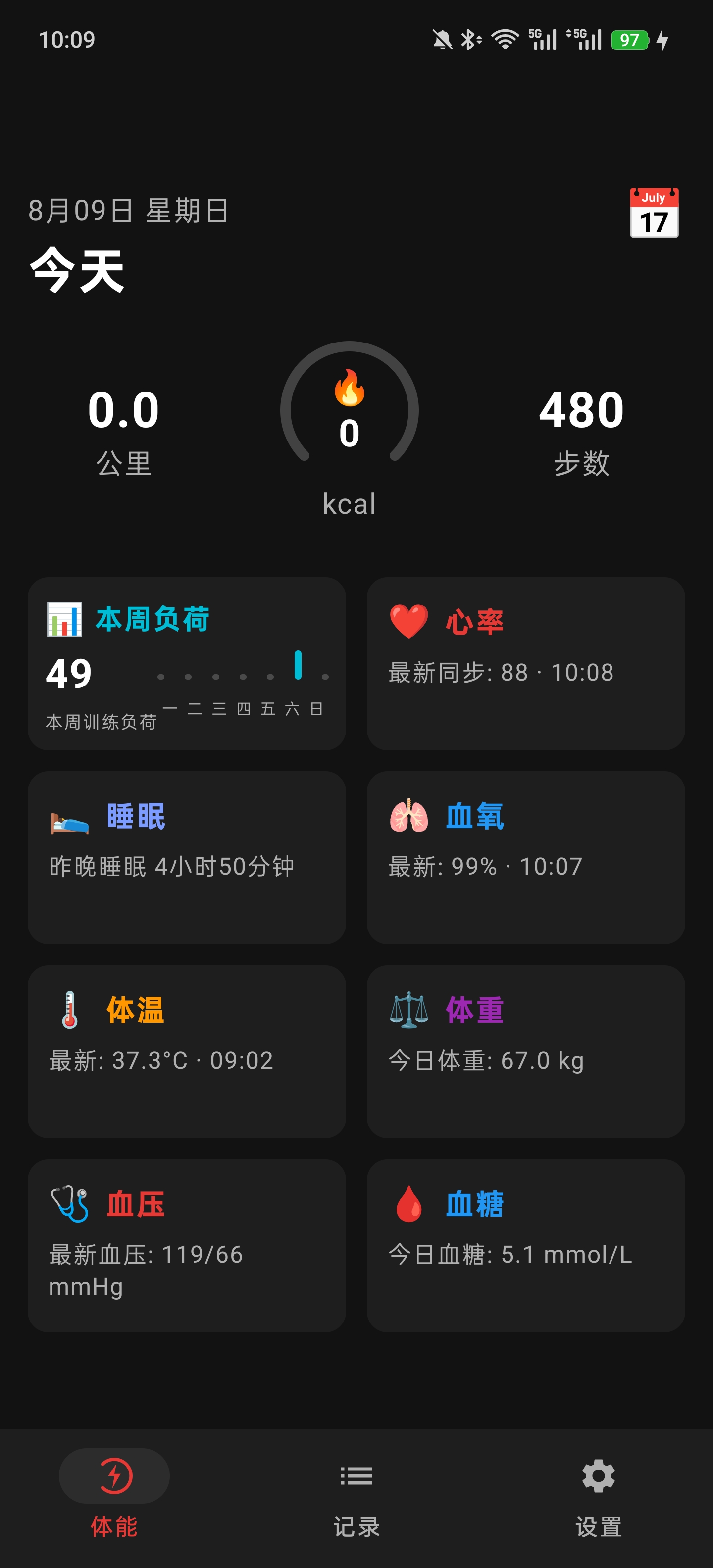
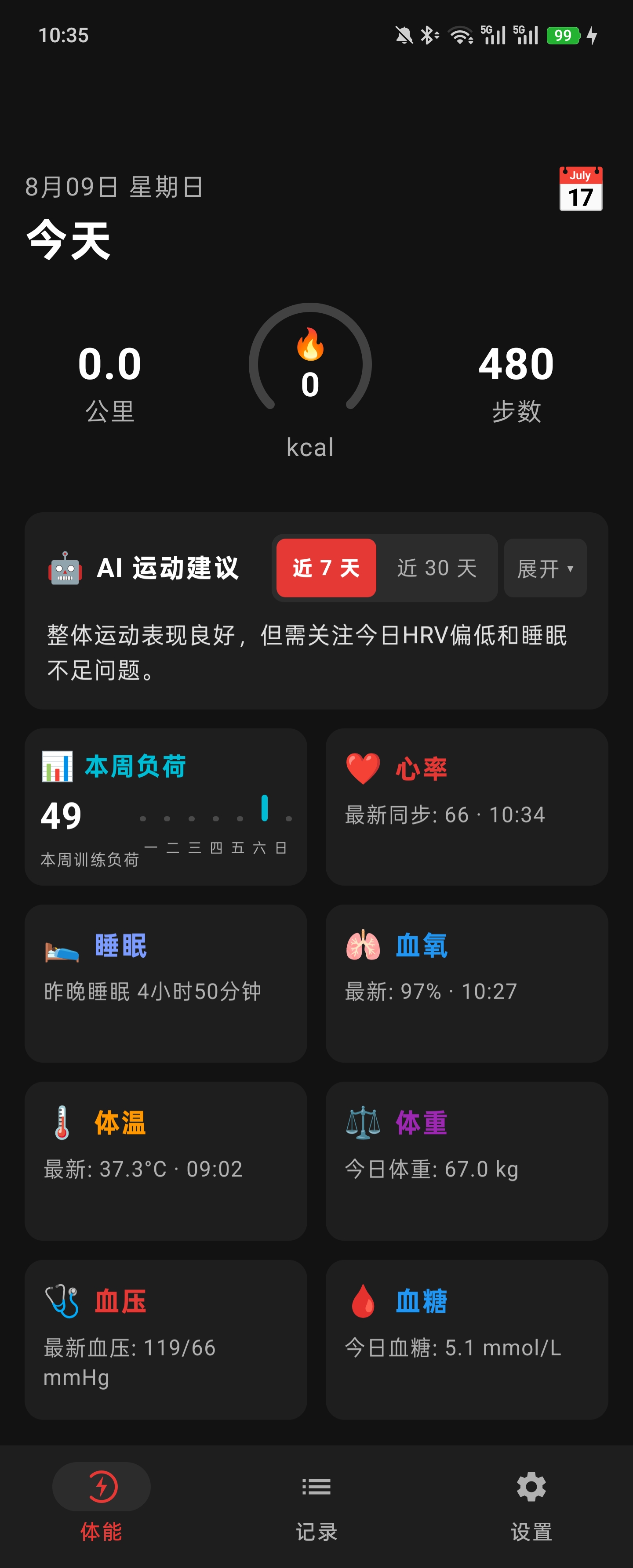
- Home page: today’s distance, calories burned, steps, this week’s training load, heart rate, sleep, blood oxygen — all at a glance
- Workout statistics: weekly/monthly/yearly summaries, a bar chart of this week’s calories, a workout calendar — clean and tidy
- Data sync: all health data syncs once a minute, and even when the app moves to the background a foreground service keeps reporting, with automatic retries on failure
- Web side: data syncs to my own backend, so on the blog I can also see heart-rate trends over 24 hours / 7 days / 30 days
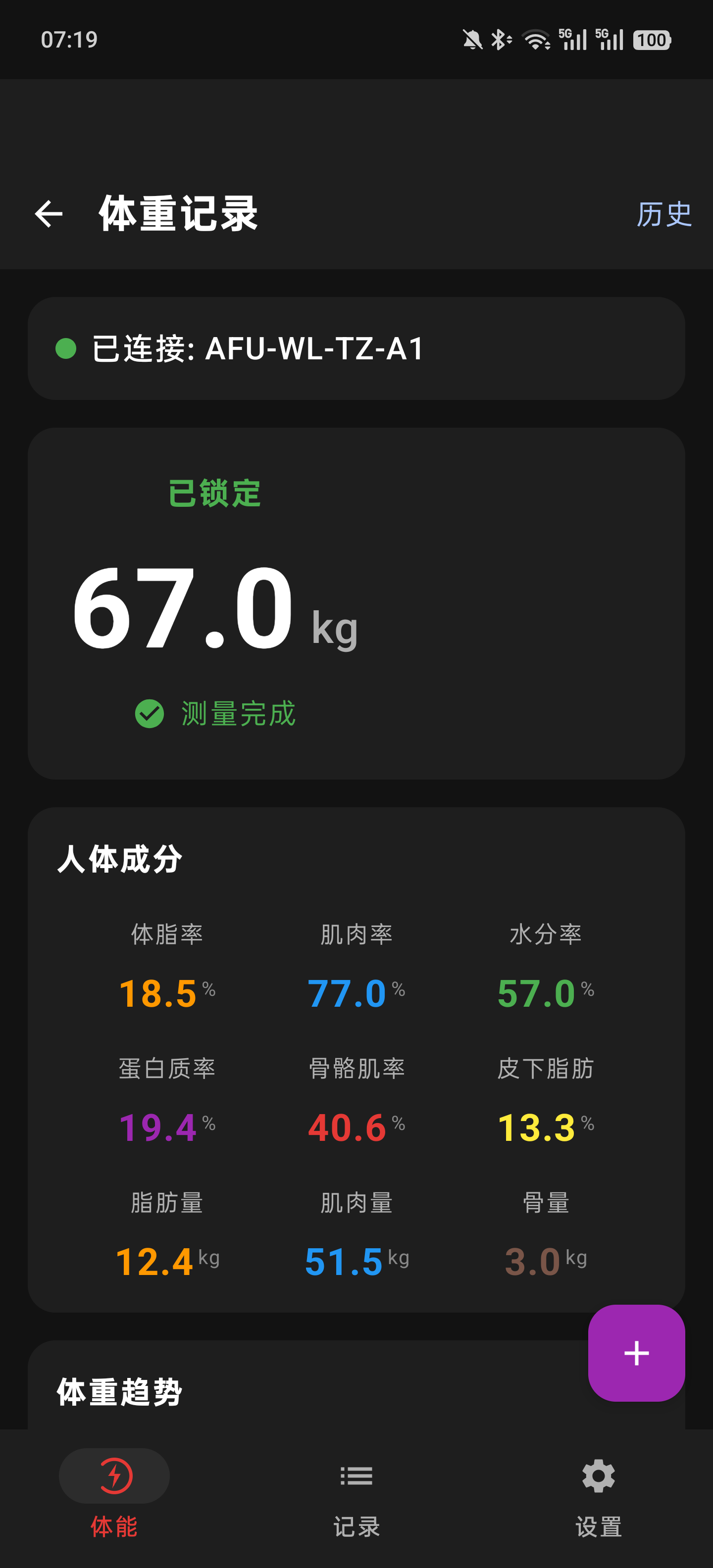
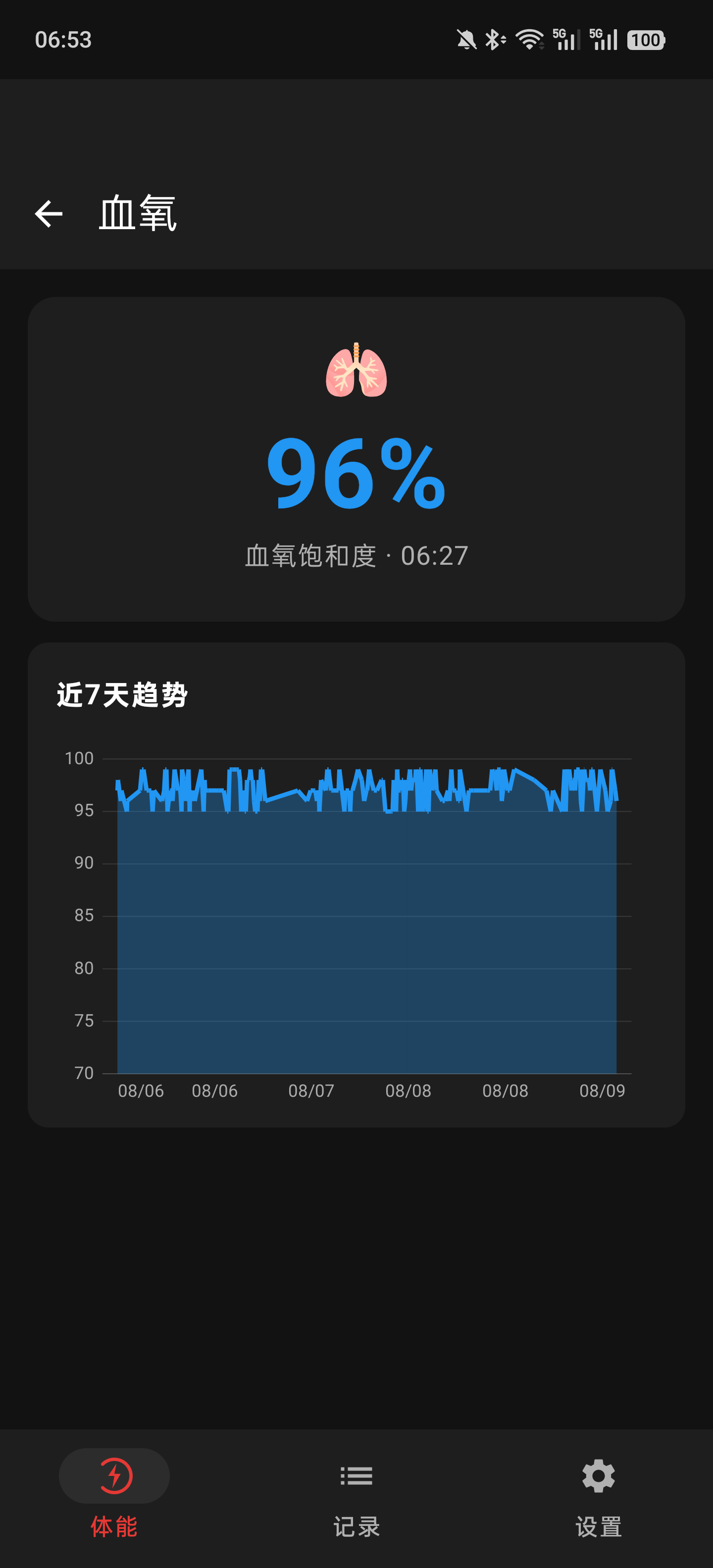
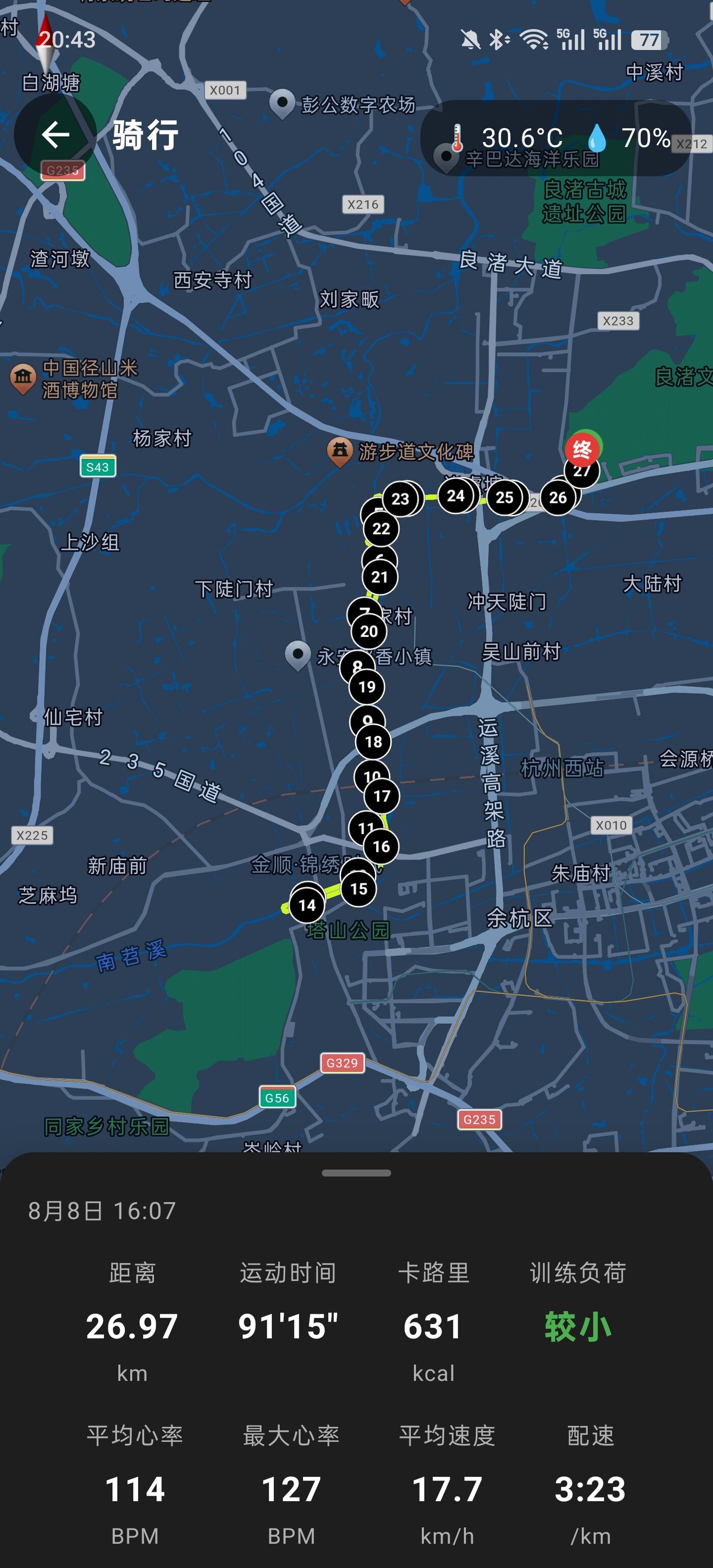
Below are some screenshots from the rework (swipe left/right or click the arrows to view):



Wrap-Up
A day of tinkering at home during the typhoon was quite rewarding:
- Open-source projects are a shortcut: A long-maintained open-source protocol library like Gadgetbridge is far more dependable than reverse-engineering from scratch — and when porting, take only the modules you need, clean and tidy.
- AI pair-programming is the trend: DeepSeek-V4-Flash and Kimi working together, one chewing on the protocol and one tuning the UI, got done in a day what would otherwise have taken a week.
- Keep your data in your own hands: The official app has too many ads and too much messy information. Bringing the data back myself means I can check trends whenever I want and present them however I want.
Typhoons always pass, but this workout-data system should keep me company for a long time.
评论
0 条评论