本文详细记录了一款功能完备的运动健康App「Heart Sync 心同步」的完整开发过程。项目涵盖GPS定位与轨迹追踪、蓝牙心率带连接、HRV心率变异性分析、智能暂停/恢复、体重/血压/血糖健康管理、用户认证与数据同步、GPX/TCX数据导出等核心功能。
目录
项目概述与架构设计 技术栈选型与依赖配置 GPS定位与卡尔曼滤波优化 高德地图SDK深度集成 蓝牙BLE设备连接 HRV心率变异性分析 健康管理功能 运动数据计算与算法 智能暂停与自动恢复 用户认证与数据同步 数据持久化与导出 Jetpack Compose UI实现 踩坑记录与解决方案 总结与展望
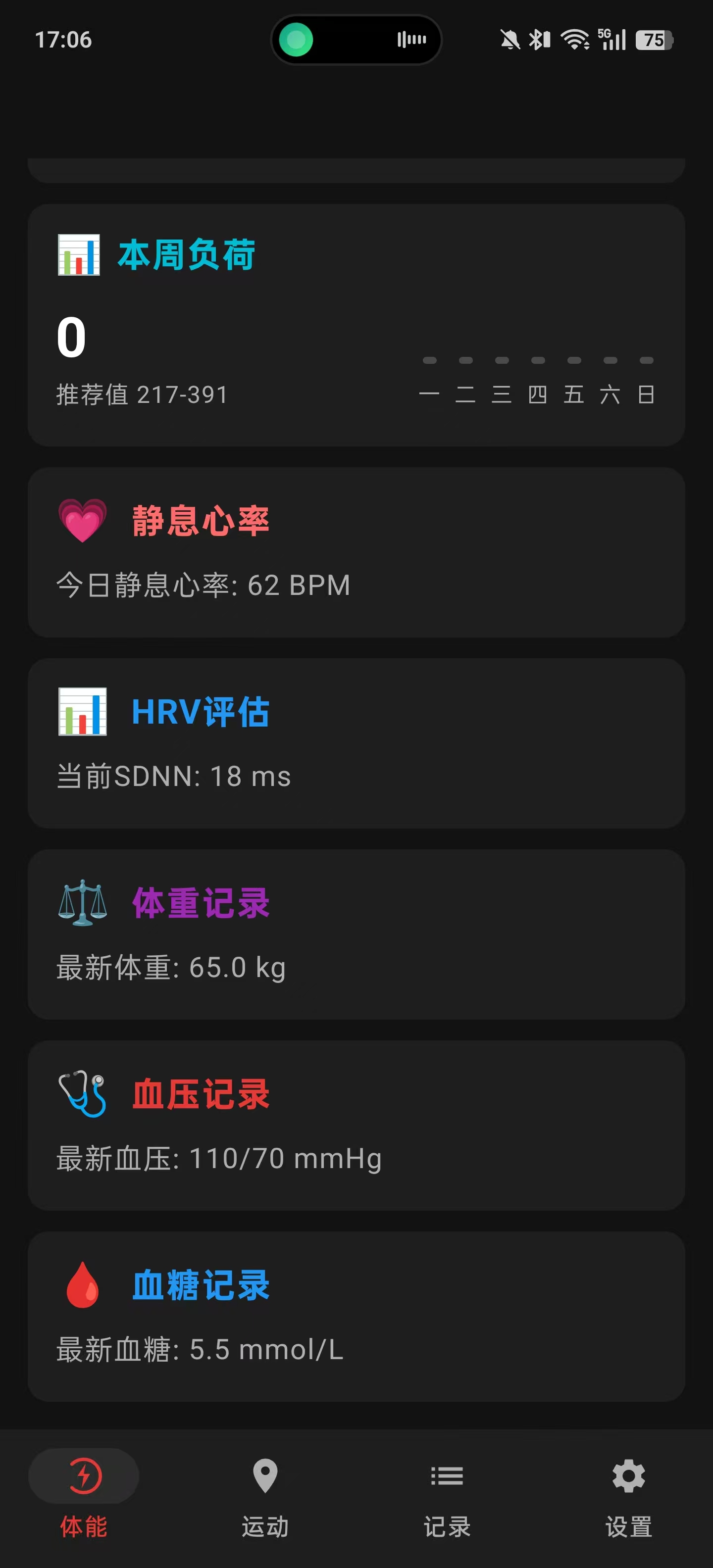
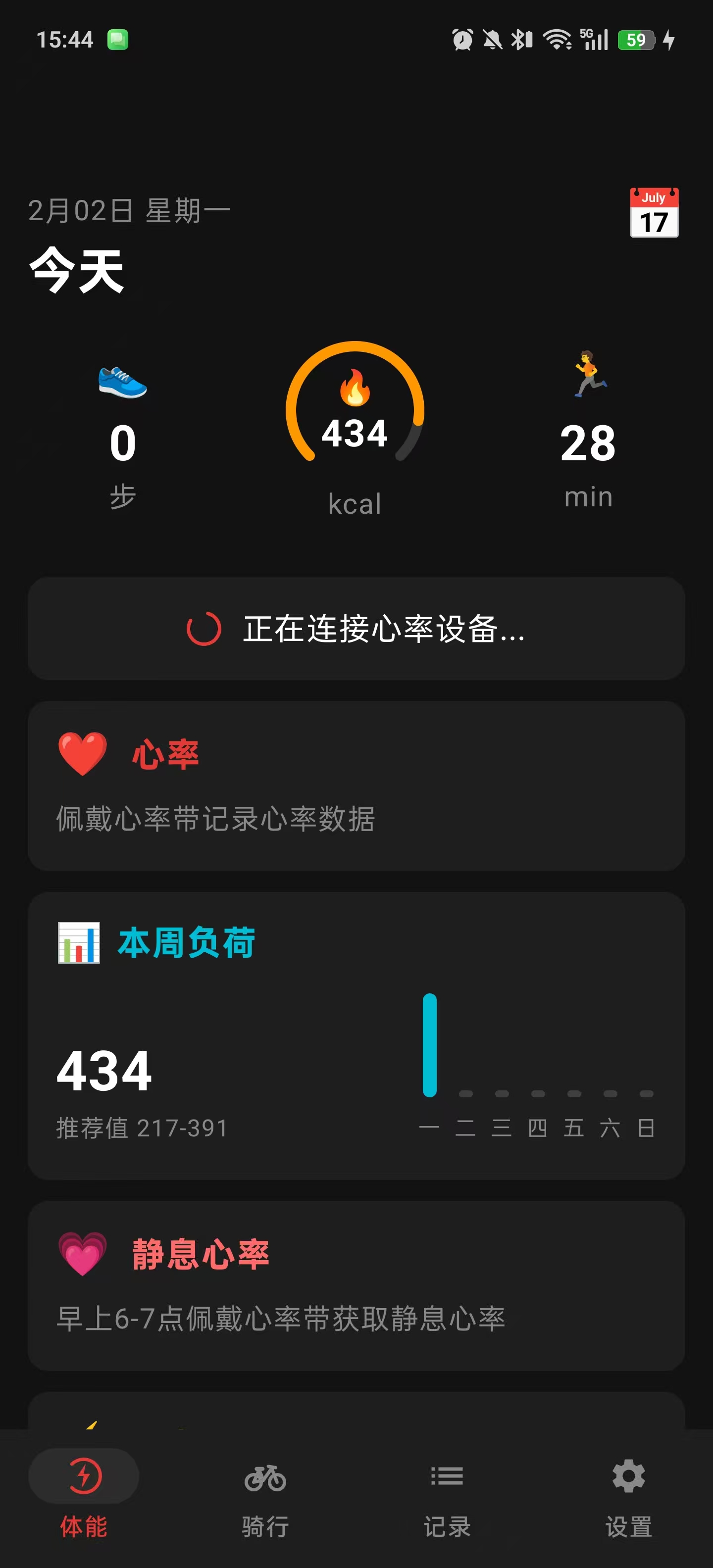
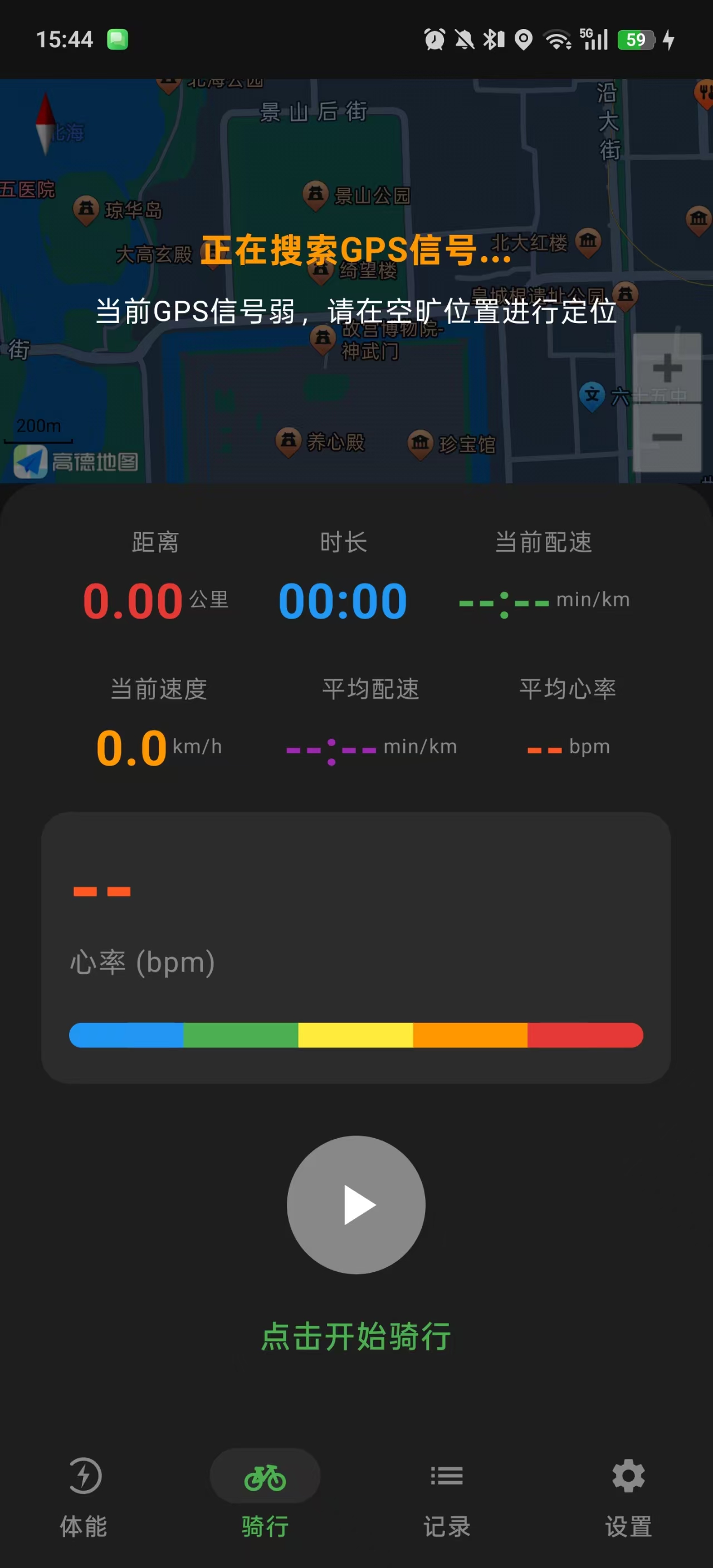
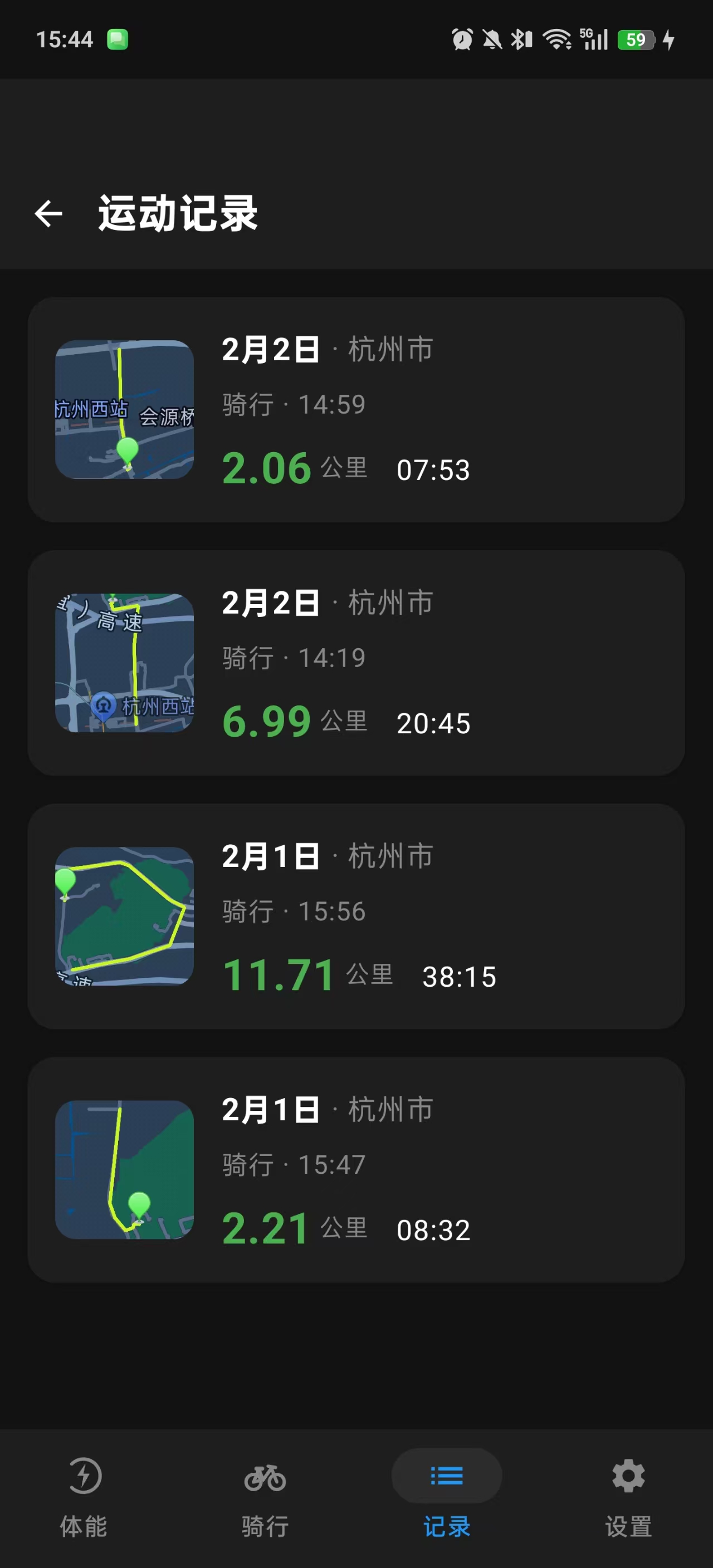
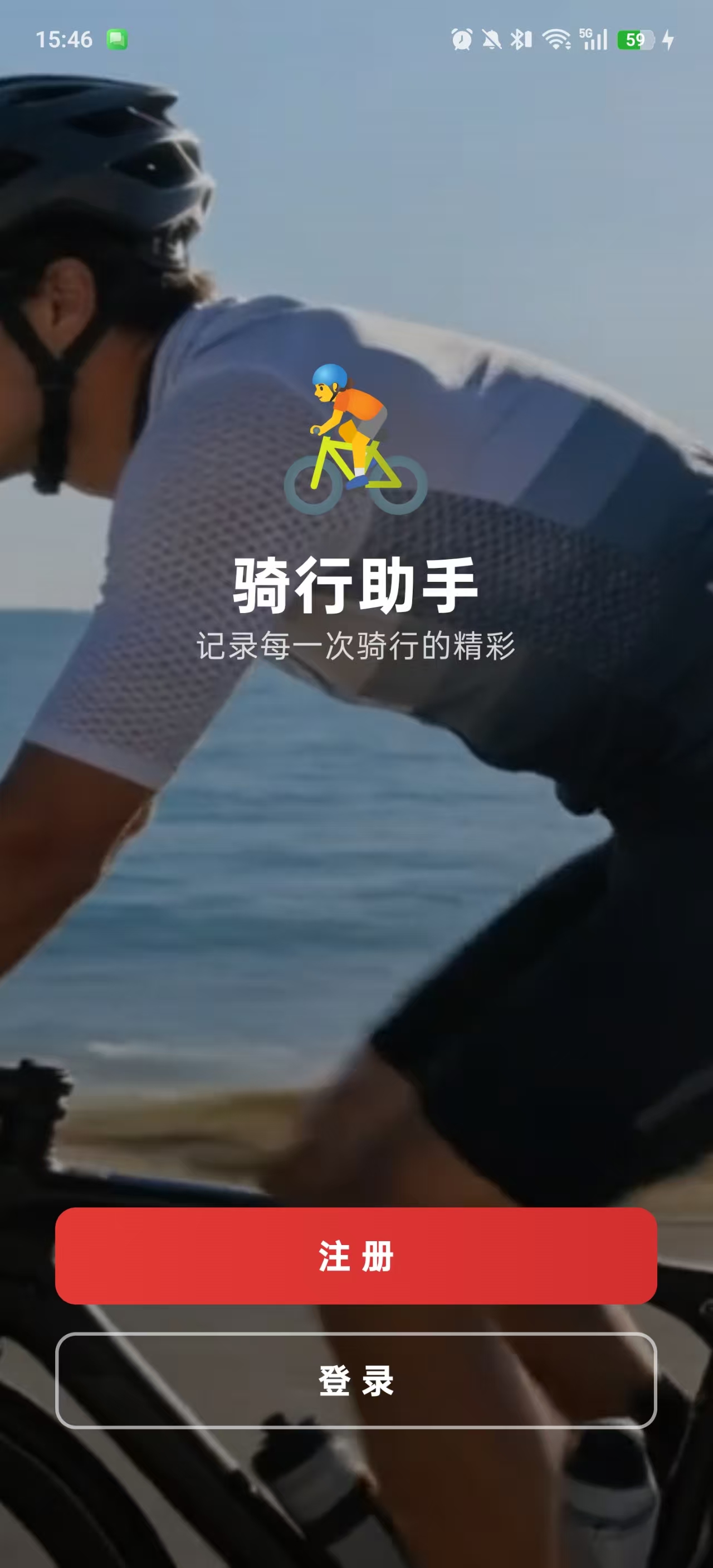
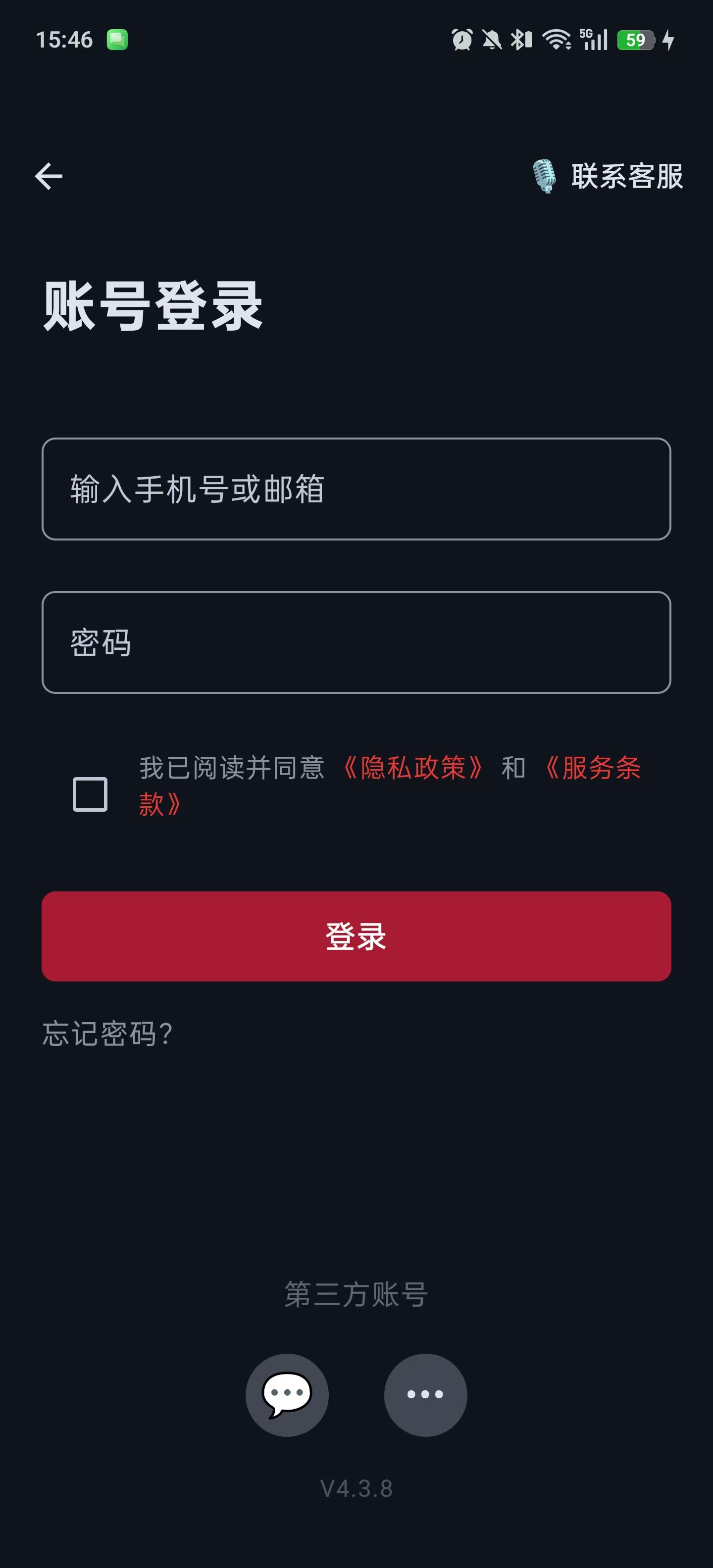
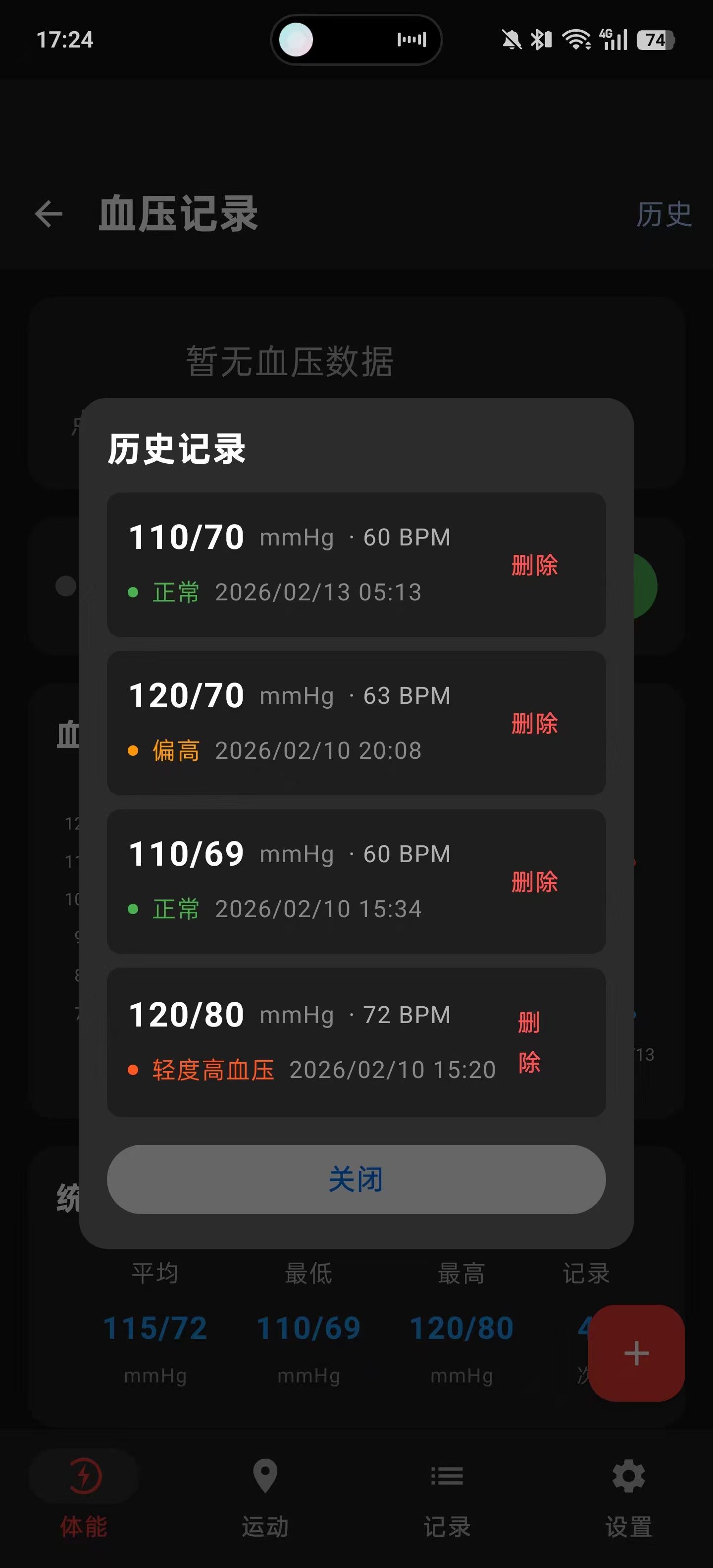
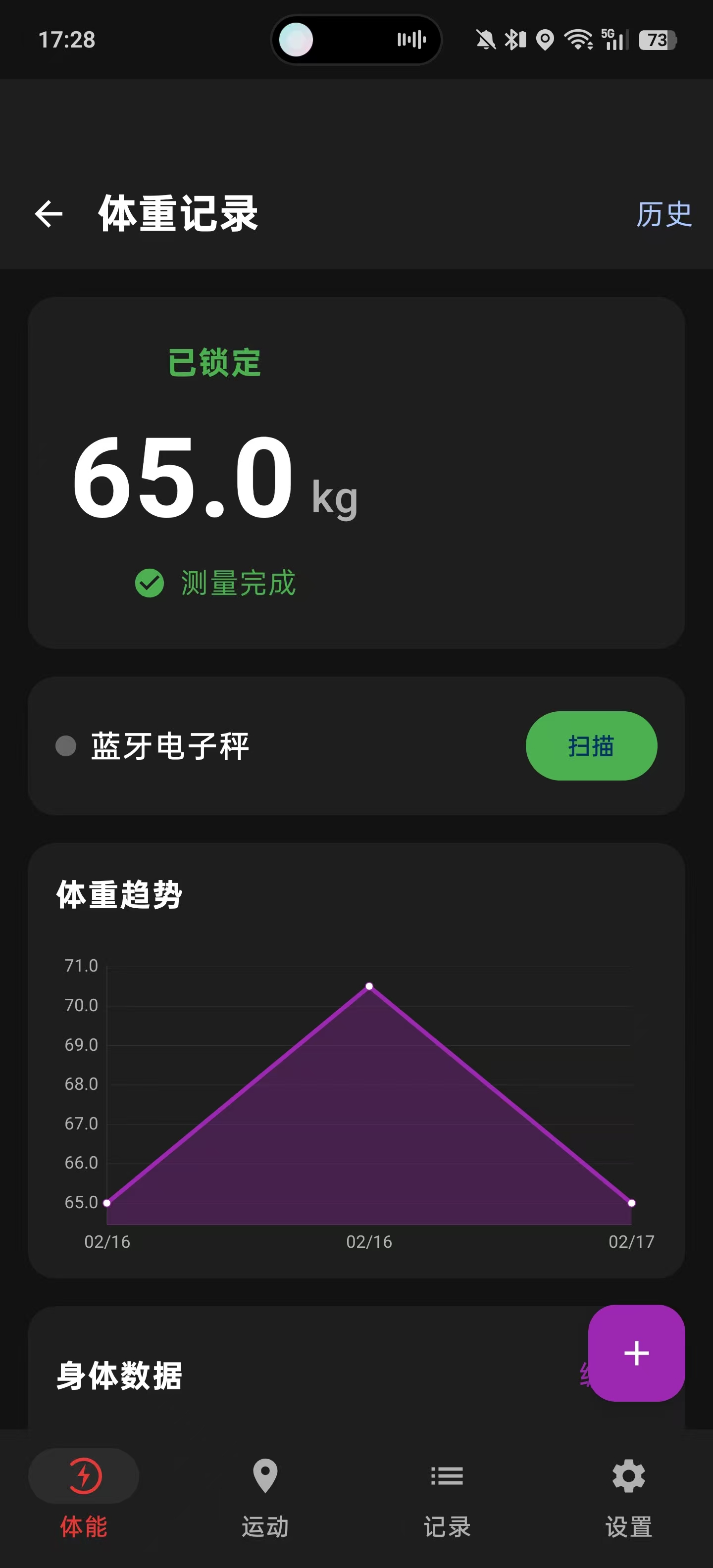
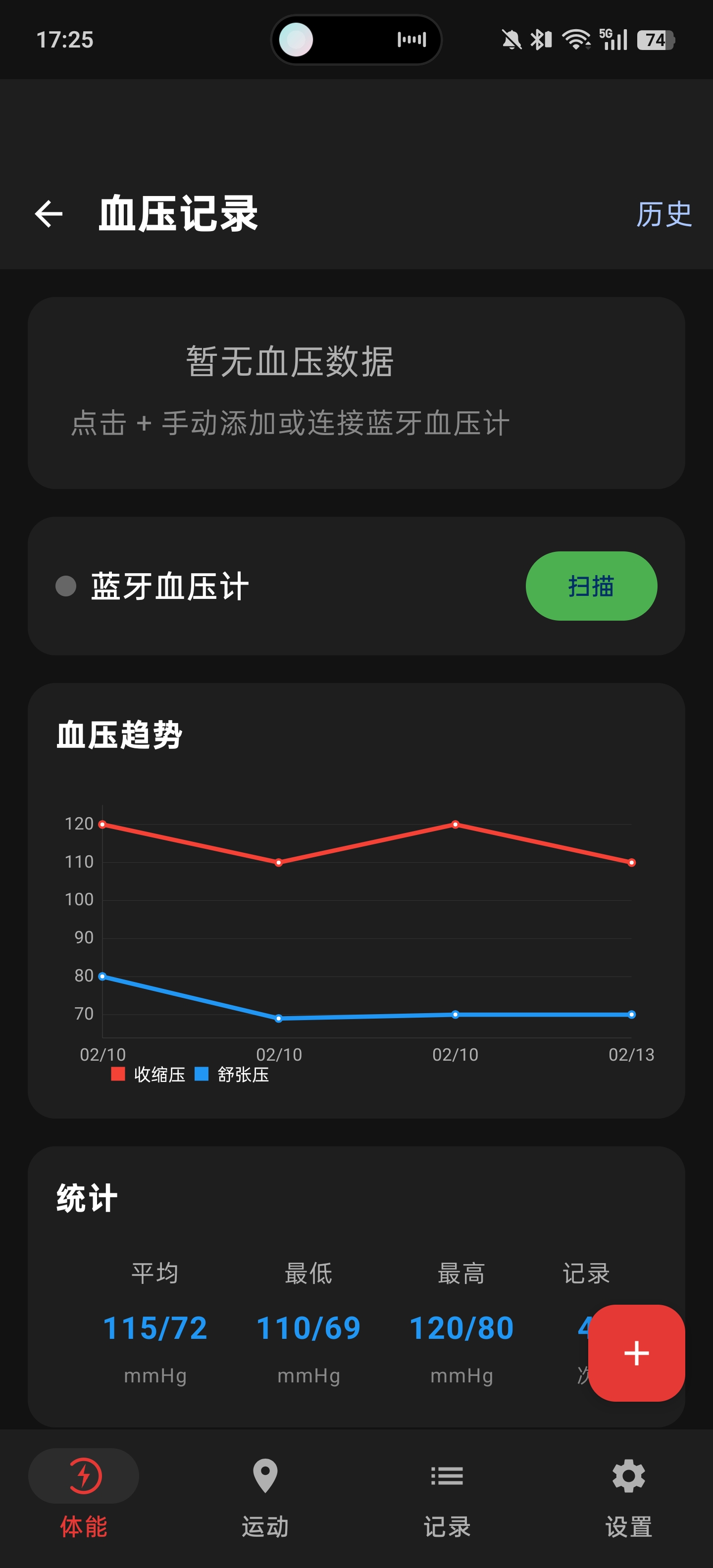
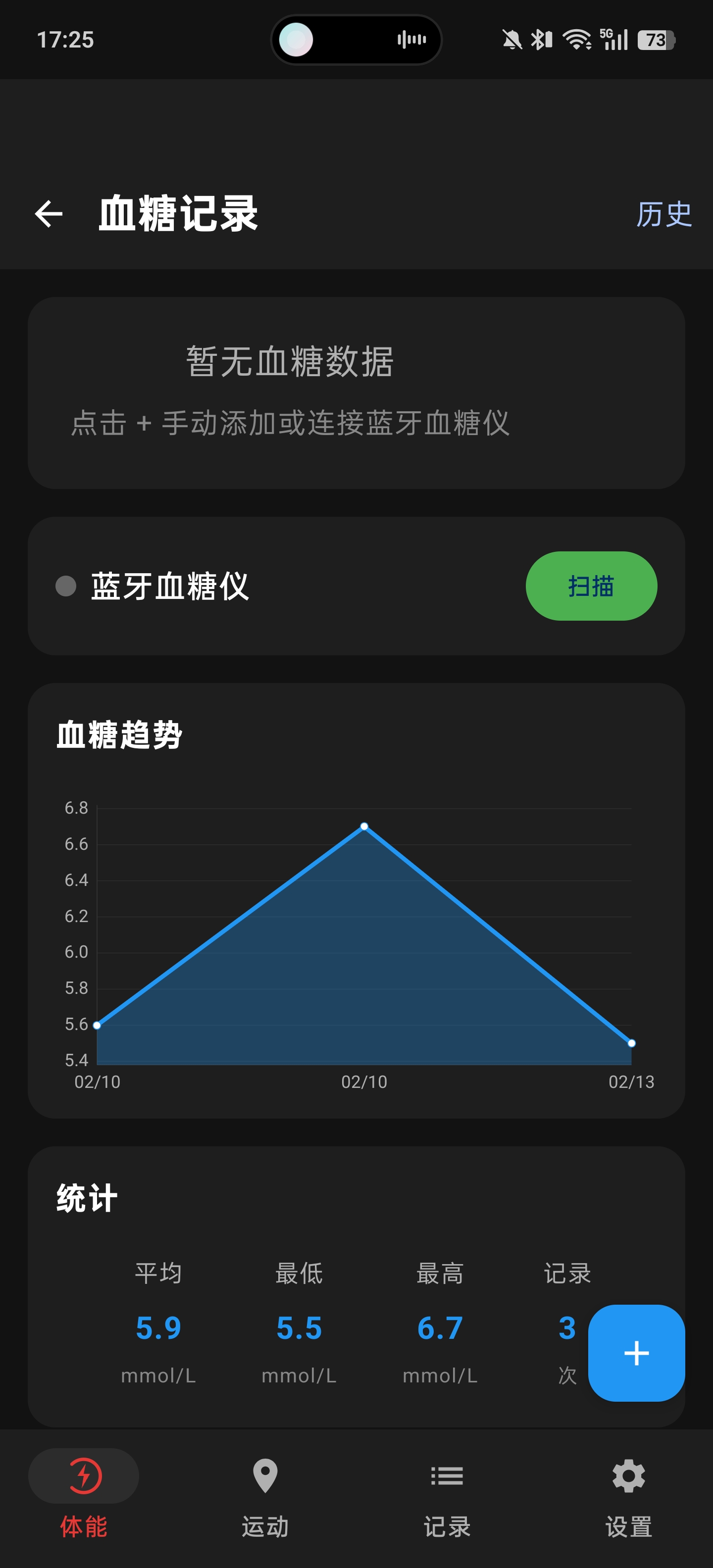
效果展示
1. 项目概述与架构设计 1.1 功能概览 Heart Sync 心同步 是一款专业的骑行运动追踪与健康管理App,主要功能包括:
运动追踪
实时GPS轨迹追踪 :高精度定位、卡尔曼滤波平滑、轨迹可视化蓝牙心率监测 :BLE心率带连接、实时心率显示、心率区间训练HRV分析 :心率变异性测量(SDNN、RMSSD)、长期趋势追踪运动数据统计 :距离、配速、速度、时长、卡路里消耗、累计爬升智能暂停/恢复 :静止检测自动暂停/恢复运动记录
健康管理
体重记录 :蓝牙电子秤/手动输入,BMI计算与趋势分析血压监测 :蓝牙血压计/手动输入,血压分级与趋势图血糖记录 :蓝牙血糖仪/手动输入,血糖分级与趋势追踪健康趋势 :使用MPAndroidChart展示历史数据可视化
数据管理
地图轨迹展示 :高德地图集成、轨迹绘制、公里标记运动记录管理 :历史记录列表、详情查看、轨迹缩略图用户认证系统 :登录注册、JWT认证、密码修改数据云同步 :本地与服务端双向同步、多设备数据同步数据导出分享 :GPX、TCX标准格式导出,支持Strava等平台
1.2 整体架构 项目采用 MVVM(Model-View-ViewModel) 架构模式:
┌─────────────────────────────────────────────────────────────┐/ 血压/ 血糖) │ │Server: Go/Gin + MySQL 8.0 │ │
1.3 数据模型设计 核心数据模型采用 Kotlin Data Class:
data class GpsPoint (val latitude: Double ,val longitude: Double ,val altitude: Double ,val timestamp: Instant,val accuracy: Float ,val speed: Float = 0f ,val heartRate: Int = 0 data class RunningSession (val id: String = UUID.randomUUID().toString(),val startTime: Instant,val endTime: Instant? = null ,val gpsPoints: List<GpsPoint> = emptyList(),val totalDistanceMeters: Double = 0.0 ,val totalDurationSeconds: Long = 0 ,val averageSpeed: Float = 0f ,val maxSpeed: Float = 0f ,val averageHeartRate: Int = 0 ,val maxHeartRate: Int = 0 ,val calories: Int = 0 ,val cityName: String = "" ,val activityType: String = "骑行" ,val totalAscent: Double = 0.0 ,val thumbnailPath: String = "" data class HrvData (val id: String = UUID.randomUUID().toString(),val timestamp: Instant = Instant.now(),val sdnn: Int , val rmssd: Int , val rrIntervals: List<Int >, val duration: Int sealed class HealthRecord {abstract val id: Stringabstract val timestamp: Instantdata class WeightRecord (override val id: String = UUID.randomUUID().toString(),override val timestamp: Instant = Instant.now(),val weightKg: Double ,val bodyFatPercent: Double ? = null ,val source: String = "manual" data class BloodPressureRecord (override val id: String = UUID.randomUUID().toString(),override val timestamp: Instant = Instant.now(),val systolic: Int , val diastolic: Int , val pulse: Int , val source: String = "manual" data class BloodGlucoseRecord (override val id: String = UUID.randomUUID().toString(),override val timestamp: Instant = Instant.now(),val value: Double , val measurementType: String, val source: String = "manual"
2. 技术栈选型与依赖配置 2.1 核心技术栈
技术领域
选型方案
版本
UI框架
Jetpack Compose
BOM 2024.09.00
架构组件
ViewModel + StateFlow
2.6.1
地图服务
高德地图SDK
3D地图+定位
蓝牙连接
Android BLE API
原生实现
心率协议
ANT+
支持ANT+心率带
网络请求
Retrofit + OkHttp
2.9.0 / 4.11.0
图表库
MPAndroidChart
3.1.0
图片加载
Coil
2.5.0
JSON解析
Gson
2.10.1
2.2 Gradle依赖配置 "com.awen.running" 36 "com.awen.running" 24 36 "arm64-v8a" , "armeabi-v7a" )true "androidx.compose:compose-bom:2024.09.00" ))"androidx.compose.ui:ui" )"androidx.compose.material3:material3" )"androidx.lifecycle:lifecycle-runtime-ktx:2.6.1" )"androidx.lifecycle:lifecycle-viewmodel-compose:2.6.1" )"androidx.lifecycle:lifecycle-runtime-compose:2.6.1" )"dir" to "libs" , "include" to listOf("*.jar" ))))"com.github.PhilJay:MPAndroidChart:v3.1.0" )"com.squareup.retrofit2:retrofit:2.9.0" )"com.squareup.retrofit2:converter-gson:2.9.0" )"io.coil-kt:coil-compose:2.5.0" )"androidx.security:security-crypto:1.1.0-alpha06" )
2.3 权限配置 <manifest > <uses-permission android:name ="android.permission.ACCESS_FINE_LOCATION" /> <uses-permission android:name ="android.permission.ACCESS_COARSE_LOCATION" /> <uses-permission android:name ="android.permission.BLUETOOTH" /> <uses-permission android:name ="android.permission.BLUETOOTH_ADMIN" /> <uses-permission android:name ="android.permission.BLUETOOTH_SCAN" /> <uses-permission android:name ="android.permission.BLUETOOTH_CONNECT" /> <uses-permission android:name ="android.permission.INTERNET" /> <uses-permission android:name ="android.permission.ACCESS_NETWORK_STATE" /> <uses-permission android:name ="android.permission.ACCESS_WIFI_STATE" /> <uses-permission android:name ="android.permission.WRITE_EXTERNAL_STORAGE" /> <uses-permission android:name ="android.permission.READ_EXTERNAL_STORAGE" /> <uses-permission android:name ="android.permission.VIBRATE" /> </manifest >
3. GPS定位与卡尔曼滤波优化 3.1 高德定位SDK集成 高德定位SDK支持GPS、WiFi、基站多源融合定位,特别适合室内外混合场景:
class AmapLocationTracker (private val context: Context) {private var locationClient: AMapLocationClient? = null private var lastFilteredLat: Double ? = null private var lastFilteredLng: Double ? = null private var kalmanGain = 0.3 private fun createLocationOption (strictMode: Boolean ) return AMapLocationClientOption().apply {1000L true true fun getLocationUpdates (strictMode: Boolean = false ) val client = AMapLocationClient(context)val listener = AMapLocationListener { location ->if (location == null || location.errorCode != 0 ) return @AMapLocationListener val accuracyThreshold = if (strictMode) 30f else 500f if (location.accuracy > accuracyThreshold) return @AMapLocationListener if (strictMode && location.speed > 13.9f ) return @AMapLocationListener val (filteredLat, filteredLng) = applyKalmanFilter(val gpsPoint = GpsPoint(
3.2 卡尔曼滤波算法实现 GPS原始数据存在噪声和跳变,卡尔曼滤波可以有效平滑轨迹:
private fun applyKalmanFilter (lat: Double , lng: Double , accuracy: Float ) Double , Double > {if (lastFilteredLat == null || lastFilteredLng == null ) {return Pair(lat, lng)when {5f -> 0.8 10f -> 0.5 20f -> 0.3 50f -> 0.2 else -> 0.1 val filteredLat = lastFilteredLat!! + kalmanGain * (lat - lastFilteredLat!!)val filteredLng = lastFilteredLng!! + kalmanGain * (lng - lastFilteredLng!!)return Pair(filteredLat, filteredLng)
3.3 GPS预热机制 GPS初始定位精度较差,需要丢弃前几个点:
private var gpsWarmupCounter = 0 private val GPS_WARMUP_POINTS = 5 private fun addGpsPoint (point: GpsPoint ) if (gpsWarmupCounter <= GPS_WARMUP_POINTS) {"GPS warmup: skipping point $gpsWarmupCounter /$GPS_WARMUP_POINTS " )return if (currentPoints.isNotEmpty()) {val prevPoint = currentPoints.last()val distance = calculateDistance(prevPoint, point)if (distance > 50.0 ) {"Distance jump detected: ${distance} m, skipping" )return
4. 高德地图SDK深度集成 4.1 SDK集成步骤
下载SDK :从高德开放平台下载Android地图SDK全量包配置JAR :将JAR文件放入app/libs/目录配置SO库 :将SO文件放入app/src/main/jniLibs/对应架构目录申请Key :在高德控制台创建应用,获取API Key
<application > <meta-data android:name ="com.amap.api.v2.apikey" android:value ="your_api_key_here" /> </application >
4.2 隐私合规配置 高德SDK要求在Application中进行隐私合规设置:
class RunningApplication : Application () {override fun onCreate () super .onCreate()this , true , true )this , true )init (this )
4.3 Compose封装MapView @Composable fun AmapView ( modifier: Modifier = Modifier, gpsPoints: List <GpsPoint > = emptyList() null ,Boolean = false val context = LocalContext.currentval lifecycleOwner = LocalLifecycleOwner.currentval mapView = remember { MapView(context) }var aMap by remember { mutableStateOf<AMap?>(null ) }var polyline by remember { mutableStateOf<Polyline?>(null ) }val observer = LifecycleEventObserver { _, event ->when (event) {else -> {}val map = aMap ?: return @LaunchedEffect if (gpsPoints.isEmpty()) {return @LaunchedEffect val latLngList = gpsPoints.map { LatLng(it.latitude, it.longitude) }if (polyline == null ) {val options = PolylineOptions()12f )0xFF4CAF50 .toInt()) true )if (!isRunning && latLngList.size >= 2 ) {val bounds = LatLngBounds.Builder()80 ))else {this .maptrue true true
4.4 逆地理编码(获取城市名) class AmapGeocoder (private val context: Context) {suspend fun getCityName (latitude: Double , longitude: Double ) return suspendCancellableCoroutine { continuation ->val geocodeSearch = GeocodeSearch(context)object : GeocodeSearch.OnGeocodeSearchListener {override fun onRegeocodeSearched (result: RegeocodeResult ?, code: Int ) if (code == 1000 && result?.regeocodeAddress != null ) {val address = result.regeocodeAddressval cityName = address.city.ifEmpty { address.province }else {"未知城市" ) {}override fun onGeocodeSearched (result: GeocodeResult ?, code: Int ) val query = RegeocodeQuery(200f ,
5. 蓝牙BLE设备连接 5.1 BLE心率服务规范 心率带遵循蓝牙标准心率服务(Heart Rate Service):
UUID
名称
说明
0x180D
Heart Rate Service
心率服务
0x2A37
Heart Rate Measurement
心率测量特征
0x2902
CCCD
客户端特征配置描述符
5.2 BLE心率管理器实现 @SuppressLint("MissingPermission" ) class BluetoothLeManager (private val context: Context) {private val bluetoothAdapter: BluetoothAdapter? by lazy {val bluetoothManager = context.getSystemService(Context.BLUETOOTH_SERVICE) as BluetoothManagerprivate var bluetoothGatt: BluetoothGatt? = null private val _heartRate = MutableStateFlow(0 )val heartRate: StateFlow<Int > = _heartRate.asStateFlow()private val _rrIntervals = MutableSharedFlow<Int >(extraBufferCapacity = 64 )val rrIntervals: SharedFlow<Int > = _rrIntervals.asSharedFlow()private val _connectionState = MutableStateFlow(false )val connectionState: StateFlow<Boolean > = _connectionState.asStateFlow()private val gattCallback = object : BluetoothGattCallback() {override fun onConnectionStateChange (gatt: BluetoothGatt , status: Int , newState: Int ) if (newState == BluetoothProfile.STATE_CONNECTED) {true else if (newState == BluetoothProfile.STATE_DISCONNECTED) {false override fun onServicesDiscovered (gatt: BluetoothGatt , status: Int ) if (status == BluetoothGatt.GATT_SUCCESS) {val service = gatt.getService(UUID.fromString("0000180d-0000-1000-8000-00805f9b34fb" ))val characteristic = service?.getCharacteristic("00002a37-0000-1000-8000-00805f9b34fb" )if (characteristic != null ) {true )val descriptor = characteristic.getDescriptor("00002902-0000-1000-8000-00805f9b34fb" )if (Build.VERSION.SDK_INT >= Build.VERSION_CODES.TIRAMISU) {else {@Suppress("DEPRECATION" ) @Suppress("DEPRECATION" ) override fun onCharacteristicChanged ( gatt: BluetoothGatt , characteristic: BluetoothGattCharacteristic , value: ByteArray ) private fun processHeartRateData (data : ByteArray ) if (data .isEmpty()) return val flag = data [0 ].toInt()val heartRate = if ((flag and 0x01 ) != 0 ) {data [2 ].toInt() and 0xFF ) shl 8 ) or (data [1 ].toInt() and 0xFF )else {data [1 ].toInt() and 0xFF if ((flag and 0x10 ) != 0 ) {var offset = if ((flag and 0x01 ) != 0 ) 3 else 2 if ((flag and 0x08 ) != 0 ) offset += 2 while (offset + 2 <= data .size) {val rrRaw = ((data [offset + 1 ].toInt() and 0xFF ) shl 8 ) or (data [offset].toInt() and 0xFF )val rrMs = (rrRaw * 1000 ) / 1024 2 fun connect (device: BluetoothDevice ) false , gattCallback)fun disconnect () null
5.3 蓝牙体重秤连接 @SuppressLint("MissingPermission" ) class BluetoothScaleManager (private val context: Context) {private val bluetoothAdapter: BluetoothAdapter? by lazy {val bluetoothManager = context.getSystemService(Context.BLUETOOTH_SERVICE) as BluetoothManagerprivate var bluetoothGatt: BluetoothGatt? = null private val _weightData = MutableSharedFlow<WeightData>(extraBufferCapacity = 1 )val weightData: SharedFlow<WeightData> = _weightData.asSharedFlow()data class WeightData (val weightKg: Double ,val bodyFatPercent: Double ? = null ,val isStable: Boolean = false private val gattCallback = object : BluetoothGattCallback() {override fun onConnectionStateChange (gatt: BluetoothGatt , status: Int , newState: Int ) if (newState == BluetoothProfile.STATE_CONNECTED) {override fun onServicesDiscovered (gatt: BluetoothGatt , status: Int ) val service = gatt.getService(UUID.fromString("0000181b-0000-1000-8000-00805f9b34fb" ))val characteristic = service?.getCharacteristic("00002a9c-0000-1000-8000-00805f9b34fb" )override fun onCharacteristicChanged ( gatt: BluetoothGatt , characteristic: BluetoothGattCharacteristic , value: ByteArray ) private fun parseWeightData (data : ByteArray ) if (data .size >= 4 ) {val flags = data [0 ].toInt()val isStable = (flags and 0x01 ) != 0 val weightRaw = ((data [2 ].toInt() and 0xFF ) shl 8 ) or (data [1 ].toInt() and 0xFF )val weightKg = weightRaw / 100.0 null , isStable))fun connect (device: BluetoothDevice ) false , gattCallback)fun disconnect () null
6. HRV心率变异性分析 6.1 HRV概述 心率变异性(Heart Rate Variability, HRV)是指连续心跳之间时间间隔的变化程度。HRV是评估自主神经系统功能和心血管健康的重要指标。
常用HRV指标:
SDNN :所有RR间期的标准差,反映整体心率变异性RMSSD :相邻RR间期差值的均方根,主要反映副交感神经活性pNN50 :相邻RR间期差值超过50ms的比例
6.2 HRV测量管理器 class HrvMeasurementManager (private val context: Context,private val heartRateFlow: SharedFlow<Int >,private val rrIntervalFlow: SharedFlow<Int >private val scope = CoroutineScope(SupervisorJob() + Dispatchers.Default)private val _measurementState = MutableStateFlow<MeasurementState>(MeasurementState.Idle)val measurementState: StateFlow<MeasurementState> = _measurementState.asStateFlow()private val _currentHrvData = MutableStateFlow<HrvData?>(null )val currentHrvData: StateFlow<HrvData?> = _currentHrvData.asStateFlow()private var measurementJob: Job? = null private val rrIntervals = mutableListOf<Int >()sealed class MeasurementState {object Idle : MeasurementState()object Measuring : MeasurementState()data class Complete (val data : HrvData) : MeasurementState()data class Error (val message: String) : MeasurementState()fun startMeasurement (duration: Int = 180 ) if (_measurementState.value is MeasurementState.Measuring) return val rrJob = launch {if (rr in 300. .2000 ) { 1000L )if (rrIntervals.size >= 30 ) { val hrvData = calculateHrvMetrics(rrIntervals, duration)else {"有效数据不足,请重新测量" )fun stopMeasurement () private fun calculateHrvMetrics (rrIntervals: List <Int >, duration: Int ) val meanRR = rrIntervals.average()val variance = rrIntervals.map { (it - meanRR).pow(2 ) }.average()val sdnn = sqrt(variance).toInt()val successiveDiffs = rrIntervals.windowed(2 ) { (a, b) -> (b - a).toDouble() }val rmssd = sqrt(successiveDiffs.map { it.pow(2 ) }.average()).toInt()return HrvData(fun cleanup ()
6.3 HRV趋势分析 class HrvRepository (private val context: Context) {private val prefs = context.getSharedPreferences("hrv_data" , Context.MODE_PRIVATE)private val gson = Gson()private val _hrvRecords = MutableStateFlow<List<HrvData>>(emptyList())val hrvRecords: StateFlow<List<HrvData>> = _hrvRecords.asStateFlow()init {fun saveHrvRecord (data : HrvData ) val currentRecords = _hrvRecords.value.toMutableList()0 , data ) if (currentRecords.size > 100 ) {1 )val json = gson.toJson(currentRecords)"hrv_records" , json).apply()fun getHrvTrend (days: Int ) val cutoffTime = Instant.now().minus(days.toLong(), ChronoUnit.DAYS)return _hrvRecords.valuedata class HrvTrendPoint (val date: LocalDate,val avgSdnn: Int ,val avgRmssd: Int ,val recordCount: Int
7. 健康管理功能 7.1 体重管理 class WeightViewModel (private val repository: HealthRepository) : ViewModel() {private val _weightRecords = MutableStateFlow<List<WeightRecord>>(emptyList())val weightRecords: StateFlow<List<WeightRecord>> = _weightRecords.asStateFlow()private val _currentWeight = MutableStateFlow<Double ?>(null )val currentWeight: StateFlow<Double ?> = _currentWeight.asStateFlow()private val _bmi = MutableStateFlow<Double ?>(null )val bmi: StateFlow<Double ?> = _bmi.asStateFlow()fun addWeightRecord (weightKg: Double , bodyFatPercent: Double ? = null ) val record = WeightRecord("manual" fun addBluetoothWeight (weightKg: Double , bodyFatPercent: Double ?) val record = WeightRecord("bluetooth" private fun calculateBmi (weightKg: Double ) val heightM = repository.getUserHeightCm() / 100.0 if (heightM > 0 ) {fun getBmiCategory (bmi: Double ) return when {18.5 -> "偏瘦" 24.0 -> "正常" 28.0 -> "偏胖" else -> "肥胖"
7.2 血压管理 class BloodPressureViewModel (private val repository: HealthRepository) : ViewModel() {private val _bpRecords = MutableStateFlow<List<BloodPressureRecord>>(emptyList())val bpRecords: StateFlow<List<BloodPressureRecord>> = _bpRecords.asStateFlow()fun addBloodPressureRecord ( systolic: Int , diastolic: Int , pulse: Int ) val record = BloodPressureRecord(fun getBloodPressureCategory (systolic: Int , diastolic: Int ) return when {90 || diastolic < 60 -> BpCategory.LOW120 && diastolic < 80 -> BpCategory.NORMAL130 && diastolic < 80 -> BpCategory.ELEVATED140 || diastolic < 90 -> BpCategory.HIGH_STAGE1140 || diastolic >= 90 -> BpCategory.HIGH_STAGE2else -> BpCategory.UNKNOWNenum class BpCategory (val label: String, val color: Color) {"偏低" , Color.Blue),"正常" , Color.Green),"正常高值" , Color.Yellow),"轻度高血压" , Color(0xFFFFA500 )),"中重度高血压" , Color.Red),"未知" , Color.Gray)
7.3 血糖管理 class BloodGlucoseViewModel (private val repository: HealthRepository) : ViewModel() {private val _glucoseRecords = MutableStateFlow<List<BloodGlucoseRecord>>(emptyList())val glucoseRecords: StateFlow<List<BloodGlucoseRecord>> = _glucoseRecords.asStateFlow()fun addGlucoseRecord (value: Double , measurementType: String ) val record = BloodGlucoseRecord(fun getGlucoseCategory (value: Double , measurementType: String ) return when (measurementType) {"fasting" -> when {3.9 -> GlucoseCategory.LOW6.1 -> GlucoseCategory.NORMAL7.0 -> GlucoseCategory.ELEVATEDelse -> GlucoseCategory.HIGH"after_meal" -> when {3.9 -> GlucoseCategory.LOW7.8 -> GlucoseCategory.NORMAL11.1 -> GlucoseCategory.ELEVATEDelse -> GlucoseCategory.HIGHelse -> GlucoseCategory.UNKNOWNenum class GlucoseCategory (val label: String, val color: Color, val description: String) {"偏低" , Color.Blue, "血糖过低,请及时补充糖分" ),"正常" , Color.Green, "血糖处于正常范围" ),"偏高" , Color.Yellow, "血糖偏高,注意饮食控制" ),"过高" , Color.Red, "血糖过高,建议咨询医生" ),"未知" , Color.Gray, "" )
7.4 健康趋势图表 @Composable fun HealthTrendChart ( records: List <HealthRecord >, modifier: Modifier = Modifier, chartType: ChartType = ChartType.LINE ) val context = LocalContext.currentfalse true object : ValueFormatter() {private val formatter = SimpleDateFormat("MM/dd" , Locale.getDefault())override fun getFormattedValue (value: Float ) return formatter.format(Date(value.toLong()))false when (val firstRecord = records.firstOrNull()) {is WeightRecord -> updateWeightChart(chart, records.filterIsInstance<WeightRecord>())is BloodPressureRecord -> updateBpChart(chart, records.filterIsInstance<BloodPressureRecord>())is BloodGlucoseRecord -> updateGlucoseChart(chart, records.filterIsInstance<BloodGlucoseRecord>())private fun updateWeightChart (chart: LineChart , records: List <WeightRecord >) val entries = records.map { val dataSet = LineDataSet(entries, "体重(kg)" ).apply {0xFF4CAF50 ).toArgb()2f true )true )0xFF4CAF50 ).toArgb()30 data = LineData(dataSet)
8. 运动数据计算与算法 8.1 距离计算 使用Android原生API计算两点间球面距离:
private fun calculateDistance (p1: GpsPoint , p2: GpsPoint ) Double {val results = FloatArray(1 )return results[0 ].toDouble()
8.2 配速计算 配速(Pace)= 时间 / 距离,单位:分钟/公里
fun getPaceMinPerKm () if (totalDistanceMeters == 0.0 ) return "--:--" val paceSeconds = totalDurationSeconds / (totalDistanceMeters / 1000.0 )val minutes = (paceSeconds / 60 ).toInt()val seconds = (paceSeconds % 60 ).toInt()return String.format("%d:%02d" , minutes, seconds)
8.3 卡路里计算(骑行MET公式) 卡路里消耗基于代谢当量(MET)计算,骑行的MET值与跑步不同:
fun calculateCalories (weightKg: Double = 65.0 ) Int {if (totalDurationSeconds == 0L || totalDistanceMeters == 0.0 ) return 0 val speedKmh = (totalDistanceMeters / 1000.0 ) / (totalDurationSeconds / 3600.0 )val met = when {16.0 -> 4.0 19.0 -> 6.0 22.0 -> 8.0 25.0 -> 10.0 30.0 -> 12.0 else -> 15.8 val durationHours = totalDurationSeconds / 3600.0 return (met * weightKg * durationHours).toInt()
8.4 心率区间计算(储备心率法) fun calculateHeartRateZones (maxHr: Int , restingHr: Int ) val reserveHr = maxHr - restingHrreturn HeartRateZones("热身" , restingHr, restingHr + (reserveHr * 0.50 ).toInt(), Color.Gray),"燃脂" , restingHr + (reserveHr * 0.50 ).toInt(), restingHr + (reserveHr * 0.60 ).toInt(), Color.Blue),"有氧" , restingHr + (reserveHr * 0.60 ).toInt(), restingHr + (reserveHr * 0.70 ).toInt(), Color.Green),"阈值" , restingHr + (reserveHr * 0.70 ).toInt(), restingHr + (reserveHr * 0.80 ).toInt(), Color.Yellow),"无氧" , restingHr + (reserveHr * 0.80 ).toInt(), maxHr, Color.Red)data class HeartRateZone (val name: String,val minHr: Int ,val maxHr: Int ,val color: Colordata class HeartRateZones (val zone1: HeartRateZone,val zone2: HeartRateZone,val zone3: HeartRateZone,val zone4: HeartRateZone,val zone5: HeartRateZonefun getZoneForHeartRate (hr: Int ) return when {else -> zone5
9. 智能暂停与自动恢复 9.1 功能说明 骑行过程中实现智能暂停和自动恢复功能:
自动暂停 :当速度 < 0.5m/s 持续 10秒 时自动暂停自动恢复 :暂停后速度 ≥ 0.5m/s 持续 5秒 时自动恢复暂停期间GPS轨迹连续性 :暂停时继续记录GPS点(保持轨迹连续),但不计入距离和时长
9.2 实现代码 private var zeroSpeedCounter = 0 private val AUTO_PAUSE_THRESHOLD = 10 private var nonZeroSpeedCounter = 0 private val AUTO_RESUME_THRESHOLD = 5 private fun checkAutoPause (speed: Float ) if (speed < 0.5f ) { 0 if (zeroSpeedCounter >= AUTO_PAUSE_THRESHOLD && !_isPaused.value) {"Auto pause triggered: speed=0 for ${zeroSpeedCounter} s" )else {0 if (_isPaused.value) {"Non-zero speed detected while paused: ${nonZeroSpeedCounter} /${AUTO_RESUME_THRESHOLD} s" )if (nonZeroSpeedCounter >= AUTO_RESUME_THRESHOLD) {"Auto resume triggered: speed>0 for ${nonZeroSpeedCounter} s" )else {0 fun pauseRiding () if (!_isRunning.value || _isPaused.value) return "Pausing cycling..." )true 200 ) fun resumeRiding () if (!_isRunning.value || !_isPaused.value) return "Resuming cycling..." )false null 0 0 200 )
9.3 暂停期间GPS轨迹处理 locationFlow.collect { gpsPoint ->val pointWithHeartRate = gpsPoint.copy(heartRate = _currentHeartRate.value)if (_isPaused.value) {else {
10. 用户认证与数据同步 10.1 JWT Token认证 object RetrofitClient {private const val BASE_URL = "https://api.awen.me/api/v1/" private lateinit var appContext: Contextprivate var token: String? = null fun init (context: Context ) fun setToken (newToken: String ) fun hasToken () Boolean = !token.isNullOrEmpty()fun clearToken () null private val okHttpClient = OkHttpClient.Builder()val request = chain.request().newBuilder().apply {"Authorization" , "Bearer $it " ) }30 , TimeUnit.SECONDS)30 , TimeUnit.SECONDS)private val retrofit = Retrofit.Builder()val apiService: ApiService = retrofit.create(ApiService::class .java)
10.2 加密存储 object EncryptedStorage {private const val ANDROID_KEYSTORE = "AndroidKeyStore" private const val KEY_ALIAS = "heart_sync_key" private const val PREFS_NAME = "encrypted_prefs" private fun getMasterKey (context: Context ) return MasterKey.Builder(context, KEY_ALIAS)private fun getEncryptedSharedPreferences (context: Context ) return EncryptedSharedPreferences.create(fun saveToken (context: Context , token: String ) "jwt_token" , token)fun getToken (context: Context ) return getEncryptedSharedPreferences(context).getString("jwt_token" , null )fun clearToken (context: Context ) "jwt_token" )
10.3 运动记录云同步 class RunningRecordsRepository (context: Context) {private val api = RetrofitClient.apiServicefun syncFromServer () if (!RetrofitClient.hasToken()) return try {val response = api.getSessions(page = 1 , pageSize = 100 )if (response.isSuccessful) {val apiResponse = response.body()if (apiResponse?.code == 0 && apiResponse.data != null ) {val serverRecords = apiResponse.data .sessions.map { it.toRunningSession() }val localRecords = _records.valueval localRecordsMap = localRecords.associateBy { it.id }val serverIds = serverRecords.map { it.id }.toSet()val localOnlyRecords = localRecords.filter { it.id !in serverIds }val mergedServerRecords = serverRecords.map { serverRecord ->val localRecord = localRecordsMap[serverRecord.id]if (localRecord != null && localRecord.gpsPoints.isNotEmpty() else {val mergedRecords = (mergedServerRecords + localOnlyRecords)catch (e: Exception) {"Sync error" , e)
11. 数据持久化与导出 11.1 GPX格式导出 object GpxExporter {fun generateGpxContent (session: RunningSession ) val sb = StringBuilder()"""<?xml version="1.0" encoding="UTF-8"?>""" )"""<gpx version="1.1" creator="Heart Sync" xmlns="http://www.topografix.com/GPX/1/1" xmlns:gpxtpx="http://www.garmin.com/xmlschemas/TrackPointExtension/v1">""" )" <metadata>" )" <name>Cycling Session ${session.id} </name>" )" <time>${session.startTime} </time>" )" </metadata>" )" <trk>" )" <name>Cycling Track</name>" )" <type>cycling</type>" )" <trkseg>" )" <trkpt lat=\"${point.latitude} \" lon=\"${point.longitude} \">" )" <ele>${point.altitude} </ele>" )" <time>${point.timestamp} </time>" )if (point.heartRate > 0 ) {" <extensions>" )" <gpxtpx:TrackPointExtension>" )" <gpxtpx:hr>${point.heartRate} </gpxtpx:hr>" )" </gpxtpx:TrackPointExtension>" )" </extensions>" )" </trkpt>" )" </trkseg>" )" </trk>" )"</gpx>" )return sb.toString()
11.2 分享功能 fun shareGpxFile (context: Context , session: RunningSession ) val gpxContent = GpxExporter.generateGpxContent(session)val fileName = "heart_sync_${session.startTime.epochSecond} .gpx" val file = File(context.cacheDir, fileName)val uri = FileProvider.getUriForFile("${context.packageName} .fileprovider" ,val shareIntent = Intent().apply {"application/gpx+xml" "骑行轨迹: ${session.startTime} " )"分享轨迹" ))
12. Jetpack Compose UI实现 12.1 主界面结构 @Composable fun MainScreen ( navController: NavHostController = rememberNavController() "running" ,"running" ) { RunningScreenWithMap() }"records" ) { RecordsScreen() }"health" ) { HealthScreen() }"settings" ) { SettingsScreen() }@Composable fun BottomNavigationBar (navController: NavHostController ) val items = listOf("运动" , Icons.Default.DirectionsBike, "running" ),"记录" , Icons.Default.List, "records" ),"健康" , Icons.Default.Favorite, "health" ),"设置" , Icons.Default.Settings, "settings" )val currentRoute = currentRoute(navController)
12.2 运动数据卡片 @Composable fun RunningDataPanel ( distance: Double , duration: Long , pace: String , heartRate: Int , modifier: Modifier = Modifier ) 16. dp),0xFF1E1E1E ).copy(alpha = 0.9f )16. dp)20. dp)"%.2f" , distance / 1000 ),48. sp,"公里" ,14. sp,16. dp))"时长" , TimeUtils.formatDuration(duration), Icons.Default.Timer)"配速" , pace, Icons.Default.Speed)"心率" , "$heartRate " , Icons.Default.Favorite)@Composable private fun DataItem (label: String , value: String , icon: ImageVector ) 4. dp))12. sp)
13. 踩坑记录与解决方案 13.1 GPS室内定位失效 问题 :室内无法获取GPS定位,但高德地图App可以定位
原因 :精度阈值过滤太严格(100米),室内WiFi定位精度通常200-500米
解决方案 :
val accuracyThreshold = if (strictMode) 30f else 500f
13.2 位置权限弹窗不显示 问题 :进入骑行页面时权限弹窗不显示
原因 :Android 10+ 不能同时请求前台和后台位置权限
解决方案 :
val locationPermissions = arrayOf(
13.3 暂停后GPS轨迹丢失 问题 :自动暂停后恢复骑行,轨迹出现断点
原因 :暂停时完全停止记录GPS点
解决方案 :
if (_isPaused.value) {else {
13.4 Token明文存储安全风险 问题 :JWT Token使用普通SharedPreferences存储,Root设备可读取
解决方案 :使用Android Keystore加密存储
val prefs = EncryptedSharedPreferences.create("encrypted_prefs" ,
13.5 HRV测量数据不准确 问题 :HRV测量结果波动很大,与专业设备差距较大
原因 :
RR间期数据未过滤异常值
测量时长不足
用户未保持静止
解决方案 :
if (rr in 300. .2000 ) {fun startMeasurement (duration: Int = 180 ) "请保持静止,深呼吸,不要说话" )
14. 总结与展望 14.1 项目亮点
完整的运动追踪 :GPS定位 + 卡尔曼滤波 + 智能暂停恢复多设备蓝牙支持 :心率带、体重秤、血压计、血糖仪专业HRV分析 :SDNN、RMSSD指标计算与趋势追踪全面的健康管理 :体重、血压、血糖记录与趋势图表安全的数据存储 :Android Keystore加密保护敏感信息标准数据格式 :支持GPX/TCX导出,兼容主流运动平台
14.2 后续优化方向
功率计支持 :接入ANT+功率计,实现功率训练训练计划 :基于心率和功率的训练计划制定社交功能 :运动数据分享、好友PKAI分析 :基于历史数据的运动表现分析和建议智能手表 :Wear OS版本开发
参考资料

评论
0 条评论