Recently I connected an HC-SR04 ultrasonic ranging module to an ESP32, plus an active buzzer, and ran a small “alarm when the distance drops below 10 cm” experiment. Here’s a record of the wiring, the code, and the pitfalls I hit.
Experiment Goals
- Use the ESP32 to read the distance measured by the HC-SR04 ultrasonic module.
- When the distance is less than 10 cm, the buzzer beeps once every 3 seconds, for 200 ms each time.
- When the distance is 10 cm or more, the buzzer stays quiet.
What You Need
| Component | Qty | Notes |
|---|---|---|
| ESP32 development board | 1 | Any ordinary DevKit works |
| HC-SR04 ultrasonic module | 1 | Ranging distance 2 cm ~ 400 cm |
| Active buzzer module | 1 | Commonly low-level triggered |
| Jumper wires | Several | Female-to-female or male-to-female |
Wiring
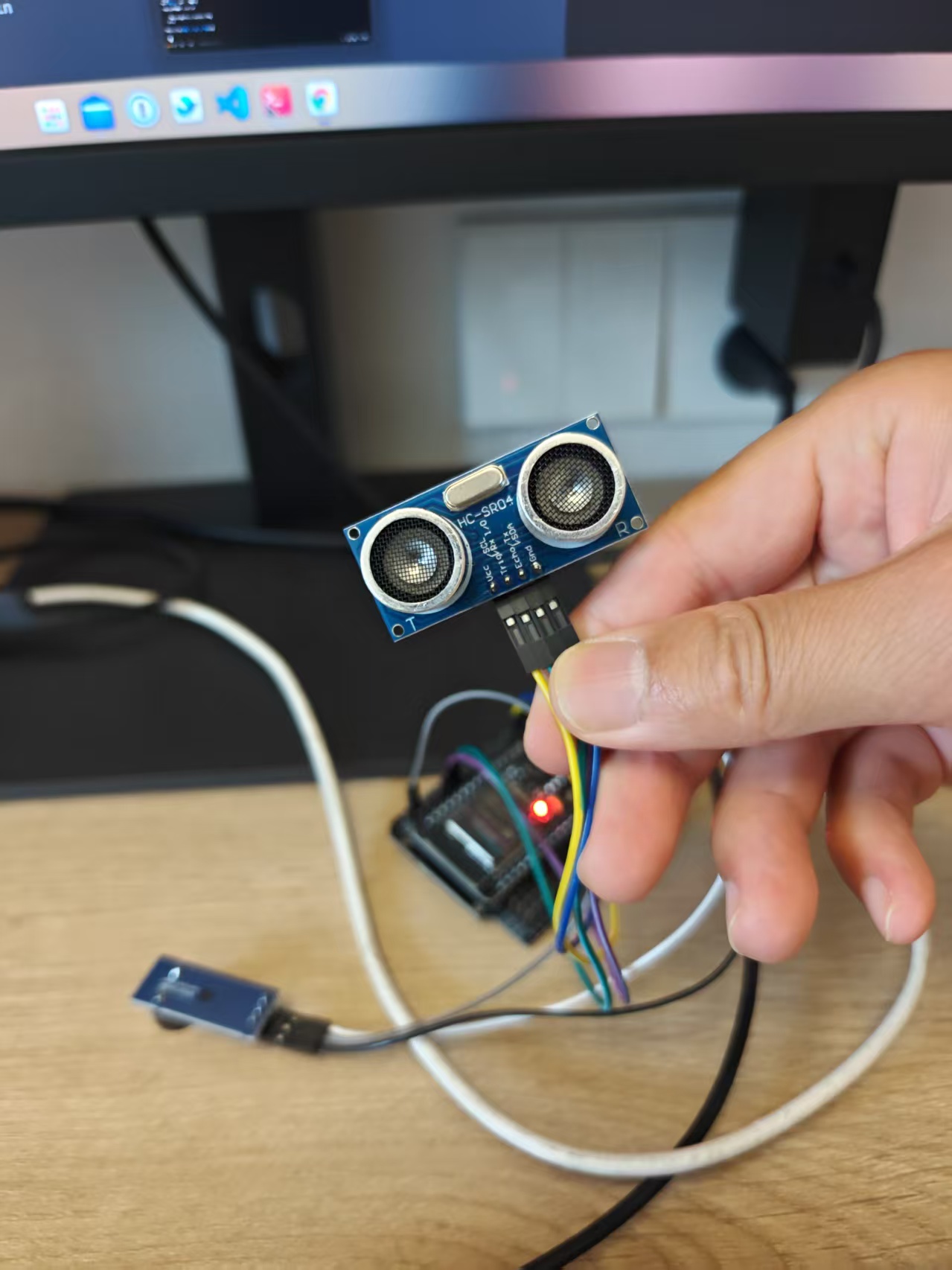
HC-SR04 to ESP32
| HC-SR04 | ESP32 |
|---|---|
| VCC | 3.3V or 5V |
| GND | GND |
| Trig | GPIO18 (D18) |
| Echo | GPIO19 (D19) |
The HC-SR04’s Echo outputs a 5V high level, while ESP32 GPIOs tolerate 3.3V. In my tests it worked when connected directly, but strictly speaking it’s safer to put a 1kΩ resistor between Echo and the ESP32 to divide the voltage.
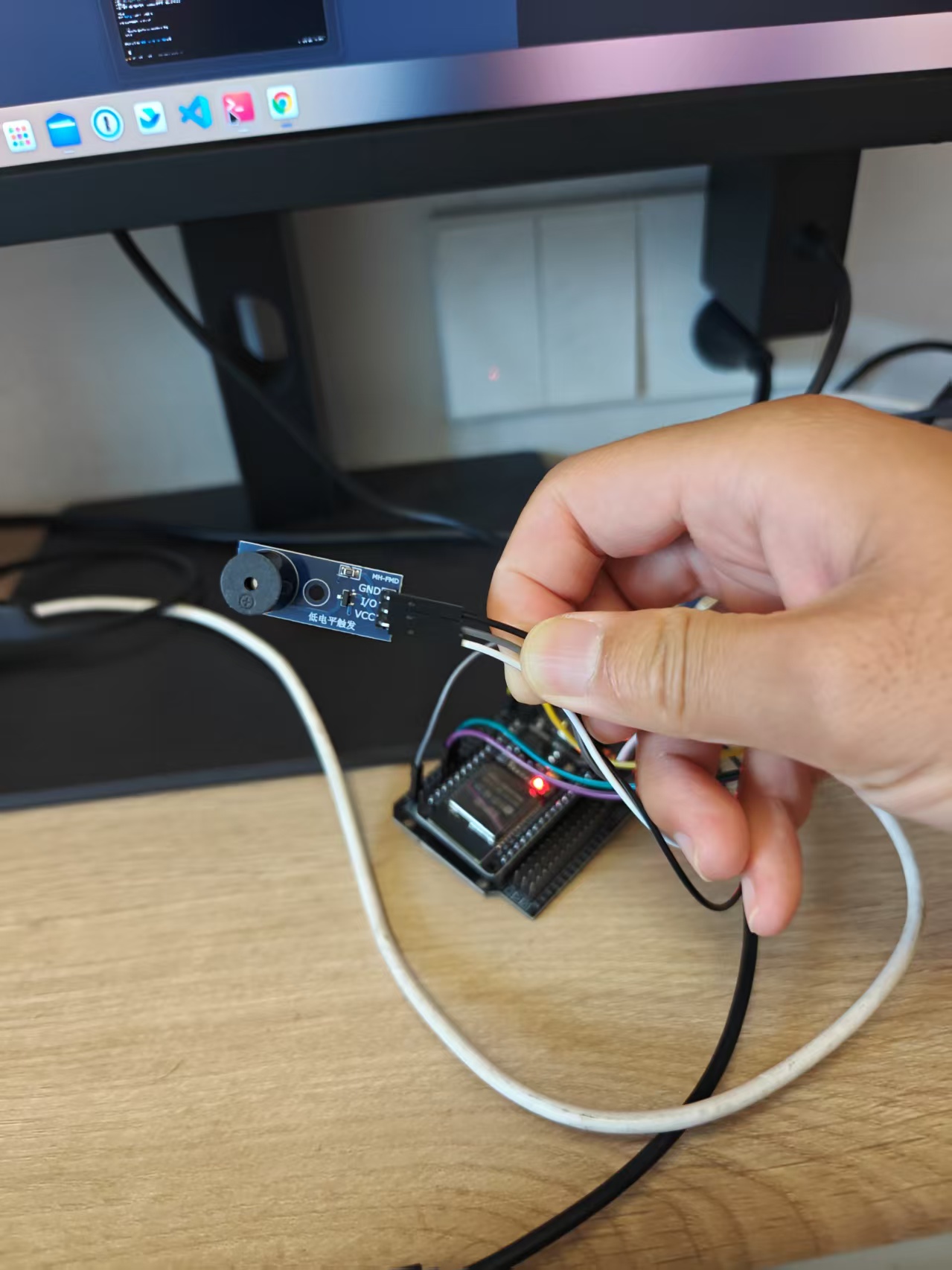
Buzzer to ESP32
| Buzzer | ESP32 |
|---|---|
| VCC | 3.3V |
| GND | GND |
| IO / SIG | GPIO23 (D23) |
Active buzzers come in two trigger types:
- Low-level trigger: beeps when the GPIO outputs low, silent when high (the type used here).
- High-level trigger: beeps when the GPIO outputs high, silent when low.
If the buzzer keeps sounding nonstop after wiring it up, you most likely set the trigger type backwards — just flip active_high in the code.
Actual wiring photos:
Code
The project has two files: hcsr04.py is the ranging library, and main.py is the main program.
hcsr04.py
|
measure() takes 5 samples by default and returns the median, filtering out some glitches.
main.py
|
Core logic:
TRIG_PIN = 18andECHO_PIN = 19correspond to D18 and D19.- Measure the distance once every 3 seconds.
- When the distance is under 10 cm, the buzzer sounds for 200 ms.
active_highcontrols the buzzer’s trigger polarity.
Flashing and Uploading
This experiment uses MicroPython, so first flash the MicroPython firmware onto the ESP32, then upload the Python files.
1. Flash the MicroPython firmware
|
2. Upload the Python files
|
3. Watch the serial output
|
Normally you’ll see output like:
|
Press Ctrl+] to exit the REPL.
Measured Results
- With no obstacle, the serial port prints the distance every 3 seconds and the buzzer stays quiet.
- Bringing my hand close to the ultrasonic module, once the distance drops below 10 cm the buzzer starts going “beep — beep —“ once every 3 seconds.
- Move the hand away, and the buzzer stops.
Demo video:
Pitfall Log
Buzzer won’t stop sounding
- Cause:
active_highdidn’t match the buzzer’s actual trigger type. - Fix: set
Falsefor low-level trigger,Truefor high-level trigger.
- Cause:
mpremote can’t enter Raw REPL
- Cause: old firmware/abnormal program state, or the board is unresponsive inside a loop.
- Fix: erase the Flash again and reflash the MicroPython firmware.
Distance occasionally jumps
- Cause: ultrasonic echoes are disturbed by the environment.
- Fix: use
measure()to sample multiple times and take the median — already built into the code.
Summary
This experiment was fairly simple overall; the main point was getting familiar with the ESP32 + MicroPython + HC-SR04 workflow. With the buzzer as the alarm output plus a threshold check, you get a practical proximity reminder device. It can later be extended into scenarios like reverse-parking radar, liquid-level alarms, or human-approach reminders.
评论
0 条评论