share-image
ESC

Docker一运行就退出是怎么回事?

最近在看 Docker,使用 dockerfile 写了一个 nginx 的容器编译执行后启动 nginx 就立马退出了容器。

下面是一开始的文件内容

 FROM centos

WORKDIR /opt/

RUN yum -y update \
&& yum -y install gcc gcc-c++ pcre-devel openssl-devel zlib-devel wget make perl net-tools \
&& wget -c https://nginx.org/download/nginx-1.12.1.tar.gz \
&& wget -c https://www.openssl.org/source/openssl-1.0.2l.tar.gz \
&& wget -c ftp://ftp.csx.cam.ac.uk/pub/software/programming/pcre/pcre-8.41.tar.gz \
&& wget -c http://zlib.net/zlib-1.2.11.tar.gz \
&& wget -c -4 https://file.awen.me/script/nginx.sh \
&& groupadd -r www && useradd -r -g www www \
&& tar zxvf zlib-1.2.11.tar.gz \
&& cd zlib-1.2.11 \
&& ./configure \
&& make \
&& make install \
&& cd /opt \
&& tar zxvf pcre-8.41.tar.gz \
&& cd pcre-8.41 \
&& ./configure \
&& make \
&& make install \
&& cd /opt \
&& tar zxvf openssl-1.0.2l.tar.gz \
&& tar zxvf nginx-1.12.1.tar.gz \
&& cd nginx-1.12.1 \
&& ./configure --prefix=/usr/local/nginx --user=www --group=www --with-pcre=/opt/pcre-8.41 --with-http_ssl_module --with-zlib=/opt/zlib-1.2.11 --with-openssl=/opt/openssl-1.0.2l \
&& make \
&& make install \
&& mv /opt/nginx.sh /etc/init.d/nginx \
&& rm -rf /opt/* \
&& chmod +x /etc/init.d/nginx

VOLUME /home/wwwroot/
EXPOSE 80 443

ENTRYPOINT /etc/init.d/nginx start

主要是最后一句

ENTRYPOINT /etc/init.d/nginx start

我执行的是nginx后台运行的脚本,脑子里的思维还是停留在虚拟机上,实际上在容器中,如果希望容器执行完程序不退出,需要将其进程置于前台来执行。而上面的命令明显是把进程放在后台运行。当容器执行完后台命令后发现后面就没有命令可以执行了自然就退出了。

所以要改变这个状态,需要把最后一句修改为

CMD ["/usr/local/nginx/sbin/nginx","-g","daemon off;"]

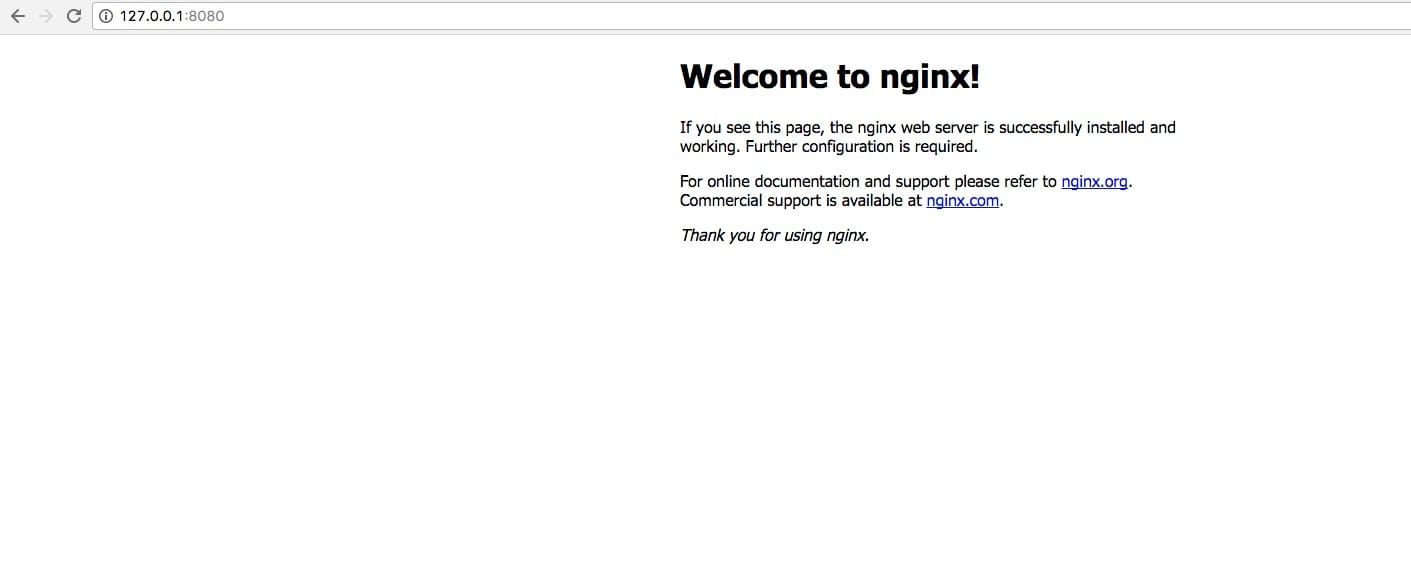
即可,此时运行容器

➜  nginx docker run -dit -p 8080:80 nginx:v1
f09214b53a05b0663d22ba02f6249c8b5c9e6ad7de31ecc6b110656d020a6099

查看进程

➜  nginx docker ps -a
CONTAINER ID IMAGE COMMAND CREATED STATUS PORTS NAMES
f09214b53a05 nginx:v1 "/usr/local/nginx/..." 1 second ago Up 32 seconds 443/tcp, 0.0.0.0:8080->80/tcp suspicious_neumann

网友提供的另一种方法:

对于有一些你可能不知道怎么前台运行的程序,提供一个投机方案,你只需要在你启动的命令之后,
添加类似于 tail top 这种可以前台运行的程序,这里特别推荐 tail ,然后持续输出你的log文件.
还是以上文的web容器为例,我们还可以写成:

service nginx start && service php5-fpm start && tail -f /var/log/nginx/error.log

附个人博客的 dockerfile

FROM centos

WORKDIR /opt/

RUN yum -y update \
&& yum -y install gcc gcc-c++ pcre-devel openssl-devel zlib-devel wget make perl \
&& wget -c https://nginx.org/download/nginx-1.12.1.tar.gz \
&& wget -c https://www.openssl.org/source/openssl-1.0.2l.tar.gz \
&& wget -c ftp://ftp.csx.cam.ac.uk/pub/software/programming/pcre/pcre-8.41.tar.gz \
&& wget -c http://zlib.net/zlib-1.2.11.tar.gz \
&& groupadd -r www && useradd -r -g www www \
&& tar zxvf zlib-1.2.11.tar.gz \
&& cd zlib-1.2.11 \
&& ./configure \
&& make \
&& make install \
&& cd /opt \
&& tar zxvf pcre-8.41.tar.gz \
&& cd pcre-8.41 \
&& ./configure \
&& make \
&& make install \
&& cd /opt \
&& tar zxvf openssl-1.0.2l.tar.gz \
&& tar zxvf nginx-1.12.1.tar.gz \
&& cd nginx-1.12.1 \
&& ./configure --prefix=/usr/local/nginx --user=www --group=www --with-pcre=/opt/pcre-8.41 --with-http_ssl_module --with-zlib=/opt/zlib-1.2.11 --with-openssl=/opt/openssl-1.0.2l --with-http_v2_module --with-http_ssl_module \
&& make \
&& make install \
&& rm -rf /opt/* \
&& mkdir -p /usr/local/nginx/ssl \
&& mkdir -p /usr/local/nginx/conf/vhost \
&& mkdir -p /var/log/wwwlogs/ \
&& mkdir -p /www/


VOLUME ["/www/","/var/log/wwwlogs/","/usr/local/nginx/ssl","/usr/local/nginx/conf/"]
EXPOSE 80 443

COPY ssl/* /usr/local/nginx/ssl/
COPY vhost/* /usr/local/nginx/conf/vhost/
COPY nginx.conf /usr/local/nginx/conf/
COPY www/ /www/

CMD ["/usr/local/nginx/sbin/nginx","-g","daemon off;"]
文章作者:阿文
文章链接: https://www.awen.me/post/42316.html
版权声明:本博客所有文章除特别声明外,均采用 CC BY-NC-SA 4.0 许可协议。转载请注明来自 阿文的博客
本文于 2017-10-09 发布,已超过半年(3034天),请注意甄别内容是否已过期。