You can now use it as a WeChat mini program—just search for “上班族的计算器” (The Office Worker’s Calculator) and you’ll find it.
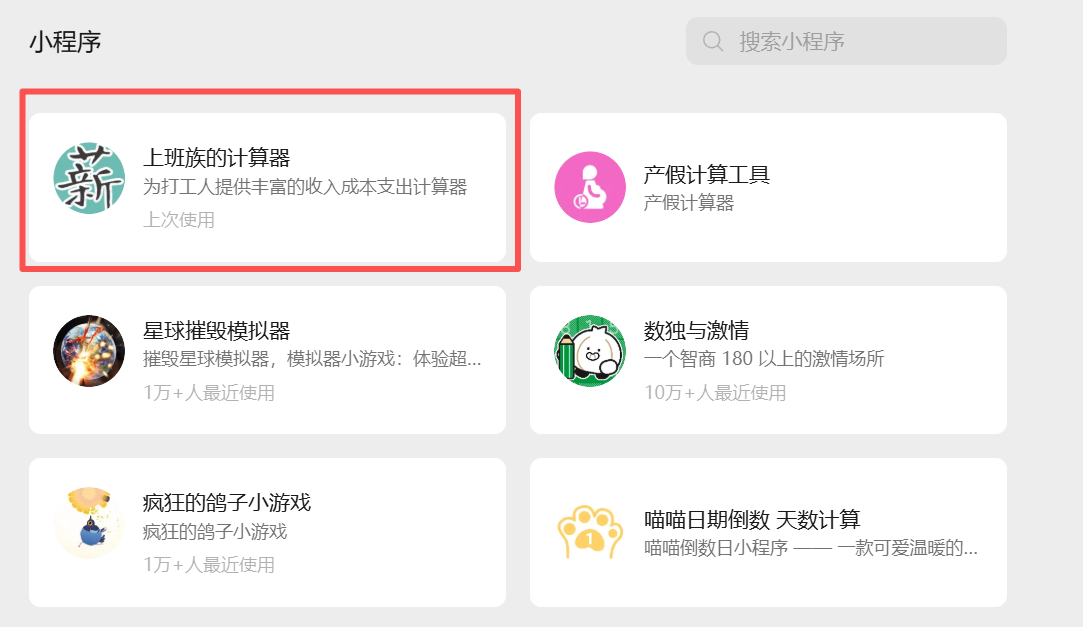
This is my first mini program built entirely with AI. Its features include
- Salary calculator
- Loan calculator
- Year-end bonus calculator
- Job value assessment
- Severance pay calculation
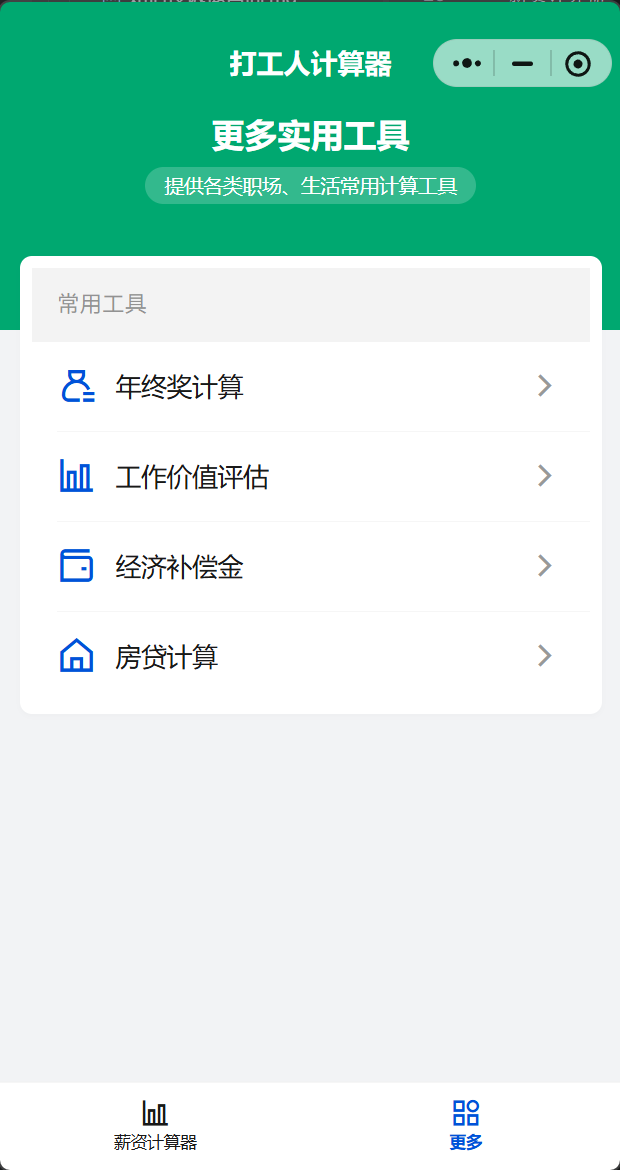
Now let me explain the WeChat mini program development process.
First, the tools I used are
- The international version of Trae https://www.trae.ai/
- WeChat Mini Program DevTools https://developers.weixin.qq.com/miniprogram/dev/devtools/download.html
I didn’t write a single line of code the whole way through. In fact, I’d already written many things with Cursor before, such as
- A text deduplication and diff-extraction tool https://json.awen.me/diff/index.html
- AES decryption https://json.awen.me/aes/index.html
- SQL formatting https://json.awen.me/sqlformat.html
But the technology is developing way too fast now. It used to be just implementing functions and classes, with all kinds of errors popping up; now things basically pass on the first try. Programmers have become extremely poor value for money in the AI era. Companies won’t reduce programmers’ workloads because of AI—they’ll increase the AI workload instead, yet the pay won’t go up.
The Complete WeChat Mini Program Development Workflow
I. Preparation: Account and Tool Setup
This is the first step of development; only after registering an account and configuring the dev tools can you enter the actual development stage.
Register a WeChat mini program account
- Visit the WeChat Official Accounts Platform and choose the “Mini Program” category to register; pick the account type according to your needs (individual, enterprise, government, etc.—individual accounts have some feature limits, such as being unable to use WeChat Pay).
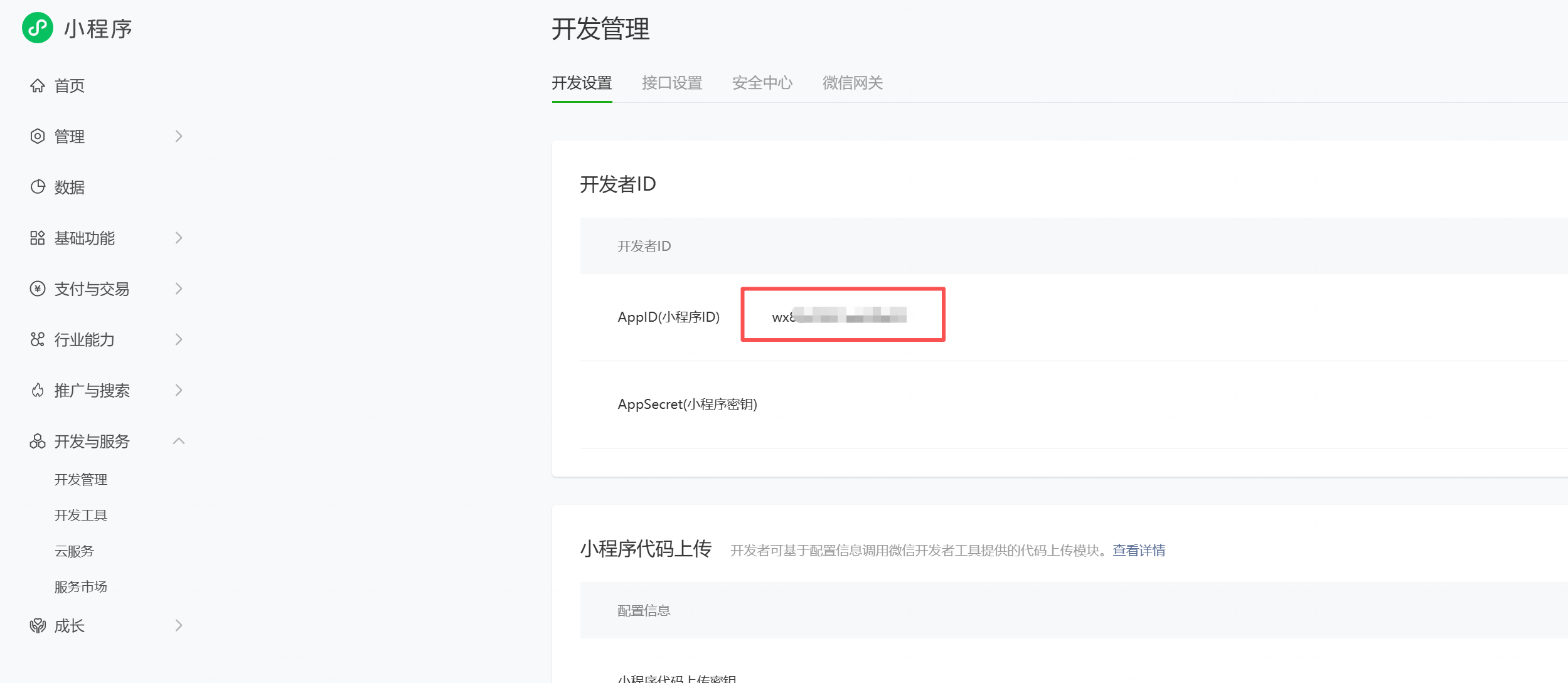
- After registering, log in to the mini program admin console and, under “Development” -> “Development Settings”, get your AppID (the mini program’s unique identifier); it’s required for later project configuration, and you must not launch with a test AppID.
Download and install the official dev tools
- The official recommended tool is WeChat DevTools, downloadable for your operating system (Windows/Mac) under “Development” -> “DevTools” on the platform.
- After installing, open the tool, log in by scanning the QR code with WeChat, and link your registered mini program account.
II. Project Initialization: Creating and Configuring the Project
Create a new project
Open WeChat DevTools, choose “New Project”, fill in the project name and directory, and enter the real AppID you obtained (to avoid compatibility problems at launch), then choose a project template (the “Basic Template” is a quick way to start, or you can choose a third-party template).
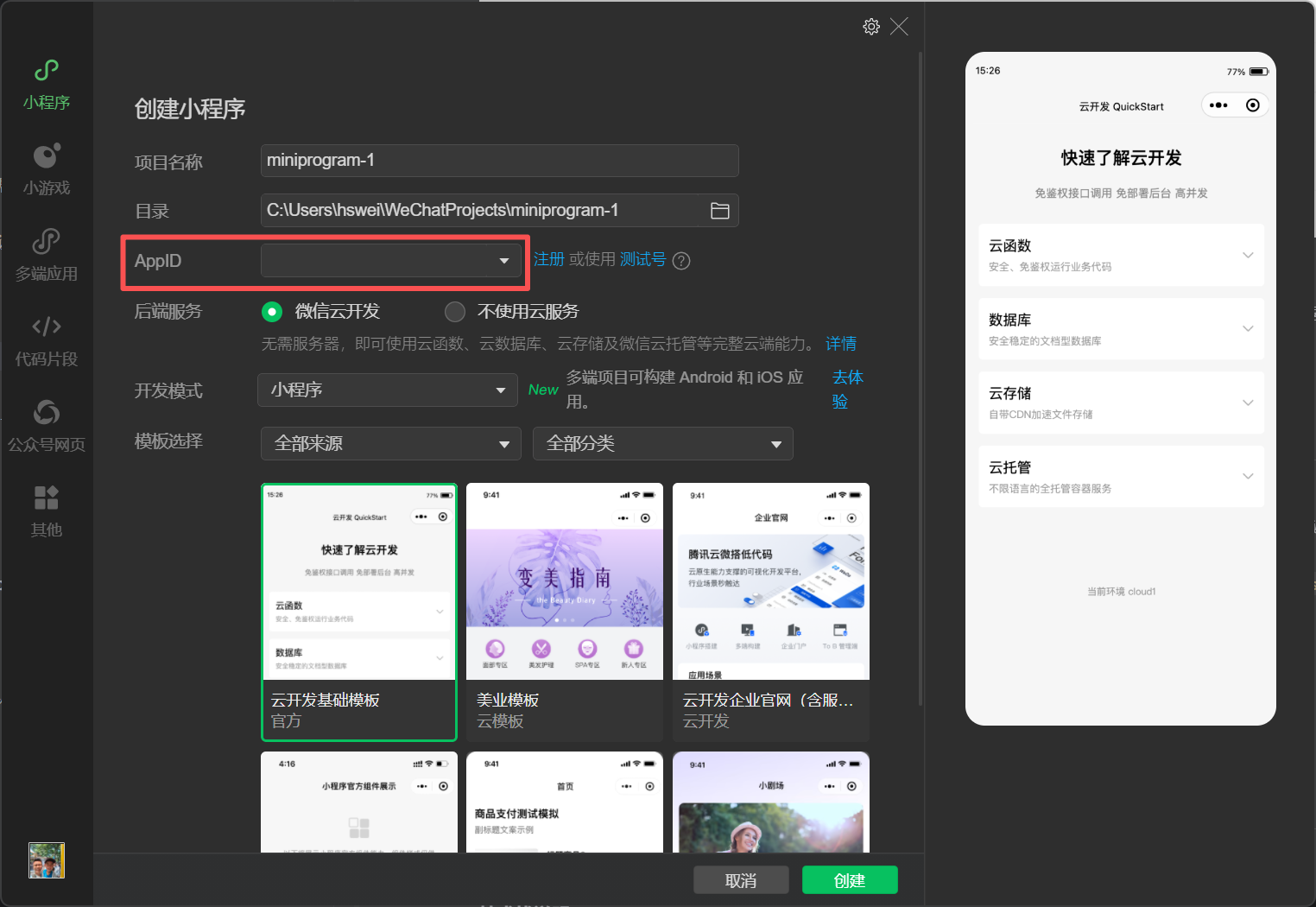
After you confirm, the tool automatically generates the basic mini program project structure, including the core
app.js,app.json,app.wxssand the default pages directory.
Basic project configuration
- Edit
app.json(the global config file) to set the mini program’s page paths (thepagesarray, whose first entry is the default home page), window style (window, such as the navigation-bar title and background color), bottom tab bar (tabBar, if you need multiple tab pages), etc. - Optional: in
project.config.json, set project build options, dependency management, etc.
- Edit
III. Core Development: Pages and Features
Then you can use AI editors like Trae or Cursor to assist development—describe the requirements and have them implement the code logic.
IV. Submitting for Review and Releasing (The Final Step)
- Preparation before submission
- Complete the mini program’s info: on the WeChat platform under “Settings” -> “Basic Settings”, fill in the name, avatar, description, service category and other info, making sure it complies with WeChat’s mini program review rules.
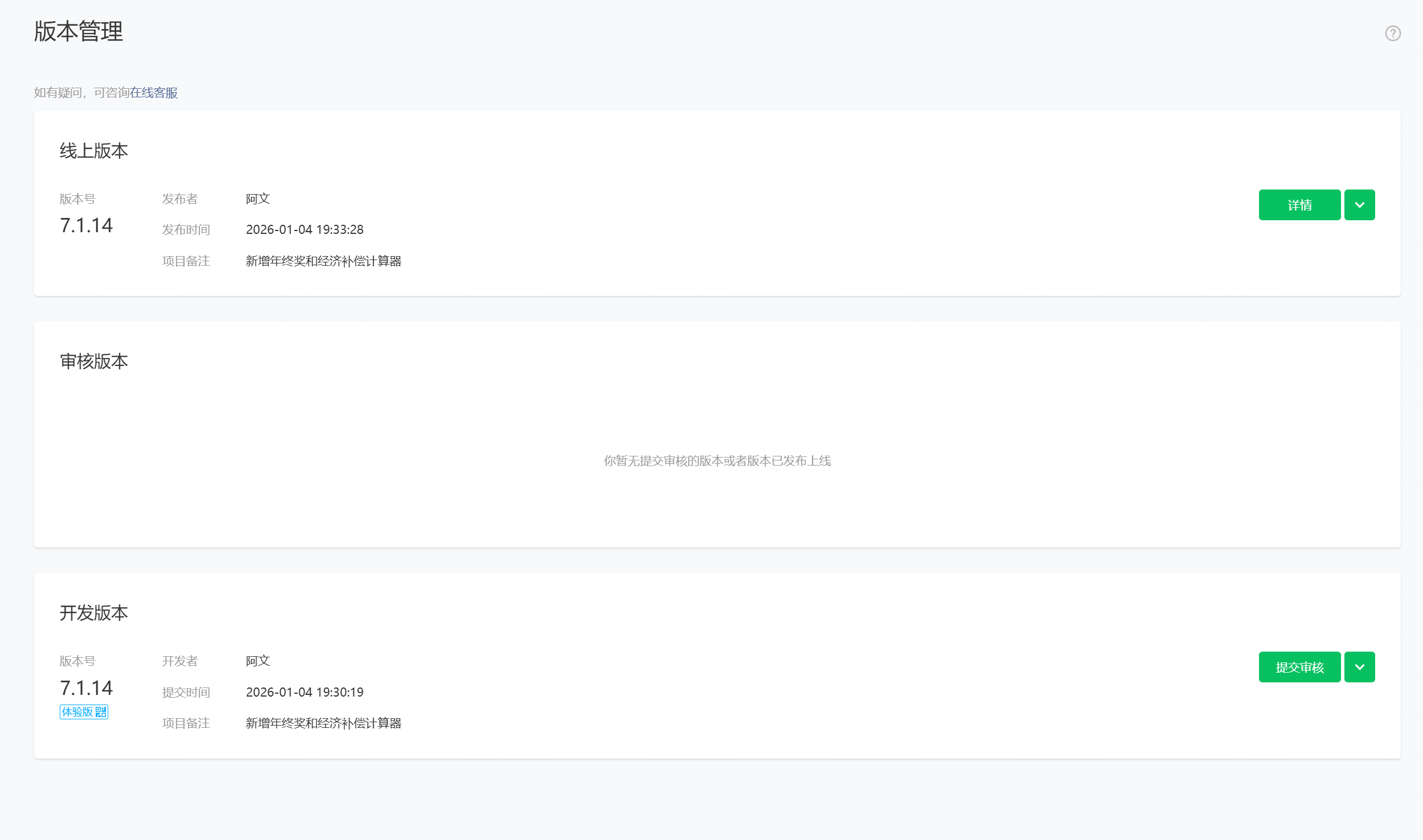
- Upload the project code: in WeChat DevTools, click “Upload”, fill in the version number and release notes; once uploaded, you can view the version under “Development” -> “Version Management” on the platform.
- Submit for review
- Under “Version Management”, select the uploaded development version and click “Submit for Review”, filling in the review-related info as prompted (such as a feature description and a test account, if needed).
- Review is done by WeChat’s official team; the cycle is generally 1–3 business days (depending on the mini program’s complexity and the official review queue). You can check the review progress on the platform.
- Release
- Once approved, you’ll get a notice from WeChat. Under “Version Management”, select the approved version and click “Publish”; after confirming, the mini program officially goes live and users can search for and access it in WeChat.
- After publishing, it usually takes a few hours (up to 24) for the mini program to fully sync and take effect across the WeChat ecosystem.
V. Filing and Certification
- A mini program needs certification; the fee is 30 yuan for individuals.
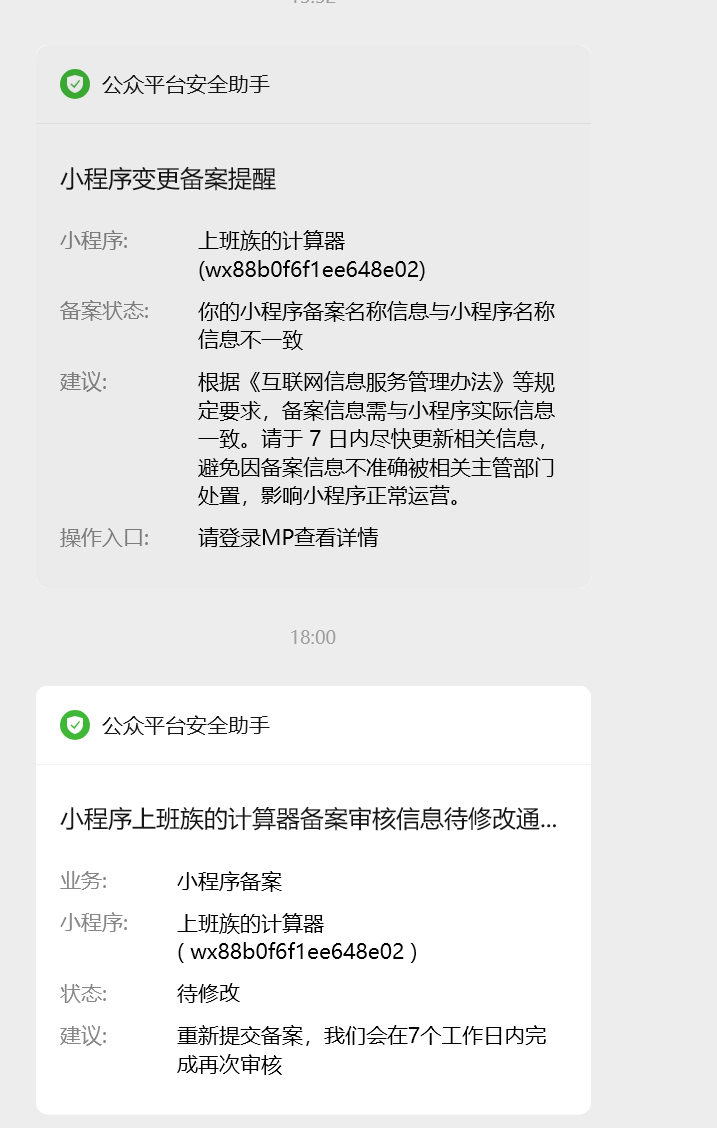
- A mini program needs filing with the Ministry of Industry and Information Technology (MIIT); without filing it can’t be found via search and access is rate-limited.
- Filing info—especially if the mini program’s name changes—requires re-filing, so be sure to answer the filing callback phone call.
评论
0 条评论