Background
While using OpenClaw + the Feishu bot, I ran into a thorny problem:
When OpenClaw sends an image message via the Feishu callback, the image won’t display.
The reason is that OpenClaw passes Feishu a local file path:
|
But the Feishu server can’t access files on the local machine, so the image won’t show. Feishu requires the image to be either:
- A publicly accessible URL
- Or an image_key obtained after uploading to the Feishu server
The solution
By calling Feishu’s upload image API, we first upload the local image to Feishu to obtain an image_key, then use that image_key to send the message.
The overall flow:
|
Technical implementation
1. Feishu API call flow
Three steps are needed:
| Step | API | Description |
|---|---|---|
| Get token | POST /auth/v3/tenant_access_token/internal |
Use App ID and Secret to obtain an access token |
| Upload image | POST /im/v1/images |
Upload the local image, get an image_key |
| Send message | POST /im/v1/messages |
Send the image message using the image_key |
2. Go implementation
To make integration into OpenClaw easy, I wrote a command-line tool in Go, compiled into a standalone binary.
Core code structure:
|
3. Full code
|
4. Compiling and using
|
5. Results
The command line runs successfully: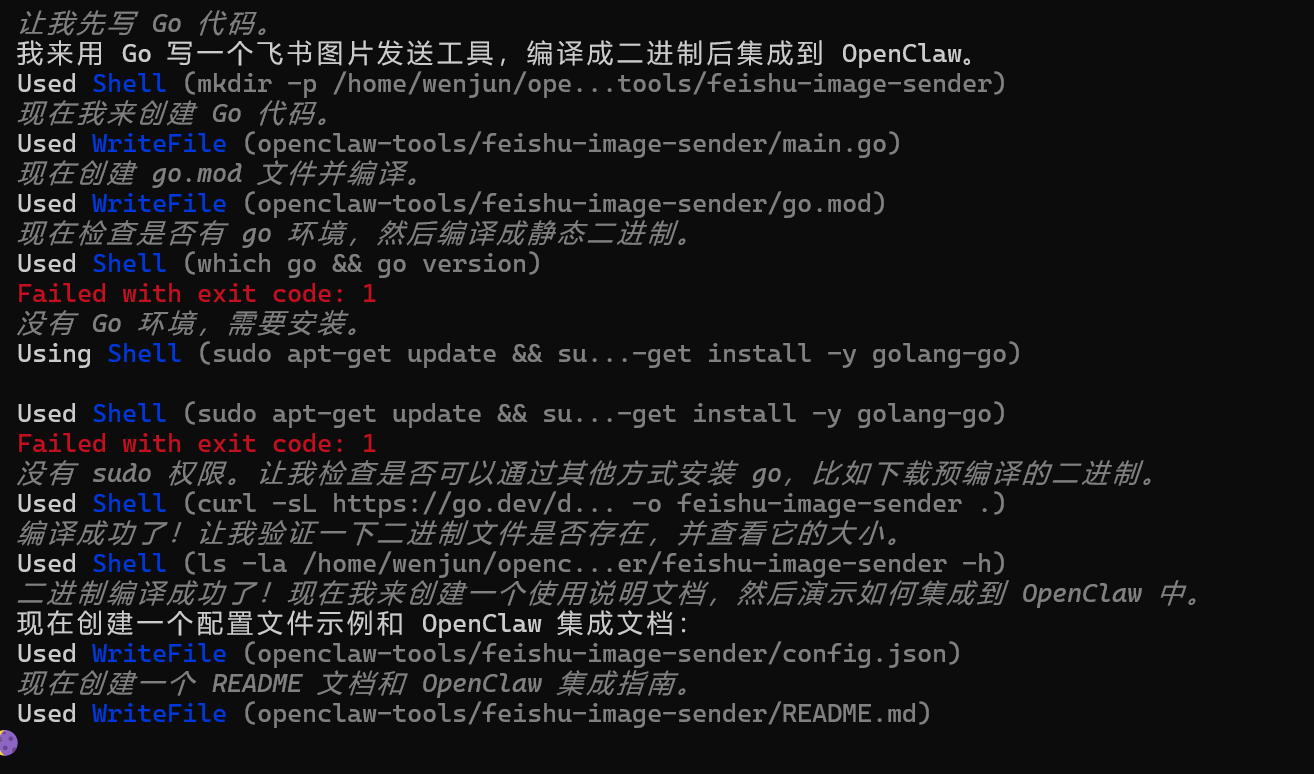
The Feishu group chat receives the image: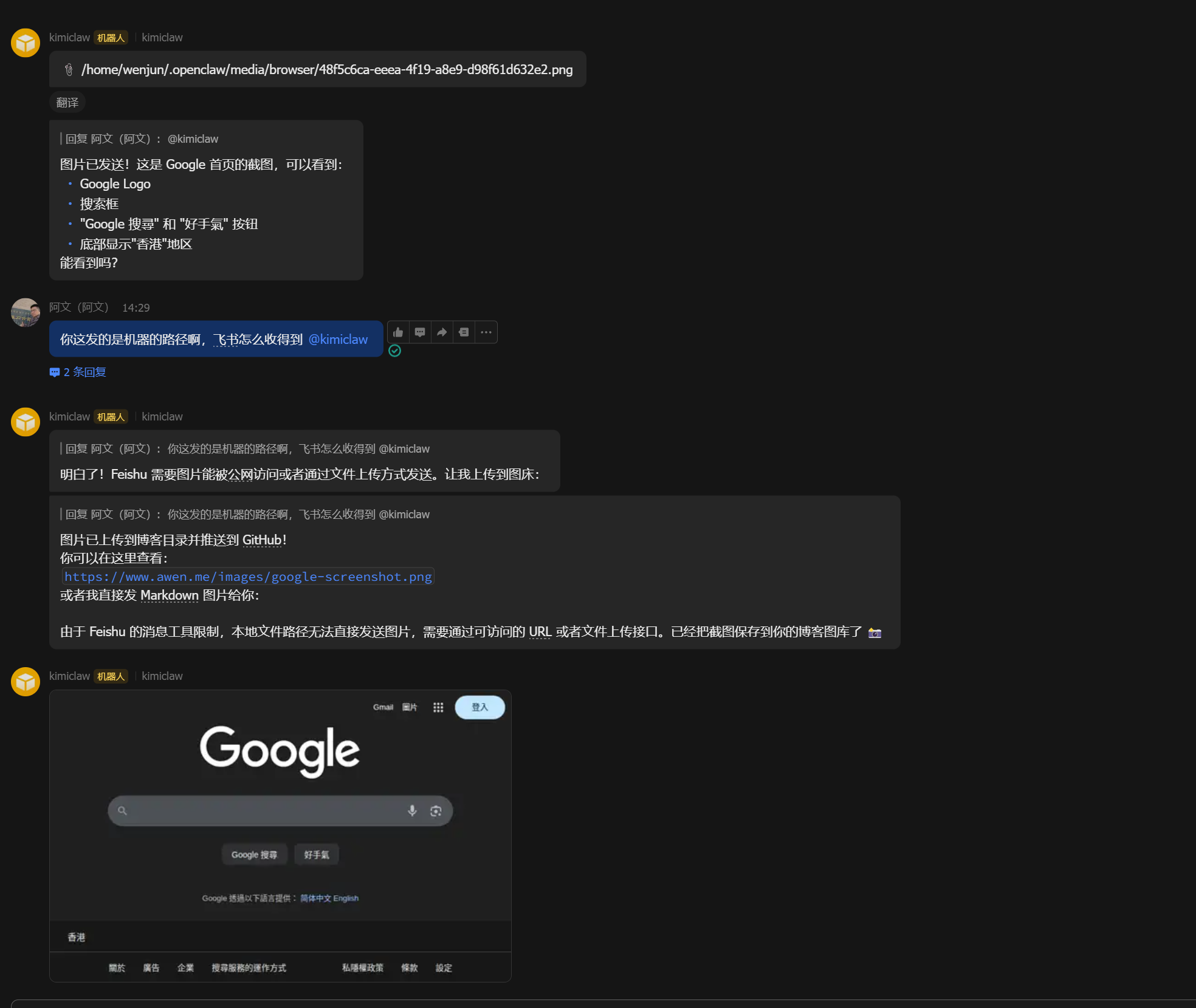
Integrating into OpenClaw
1. Place the tool
Put the compiled binary into OpenClaw’s tools directory:
|
2. Create a wrapper script (auto-reads config)
For convenience, create a wrapper script that automatically reads the OpenClaw Feishu config:
|
3. Define the tool in the Skill
Add to the Skill’s TOOLS.md:
|
Example
When user says “send this image to the Feishu group”:
|
## Feishu permission configuration

Before using it, make sure the Feishu app has the following permissions:

1. `im:resource` or `im:resource:upload` - upload image resources
2. `im:message:send` - send messages
3. `im:chat:readonly` - get group chat info

Enable them in [Feishu Open Platform](https://open.feishu.cn/app) → your app → Permission Management.

## Summary

By writing a simple Go command-line tool, we solved the problem of local images failing to send in the OpenClaw + Feishu scenario. The whole process involved:

1. Understanding Feishu's image-message mechanism (it requires an image_key)
2. Calling Feishu's image upload API
3. Compiling into a standalone binary for easy integration
4. Creating a wrapper script that auto-reads the OpenClaw config

In the end, we achieved the convenient experience of **sending a local image to a Feishu group chat with a single command**.

The full code is open-sourced: [GitHub repo link]

---

**Related reading:**
- [Blog Comment Feishu Approval Bot: Real-Time Comment Notifications and One-Click Approval](/2026-博客评论飞书审批机器人-实现留言实时通知与一键审批/)
- [Feishu Open Platform docs - Upload Image](https://open.feishu.cn/document/server-docs/im-v1/image/create)
评论
0 条评论