This theme not only has a modern UI design but also deeply integrates hardcore features like workout-data visualization and an AI chat assistant. This article reviews the whole “AI-driven development” process in detail and unpacks the technical details behind the theme.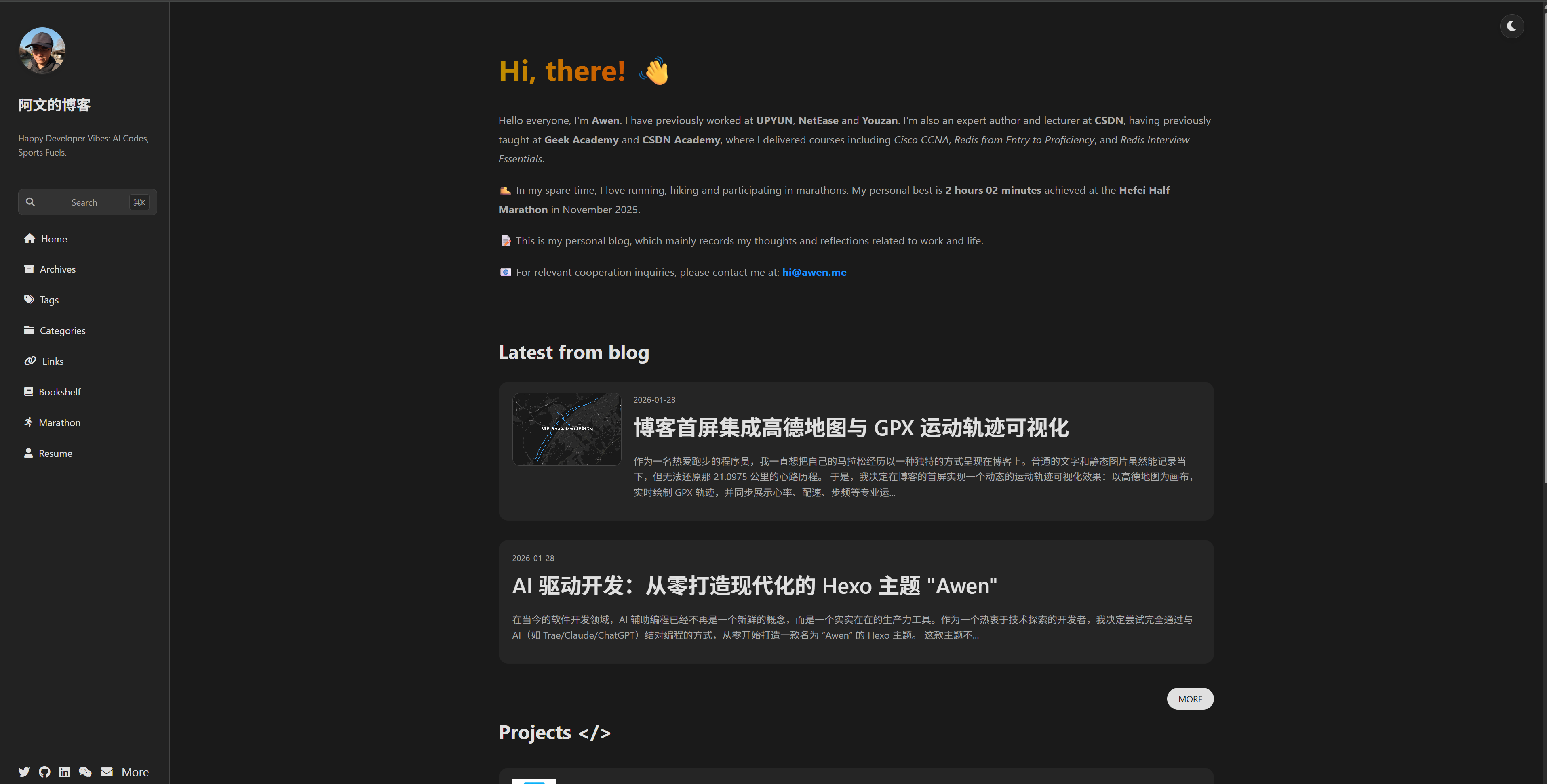
1. Design Philosophy and Architecture Planning
1.1 Core Goals
Most traditional Hexo themes lean toward displaying plain text content, but I wanted the “Awen” theme to reflect my own traits: “code and sports.” So I settled on these core features:
- Immersive hero splash: combines map track animation to express the spirit of marathon running.
- Minimalist design: black, white and gray as the main palette, with automatic/manual dark mode.
- Data visualization: native support for GPX data parsing and chart rendering.
- AI integration: a built-in AI chat page as a personal digital twin.
1.2 Tech Stack
- Templating engine: EJS (Hexo’s default, simple and direct logic)
- Style preprocessor: Stylus (concise and efficient, no braces or semicolons needed)
- Front-end libraries:
- AMap (AMap JS API 2.0)
- Chart.js (lightweight chart library)
- FontAwesome (icon library)
- Build tool: Hexo Native
2. Implementing the Key AI-Powered Features
During development I mainly “raised requirements” and did code review, while the AI handled the actual implementation. Here are a few of the most representative modules.
2.1 Dynamic Marathon Track Animation (Hero Splash)
This is one of the theme’s most complex features. I need to parse the .gpx file, convert the lat/lon coordinates into AMap coordinates (offset correction), and draw a dynamically growing track on the map.
The AI’s contributions:
- Coordinate conversion algorithm: the AI directly provided the WGS84-to-GCJ02 conversion function, saving me the time of looking up formulas and debugging.
- Animation logic: used
requestAnimationFramefor a smooth track-growth animation and computed easing (EaseOutQuart) to make it look more natural. - Data parsing: generated the XML parsing logic that extracts
trkptand its extended data (heart rate, cadence) from the GPX file.
|
2.2 Stats Overlay (Data Statistics Panel)
To give the hero animation a more sci-fi feel, we designed a floating data panel.
Implementation details:
- Layout: the AI suggested a Flexbox layout and implemented the collapse/expand interaction, adapted for mobile.
- Real-time updates: in the animation loop, the AI wrote the logic to look up the corresponding GPX data point by the current progress index (
currentIdx) and update the DOM elements in real time. - Heart-rate zone visualization: based on the user’s age and resting heart rate, the AI generated a heart-rate-zone formula and dynamically changes the color of the heart-rate value (warm-up, aerobic, anaerobic, etc.).
|
2.3 Dark Mode and Responsive Design
I required the theme to support dark mode and to switch automatically with the system.
The AI’s solution:
- Use CSS Variables (
:rootvs[data-theme="dark"]) to define global color variables. - Write a compact inline script for the
<head>to prevent page flash (FOUC). - For mobile (max-width: 768px), the AI automatically adjusted the sidebar’s behavior, turning it into a drawer-style navigation and optimizing the padding and font size.
|
2.4 AI Chat Page Integration
To integrate my AI agent, I added an ai-chat layout to the theme.
The development process:
- I only had to tell the AI: “I need a chat interface like ChatGPT, with the conversation list on the left and the dialog box on the right.”
- The AI generated the complete HTML structure and CSS, including the chat bubbles, typewriter cursor, auto-scroll to bottom and other details.
- Although the backend API calls needed me to configure a proxy (
coze_proxy_url), the front-end UI code was almost 100% generated by the AI.
3. Reflections on the Development Experience
3.1 Efficiency Gains
Using AI to develop a Hexo theme gave order-of-magnitude efficiency gains.
- Boilerplate: EJS loop structures and Stylus reset styles are generated in seconds by the AI.
- Complex logic: map API calls, Canvas chart configuration, math calculations—work that usually takes hours of reading docs—the AI nails in minutes.
3.2 Role Shift
Developers shift from “code monkey” to “product manager” and “architect.” I no longer agonize over how to center a div, but focus on:
- Is the interaction flow smooth?
- Does the color scheme look good?
- How should the feature modules be decoupled?
3.3 Challenges Encountered
AI is not omnipotent. During development I hit some pitfalls too:
- Context loss: when a file gets too long, the AI may forget earlier variable definitions.
- Hallucination: it occasionally invents non-existent Hexo helper functions, which need manual verification.
- Style conflicts: the generated CSS sometimes overrides global styles and needs manual priority adjustments.
4. Conclusion
The birth of the “Awen” theme proves that, with AI assistance, a solo developer can build a professional-grade product at extremely low cost. This is not just a blog theme but my experiment with a future programming paradigm.
If you too want a one-of-a-kind blog theme, why not open your IDE, bring up your AI assistant, and begin your creative journey.
评论
0 条评论