Recently I needed to sync my personal training records from a certain sports website (RQ Run) into my Hexo blog. Because the site requires login to view detailed data and the login involves a captcha, I wrote an automation script with the Node.js version of Playwright, used the Alibaba Cloud OCR service to recognize the captcha, achieved automatic data scraping, and displayed it on the blog via an EJS template.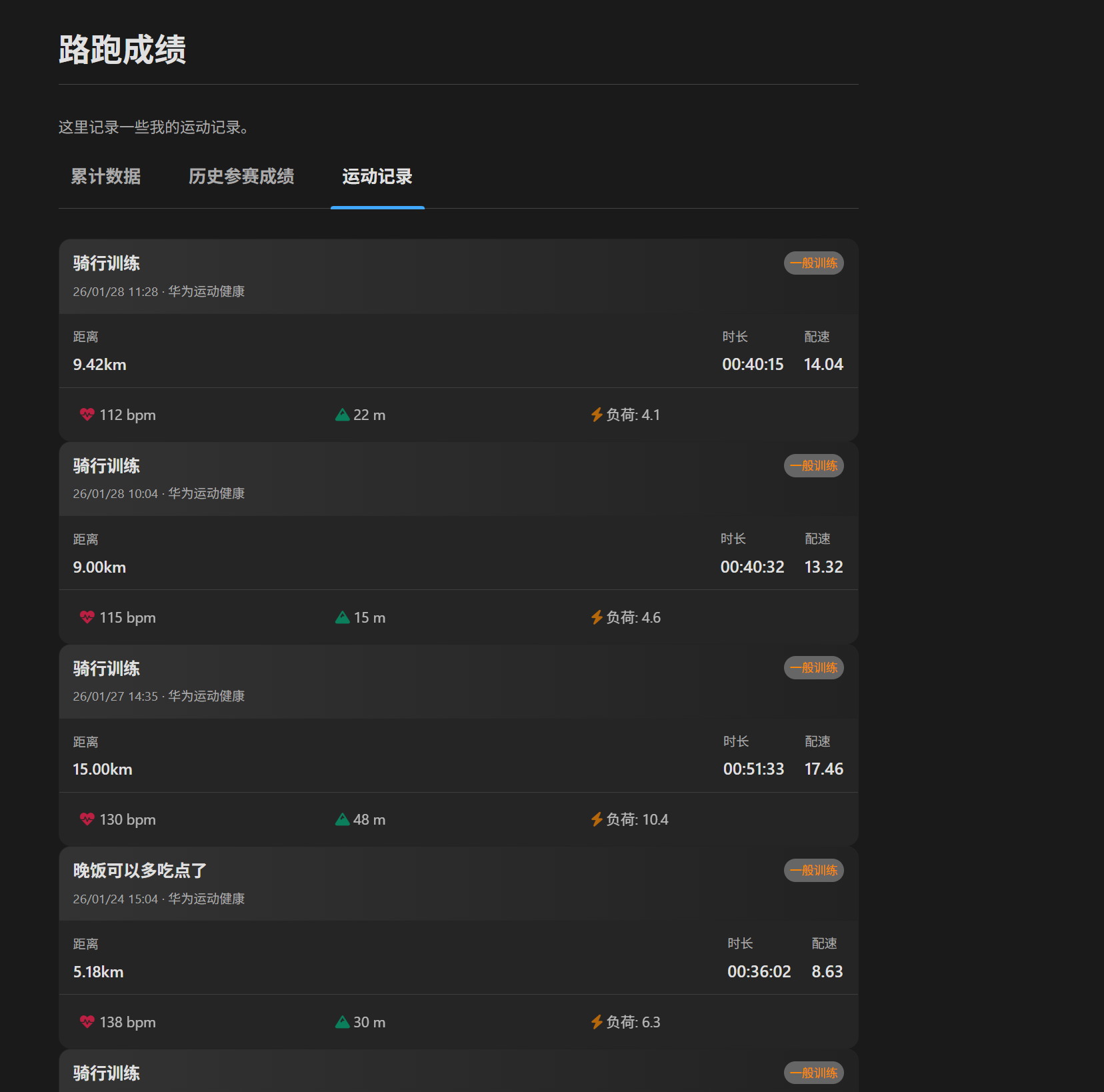
This article walks through the whole implementation in detail.
1. Tech Stack
- Playwright: Microsoft’s open-source automation testing tool, supporting Chromium, Firefox and WebKit. Compared with Puppeteer, it is more modern, more stable, and supports multiple browsers.
- Alibaba Cloud OCR: used to recognize the image captcha at login.
- Hexo: the static blog framework; its
_datadata-file feature stores the scraped JSON data.
2. Environment Setup
First initialize the project and install the necessary dependencies:
|
3. Writing the Scraper Script (rq_scraper.js)
The script’s core logic has three steps: simulate login, recognize the captcha, scrape the data.
3.1 Initializing the Browser
To avoid being detected as a bot, we need to configure the UserAgent and HTTP headers. Also, Playwright’s headless: true mode lets the script run silently in the background.
|
3.2 Captcha Recognition and Auto-Retry
The login page has a captcha image that refreshes on click. We first screenshot and save the captcha, then call the Alibaba Cloud OCR API to recognize it. If the recognized captcha isn’t 4 digits, or the page doesn’t navigate after submitting (meaning the captcha was wrong), the script automatically refreshes the captcha and retries.
|
3.3 Data Scraping (API Interception vs Page Parsing)
At first I tried parsing the HTML table directly, but it was inefficient and easily broken by page-structure changes. After analyzing the network requests, I found the site fetches JSON via an API. So I switched to calling that API directly in the browser context.
Here I use page.evaluate to run the fetch request inside the browser, which lets us leverage the browser’s already-logged-in cookie state without extracting cookies manually.
|
3.4 Saving the Data
The scraped data is saved into Hexo’s data directory at source/_data/rq_data.json. Hexo automatically loads that file as site.data.rq_data for templates to use.
4. Front-End Display (Hexo + EJS)
In the Hexo layout file (layout/running.ejs), I added a “Workout Records” tab. Because the dataset is large (possibly several hundred entries), rendering it all at once would be very long, so I implemented pagination on the front end.
4.1 Data Preprocessing
In EJS, I first cleaned and sorted the data (in reverse chronological order).
|
4.2 Client-Side Paginated Rendering
For a better user experience, I inject the data into the HTML via a data- attribute and use JavaScript for paginated rendering.
|
5. Summary
With Playwright and Alibaba Cloud OCR, we successfully tackled the challenge of simulated login with a captcha; by calling the backend API directly, we improved the efficiency and stability of scraping. Finally, combined with Hexo’s data-driven capability, we built an automated personal workout-data display page.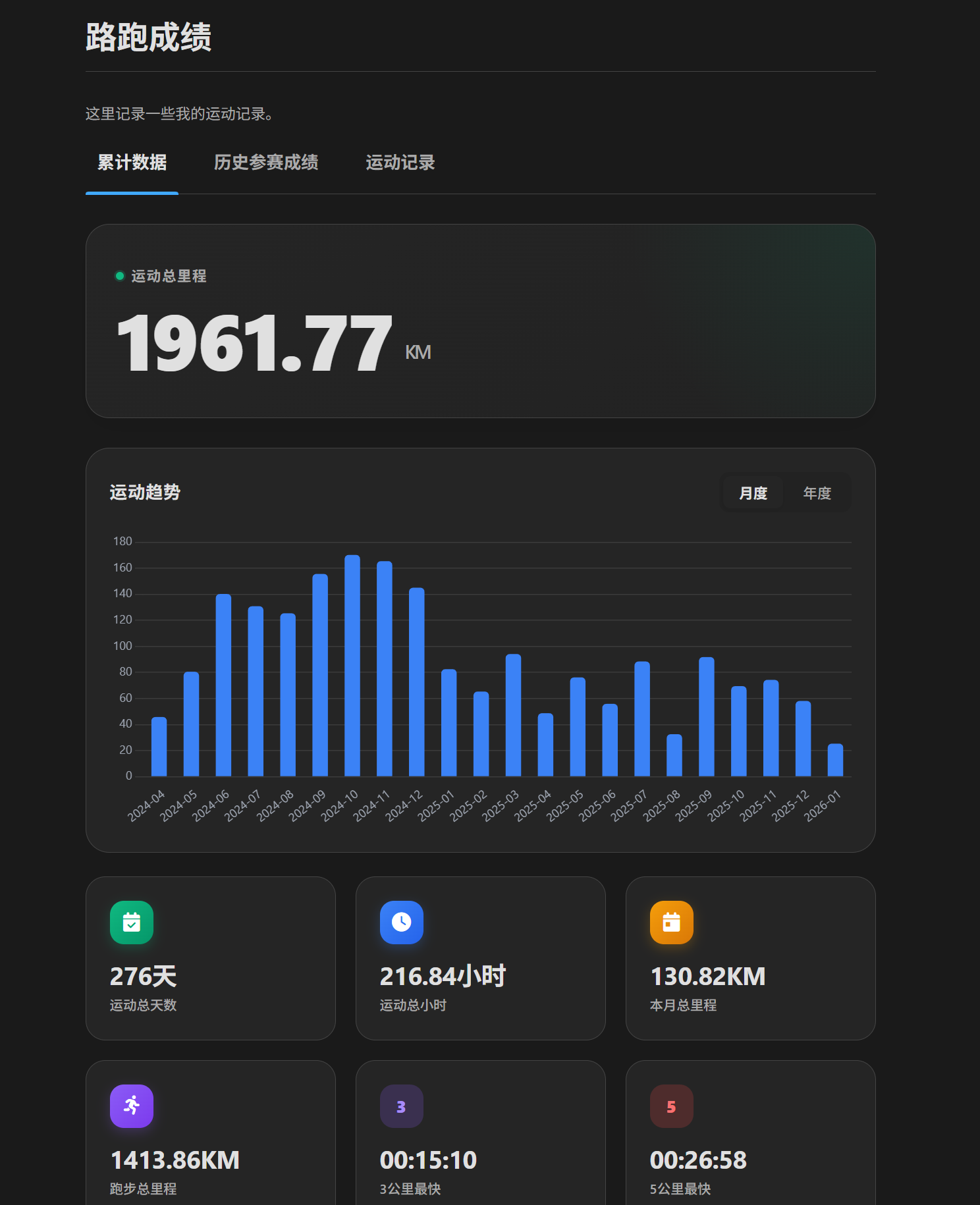
If you have similar needs, give this approach a try!
评论
0 条评论