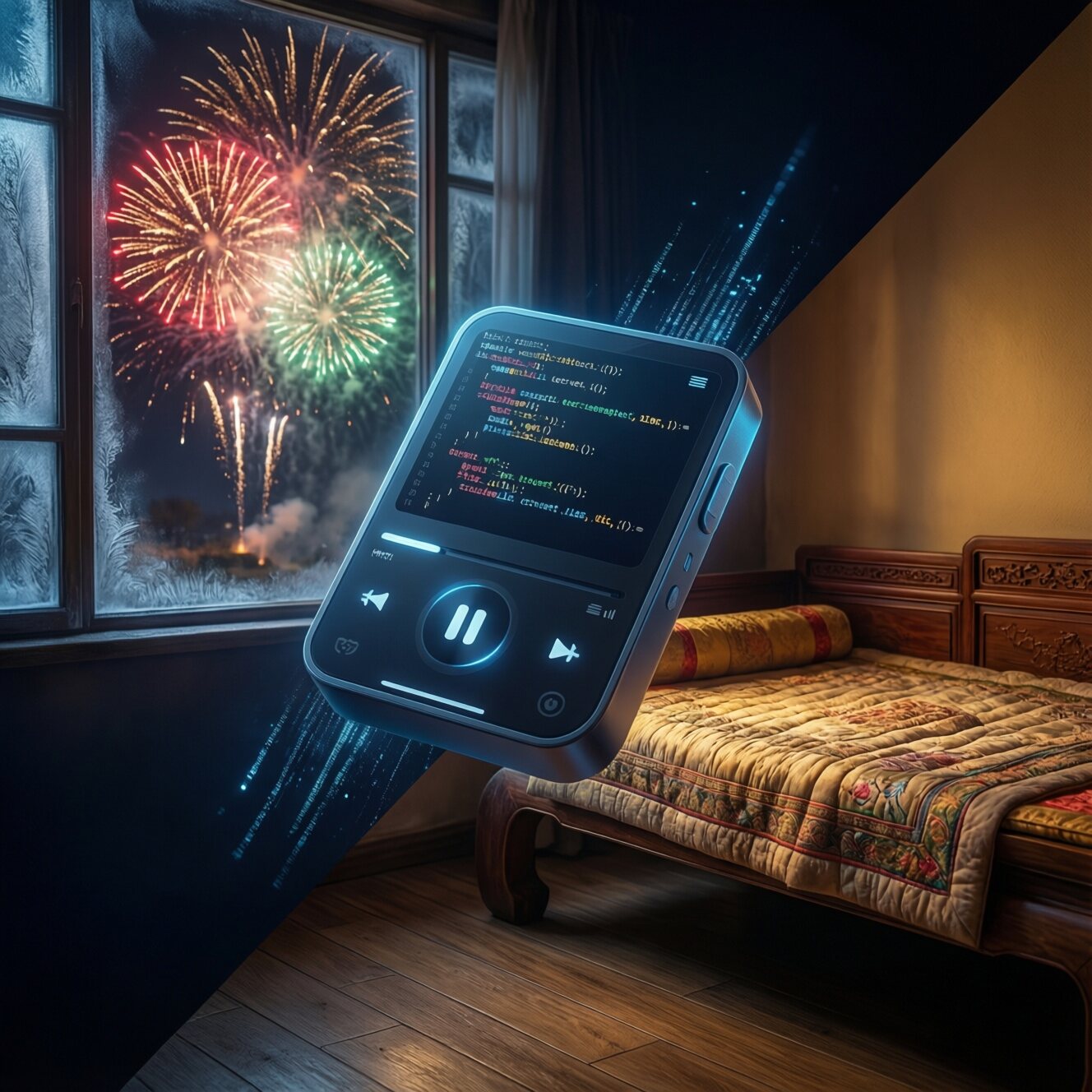
On the first day of Chinese New Year in 2026, I was lying on the kang bed at my wife’s family home in Gansu, listening to the bursts of firecrackers outside the window. Phone in hand, I simply couldn’t find an app that would let me listen to music in peace. At that moment, I decided to do it myself and write a music player of my own.
A Music Experience Taken Hostage
It all started on the morning of the first day of Chinese New Year.
For the 2026 Spring Festival, I went with my wife to her hometown in Gansu. Winter in the northwest is especially cold—outside was a bone-chilling wind of minus ten-odd degrees, inside was a toasty kang bed. Such a cozy setting is perfect for curling up under the covers and listening to music.
I opened QQ Music on my phone and searched for an old song I wanted to hear. Tapped play—
“30-second preview. Open a membership to hear the full version.”
Fine, I accept it. In this age of copyrights, paying for a membership to support legitimate music is only right. So I decisively scanned the code, paid, and opened a membership.
But when I was satisfied and ready to enjoy the music, the nightmare had only just begun:
- Splash-screen ad: 5 seconds
- Banner ad on the play page: small but annoying
- Interstitial ad when switching songs: catches you off guard
- Livestream entry, social features, mall recommendations: all kinds of gaudy features occupying more than half the screen
I paid, yet I still couldn’t escape the barrage of ads. Worse still, my listening data was used to recommend all kinds of “you might be interested in” content; the algorithm knew my tastes better than my own mother, but it just wouldn’t let me listen to a song in peace.
In that moment, I suddenly felt nostalgic for the MP3 era of a dozen-odd years ago. Back then, a song was just a song—simple and pure, with no membership system, no algorithmic recommendations, no social features.
“Since there’s no player on the market that I want, I’ll just write one myself.”
Choosing the Tech: Why Flutter?
As an Android developer, my first instinct was to write it in native Kotlin. But considering a possible iOS version in the future, I decided to go with a cross-platform solution.
Between React Native and Flutter, I ultimately chose Flutter.
For three reasons:
Near-native performance: Flutter’s Skia rendering engine makes UI animations smooth as silk, which is crucial for an app like a music player that needs refined interactions.
One codebase, multiple platforms: Although I’ve only built the Android version so far, it leaves open the possibility of porting to iOS in the future.
A mature ecosystem: Flutter’s audio playback ecosystem is quite mature; the
just_audio+audio_servicecombo can perfectly achieve background playback.
Features of the Latest Version (v1.9.59)
Changelog
v1.9.59 (2026-02-22)
- 🎨 13 brand-new themes - Light, Dark, Cherry Blossom Pink, Deep Sea Blue, Forest Green, Violet, Sunset Orange, Mint Cyan, Dark Red, Golden Luxury, Sky Blue, Neon Purple, Follow System
- 🎵 14 player styles - Vinyl record, Waveform visualization, Spinning disc, Minimalist, Retro cassette, Neon pulse, Particle nebula, Spectrum waterfall, Magic halo, Equalizer, Ripple effect, Cyberpunk, 3D card, CD case
- ✨ Glassmorphism design - All page backgrounds use frosted-glass blur for a more immersive look
- 🔧 Fixed text contrast issue in the theme selector
- 🔧 Fixed the auto-install issue after downloading the APK
After continuous iterative optimization, Yueyin Player has added many practical features:
🎨 13 Exquisite Themes
Yueyin now supports 13 theme color schemes to satisfy different aesthetic needs:
| Theme | Style |
|---|---|
| Light / Dark | Classic light and dark modes |
| Cherry Blossom Pink | Gentle, rosy girly style |
| Deep Sea Blue | Deep, mysterious ocean style |
| Forest Green | Fresh, natural eye-friendly style |
| Violet | Elegant, romantic purple palette |
| Sunset Orange | Warm, energetic sunset style |
| Mint Cyan | Cool, refreshing mint style |
| Dark Red | Understated, steady dark-red palette |
| Golden Luxury | Noble, elegant gold palette |
| Sky Blue | Bright, open sky style |
| Neon Purple | Cool, avant-garde neon style |
| Follow System | Automatically adapts to the system theme |
🎵 14 Player Styles
The player page now supports 14 visual effects, making listening a pleasure:
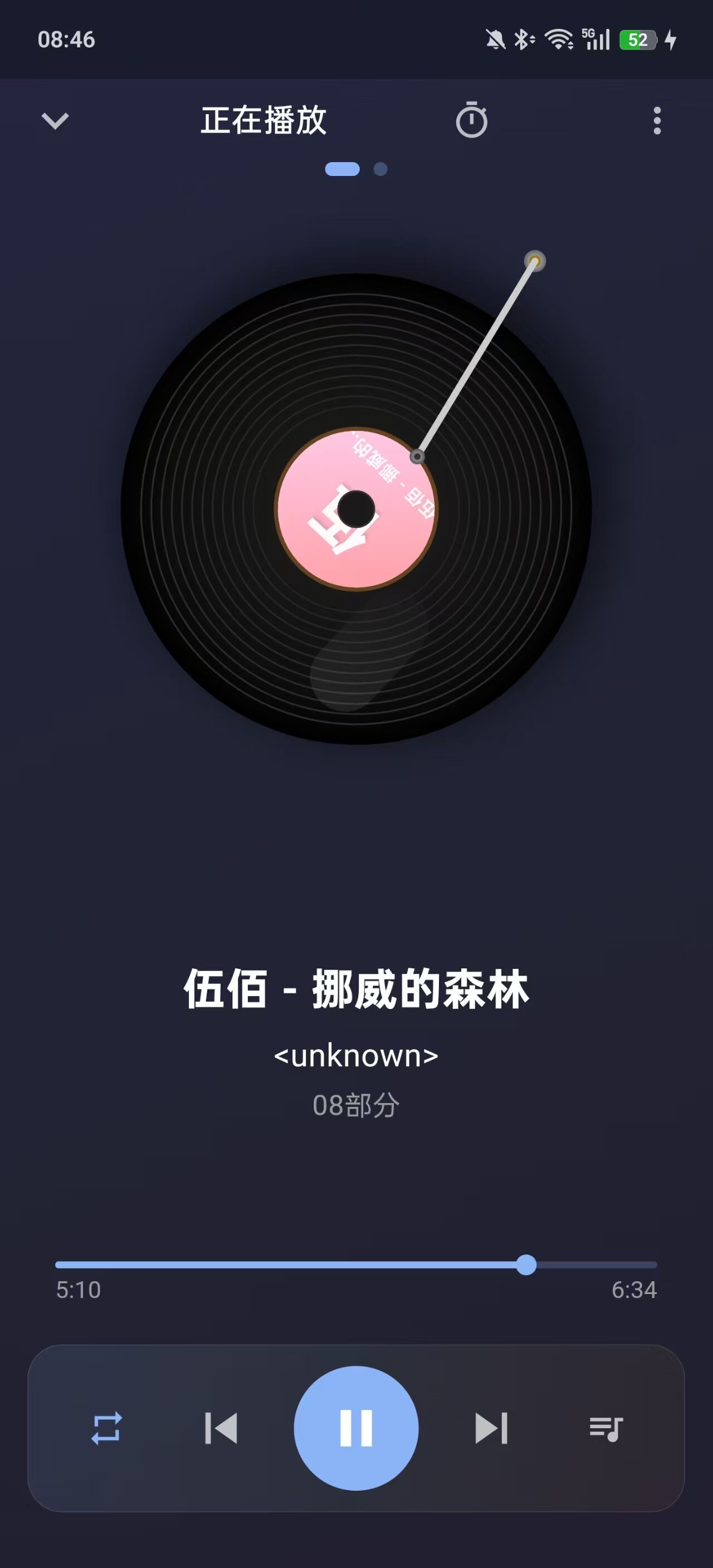
- Vinyl Record - Classic spinning record + metal tonearm
- Waveform Visualization - Real-time audio waveform animation
- Spinning Disc - Clean spinning CD effect
- Minimalist - Pure, distraction-free minimal design
- Retro Cassette - Nostalgic rotating cassette effect
- Neon Pulse - Cyberpunk neon-light effect
- Particle Nebula - Dreamy particle-orbiting animation
- Spectrum Waterfall - Music-spectrum waterfall flow
- Magic Halo - Mysterious spreading-halo effect
- Equalizer - Professional equalizer visualization
- Ripple Effect - Water-ripple spreading animation
- Cyberpunk - Futuristic sci-fi style
- 3D Card - Three-dimensional flipping-card effect
- CD Case - Classic CD-case display effect
✨ Glassmorphism Effect
All page backgrounds use a BackdropFilter frosted-glass blur effect combined with gradient backgrounds to create a richly layered visual experience:
- Bottom navigation bar - Semi-transparent frosted glass
- Playlist page - Dynamic gradient background
- Settings page - Unified glass texture
🎨 Smart Thumbnails
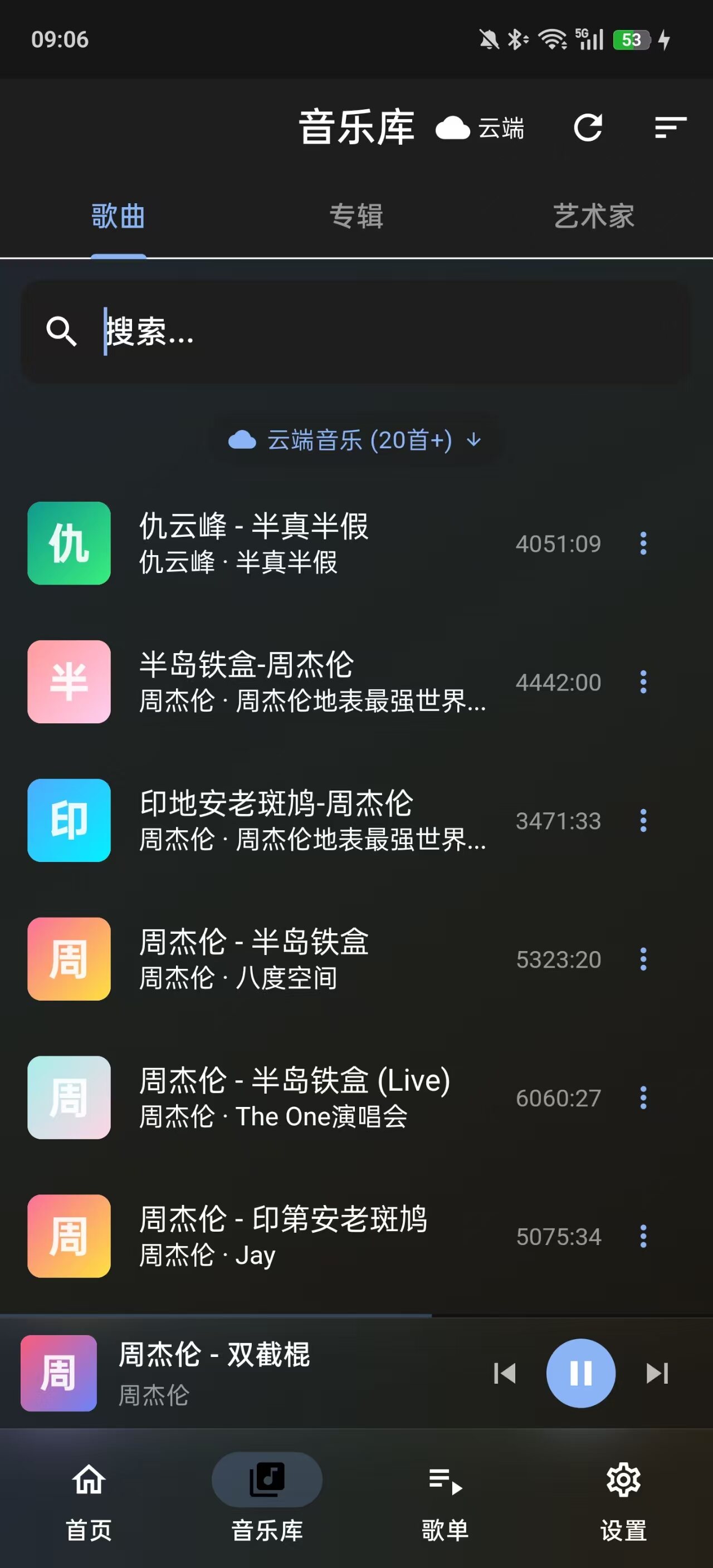
Songs without cover art now display exquisite gradient thumbnails:
- Generates a consistent gradient background based on the song ID (12 color schemes)
- Shows a large-font icon of the first letter of the song title
- Displays the song name and artist name at medium and large sizes
- Bids farewell to the dull gray music icon
🎵 Vinyl Record Player
The play page features a newly designed vinyl-record animation:
- A spinning vinyl record with realistic grooves and gloss
- A metallic tonearm that moves with the playback state
- The album cover displayed in the center, keeping the visual focus as it spins
📝 Lyrics Display
Supports synchronized display of LRC-format lyrics:
- Swipe right on the player page to enter the lyrics screen
- Lyrics scroll automatically, with the current line highlighted
- Tap a lyric line to jump to the corresponding playback position
- Swipe left on the MiniPlayer to show the current lyric
📁 Playlist Management
- Create custom playlists and manage your music collection
- Playlist view shows a cover thumbnail (automatically takes the cover of the first song)
- Add songs to a playlist with one tap
- Favorites feature for quick access to liked songs
🎮 Convenient Controls
- Swipe down to hide: Swipe down on the player page to close it
- Swipe right for lyrics: Swipe right on the player page to view lyrics
- MiniPlayer lyrics: Swipe left and right on the bottom mini player to toggle lyric display
- Smart updates: Automatically detects new versions and prompts to update
Architecture Design: Simple Yet Powerful
For the project’s architecture I followed the principle of “simplicity first”—no over-engineering, no pile of fancy design patterns.
|
Core Playback Engine: just_audio + audio_service
Audio playback is the heart of a music app, and I chose just_audio as the playback engine.
|
Advantages of just_audio:
- Supports many formats: MP3, AAC, FLAC, WAV, OGG, OPUS, and other lossless formats
- Low latency: Fast playback response
- Stable background playback: With
audio_service, it enables lock-screen controls and notification-bar controls
State Management: Provider Is Good Enough
The project didn’t use Riverpod or Bloc, but chose the most classic Provider.
|
For small and medium-sized projects, Provider is simple, intuitive, and easy to debug—entirely sufficient.
Media Scanning: Smart Filtering of Non-Music Files
One of the biggest challenges for a local music player is accurately identifying music files from phone storage while filtering out non-music content like recordings, ringtones, and WeChat voice messages.
My solution:
|
These filtering rules have been tested and can filter out over 95% of non-music audio files.
Interface Design: Returning to the Essence of Music
In UI design, I insist on the philosophy of “subtractive design”:
- No ads: There will never be any form of advertising
- No social: No comments, no sharing, no charts
- No algorithmic recommendations: Users manage their own playlists
- Immersive play page: Vinyl-record animation, with lyrics centered
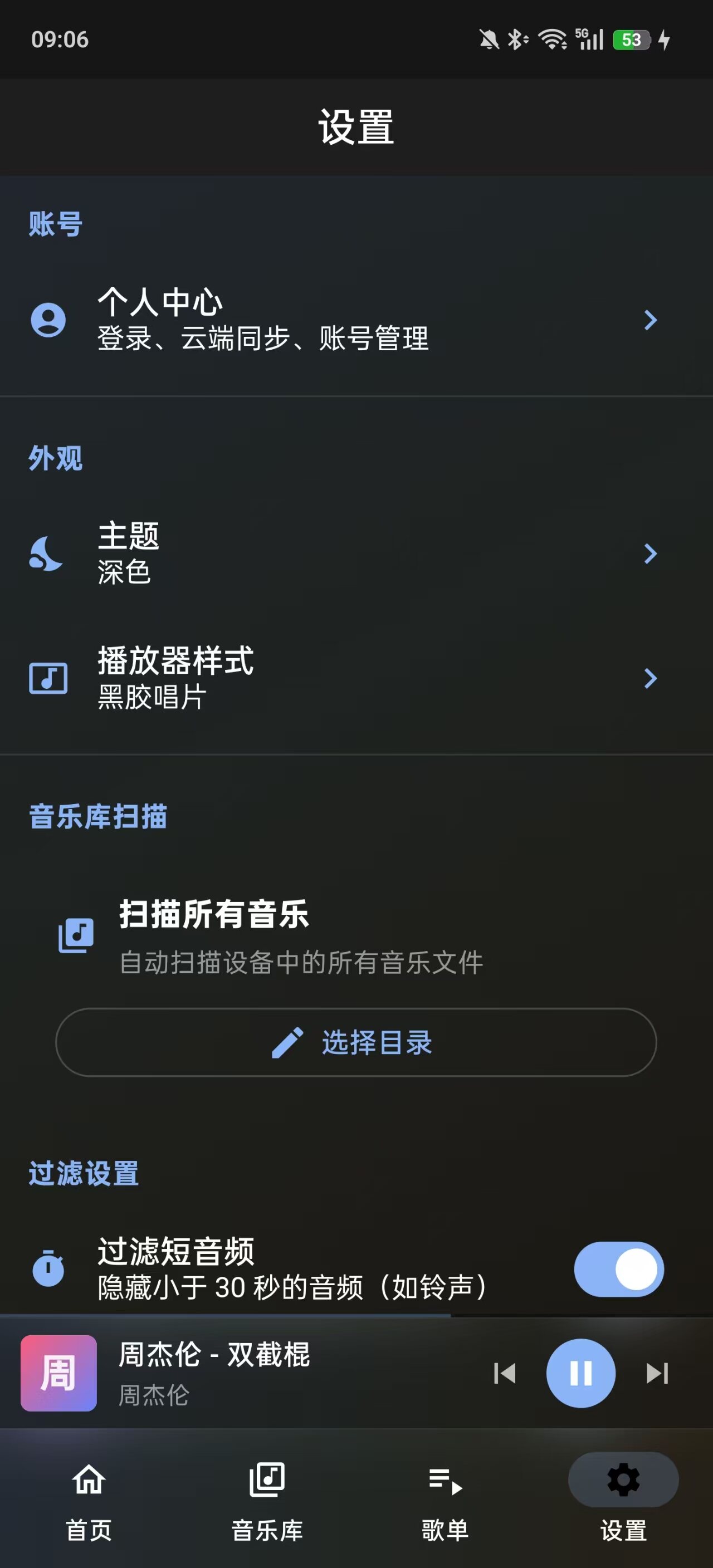
Theme Switching
Supports light/dark mode switching:
|
The Pitfalls I Hit
1. Background Playback Permissions
Android 12+ tightened permissions for background services, so you need to declare foreground-service permissions in AndroidManifest.xml:
|
And MainActivity must extend AudioServiceFragmentActivity:
|
2. Audio Focus Handling
When a call, alarm, or another app plays audio, audio focus must be handled correctly:
|
3. Album Art Caching
Reading the embedded cover art of a music file is a time-consuming operation, so memory caching is needed:
|
The Final Result
After continuous development and optimization, Yueyin Player has grown into a full-featured local music player.
It may not be as feature-rich as QQ Music or NetEase Cloud Music, but it:
- ✅ Zero ads: No advertising of any form
- ✅ Zero distractions: No push notifications, no social features
- ✅ Local-first: All songs are stored locally, no internet needed
- ✅ Open-source and free: Fully open-source code that anyone can audit
- ✅ Smart thumbnails: Songs without covers show exquisite gradient thumbnails
- ✅ Lyrics support: Synchronized LRC lyrics display
- ✅ Playlist management: Custom playlists with cover thumbnails
- ✅ Vinyl record: A unique player animation effect
- ✅ Multi-theme support: Switch among 13 color schemes at will
- ✅ Multiple player styles: 14 visual effects to suit different tastes
- ✅ Glassmorphism: Frosted-glass blur across all pages
Download and Install
| Version | Download Link | File Size |
|---|---|---|
| Latest (v1.9.59) | Click to download | ~52 MB |
System Requirements
- Android version: Android 5.0 (API 21) and above
- Storage space: At least 150 MB free space
- Permissions: Storage permission (to read music files)
Final Words
This project was born from a simple wish: I just want to listen to a song in peace.
Today, as algorithmic recommendations, social features, and membership systems grow ever more complex, we seem to have forgotten what music originally was.
Yueyin Player will not replace QQ Music or NetEase Cloud Music; they have their own positioning and audiences. But if you, like me, just want a simple, clean, pure local music player, then welcome to give Yueyin a try.
Music should be this simple.
Download address: https://file.awen.me/music/melody_player_v1.9.59.apk?e=2106345600&st=gQiueNGPcfhOSQeSL1S7Hg
Contact: hi@awen.me
评论
0 条评论