As a tech blogger, every time I finish an article I fret over finding an illustration. Either I spend time hunting for a suitable image, or I just skip it — but the latter makes the article look monotonous. Recently I built an AI-powered automated article cover-image system that, after I finish writing, generates a cover image matching the content with one click. This article shares the complete technical implementation.
Requirements Analysis
Core Demands
Automation: input an article, automatically output an illustration
Content-relevant: the image should reflect the article’s theme, not be a random picture
Batch processing: support batch generation for historical articles
Auto insertion: after generation, automatically insert it into a suitable position in the article
Technology Selection Considerations
Approach
Pros
Cons
Search the web for images
Free, fast
Copyright issues, not necessarily a match
AI generation (Midjourney)
High quality
Requires Discord, API is inconvenient
DeepSeek + Tongyi Wanxiang
Usable in China, low cost
Requires combining two services
DALL-E 3
Good results
Requires an overseas credit card
I ultimately chose the DeepSeek + Tongyi Wanxiang combination: DeepSeek handles understanding the article and generating the prompt, and Tongyi Wanxiang handles generating the image.
Parse the article to extract the title and summary
DeepSeek generates a professional English prompt
Tongyi Wanxiang generates the image from the prompt
Upload to Alibaba Cloud OSS
Insert it into the specified position in the article according to the strategy
Core Implementation
1. Article Parsing Module
We need to extract useful information from the Markdown:
defextract_article_content(file_path): """Extract the article title and summary""" withopen(file_path, 'r', encoding='utf-8') as f: content = f.read()
# Extract the front matter front_matter_match = re.match(r'^---\s*\n(.*?)\n---\s*\n', content, re.DOTALL) front_matter = front_matter_match.group(1)
# Extract the title title_match = re.search(r'^title:\s*(.+)$', front_matter, re.MULTILINE) title = title_match.group(1).strip() if title_match else""
# Extract the body and clean it up body_content = content[front_matter_match.end():] # Remove code blocks, image markers, etc. body_content = re.sub(r'```[\s\S]*?```', '', body_content) body_content = re.sub(r'!\[([^\]]*)\]\([^\)]+\)', '', body_content)
# Extract the first 500 characters as the summary summary = body_content.strip()[:500]
return {'title': title, 'summary': summary}
2. DeepSeek Prompt Generation
The key trick: make DeepSeek act as an “AI art prompt engineer”:
system_prompt = """You are a professional AI art prompt engineer. Based on the article content, generate a high-quality English AI art prompt.

Requirements:
1. The prompt must be in English, suitable for Stable Diffusion, Midjourney, DALL-E, etc.
2. The style should be modern, professional, and visually striking
3. Include elements such as scene description, color, lighting, and composition
4. Keep the length to 80-150 words
5. Do not include text, logos, or watermarks"""

user_prompt = f"""Generate a prompt based on the following article:

Title: {title}
Summary: {summary}

Return the English prompt directly, no explanation needed."""
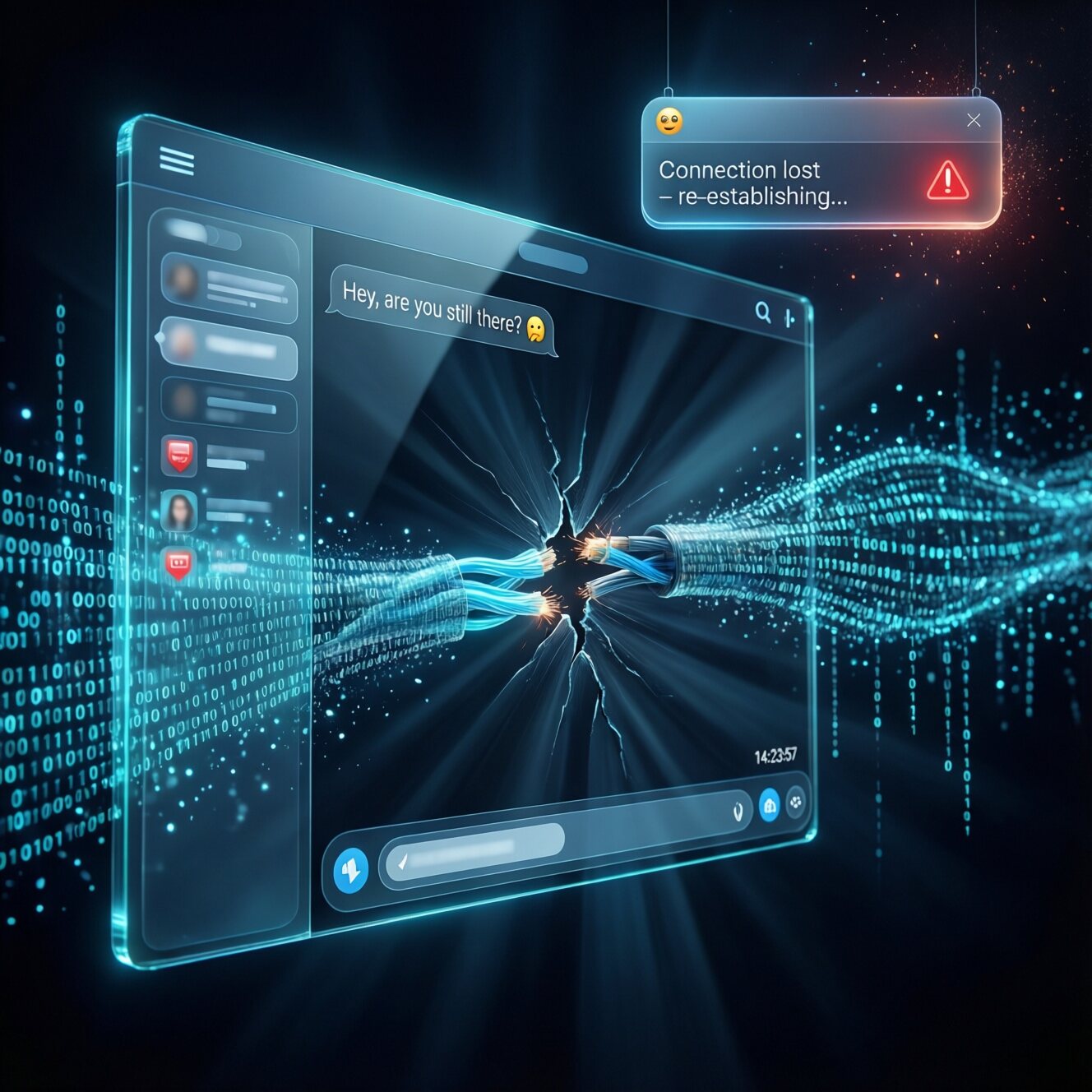
A dynamic digital illustration of two glowing chat windows floating in a dark cyberspace, one a small widget in the corner and one a large fullscreen interface, connected by a fragile, broken data stream of light particles and binary code…
3. Tongyi Wanxiang Image Generation
Using the synchronous API of the Alibaba Cloud Bailian platform:
Instead of simply putting the image at the top, it’s inserted intelligently based on the article structure:
deffind_insert_position(content, strategy="after_second_paragraph"): """Find the image insertion position"""
if strategy == "after_second_paragraph": # Skip the front matter if content.startswith('---'): fm_end = content.find('---', 3) content_after_fm = content[fm_end + 3:]
# Extract the paragraphs paragraphs = [] for line in content_after_fm.split('\n'): if line.strip() andnot line.startswith('#'): paragraphs.append(line) elif paragraphs: break
# Insert after the second paragraph iflen(paragraphs) >= 2: second_para = paragraphs[1] pos = content.find(second_para) return pos + len(second_para)
elif strategy == "after_first_h2": # Insert after the first ## heading match = re.search(r'\n##\s+.+\n', content) ifmatch: returnmatch.end()
Sample insertion result:
--- title: My Article ---
This is the first paragraph, usually the introduction.
This is the second paragraph, explaining the content in more detail.
 <-- inserted here
## Problem Analysis
Here is the body content...
Pitfall Log
Pitfall 1: Kimi API 401 Error
I first wanted to use Kimi to generate the prompt, but got a 401 after configuring the Key. Investigation revealed:
# Test on the server
curl https://api.moonshot.cn/v1/models \
  -H "Authorization: Bearer sk-kimi-xxx"
# returns {"error":{"message":"Invalid Authentication"}}
Cause: The Kimi Key configured in OpenClaw may have an IP whitelist restriction, so it only works on his machine.
Solution: Switch to DeepSeek — also domestic, also easy to use.
Pitfall 2: OSS Upload Timeout
# The ossutil command timed out after 120 seconds
subprocess.run(cmd, timeout=120)  # timeout!
Solution: Switch to the Python SDK (oss2), which supports streaming uploads:
After generation, the image URL returned 404. Checking revealed:
# Wrong: the file wasn't effective immediately after being uploaded to OSS
# Right: wait for the upload to finish before verifying
bucket.put_object_from_file(oss_key, local_file)
assert bucket.object_exists(oss_key)  # verify existence
How to Use
Command-line Usage
# Generate a cover image for the latest article
npm run gen-cover:latest

# Specify an article
python3 tools/auto_insert_cover.py source/_posts/2026/03/article.md --model deepseek

# Specify the insertion position
python3 tools/auto_insert_cover.py source/_posts/2026/03/article.md \
    --strategy after_first_h2
Git Automatic Integration
I configured a Git pre-commit hook, so it automatically checks when you commit an article:
git add source/_posts/2026/03/my-article.md
git commit -m "post: add new article"
# Automatically triggers: check cover image → generate → insert → add to the commit
Cost Analysis
Service
Cost
Description
DeepSeek
¥0.001/1k tokens
about ¥0.01 per article
Tongyi Wanxiang
¥0.12/image
per generated image
OSS storage
¥0.12/GB/month
negligible
Total
about ¥0.13/article
much cheaper than a cup of milk tea
Final Result
The workflow for writing an article now:
hexo new "Article Title" to create the article
Write the content
npm run gen-cover:latest to generate the illustration with one click
git commit && git push to deploy automatically
The illustration is strongly related to the article content. For example, this article’s illustration:
Perfectly captures the theme of “chat windows in sync.”
tools/generate_article_image.py - image generation and upload
Just configure your own DeepSeek and Alibaba Cloud keys and you can use it.
Summary: Through the DeepSeek + Tongyi Wanxiang combination, I achieved low-cost, high-quality AI-automated illustrations. The whole process, from article parsing to image insertion, is fully automatic, greatly improving writing efficiency. If you’re a Hexo user too, you can use this solution directly.
评论
0 条评论