Introduction
As developers, we copy and paste countless times a day: code snippets, API keys, error logs, reference links… But the system’s built-in clipboard has the memory of a goldfish—seven seconds. By the time you realize you need something you copied earlier, it’s long gone.
Today I’d like to recommend an open-source tool I recently built—ClipVault. It doesn’t just solve clipboard history management; it also integrates various cloud image hosts, encrypted sync, and other must-haves for developers.

What Is ClipVault?
ClipVault is a cross-platform clipboard management tool built on Tauri + React + Rust, supporting Windows, macOS, and Linux. It extends and optimizes the open-source project EcoPaste, with deep customization for the habits of Chinese users and developers.
Core Features at a Glance
1. Clipboard History Management
ClipVault quietly records every copy you make, supporting:
- Text content: code, Markdown, URLs, plain text
- Image previews: screenshots, design mockups, memes
- File records: quick access to file paths
- Smart search: full-text search to locate history in a flash
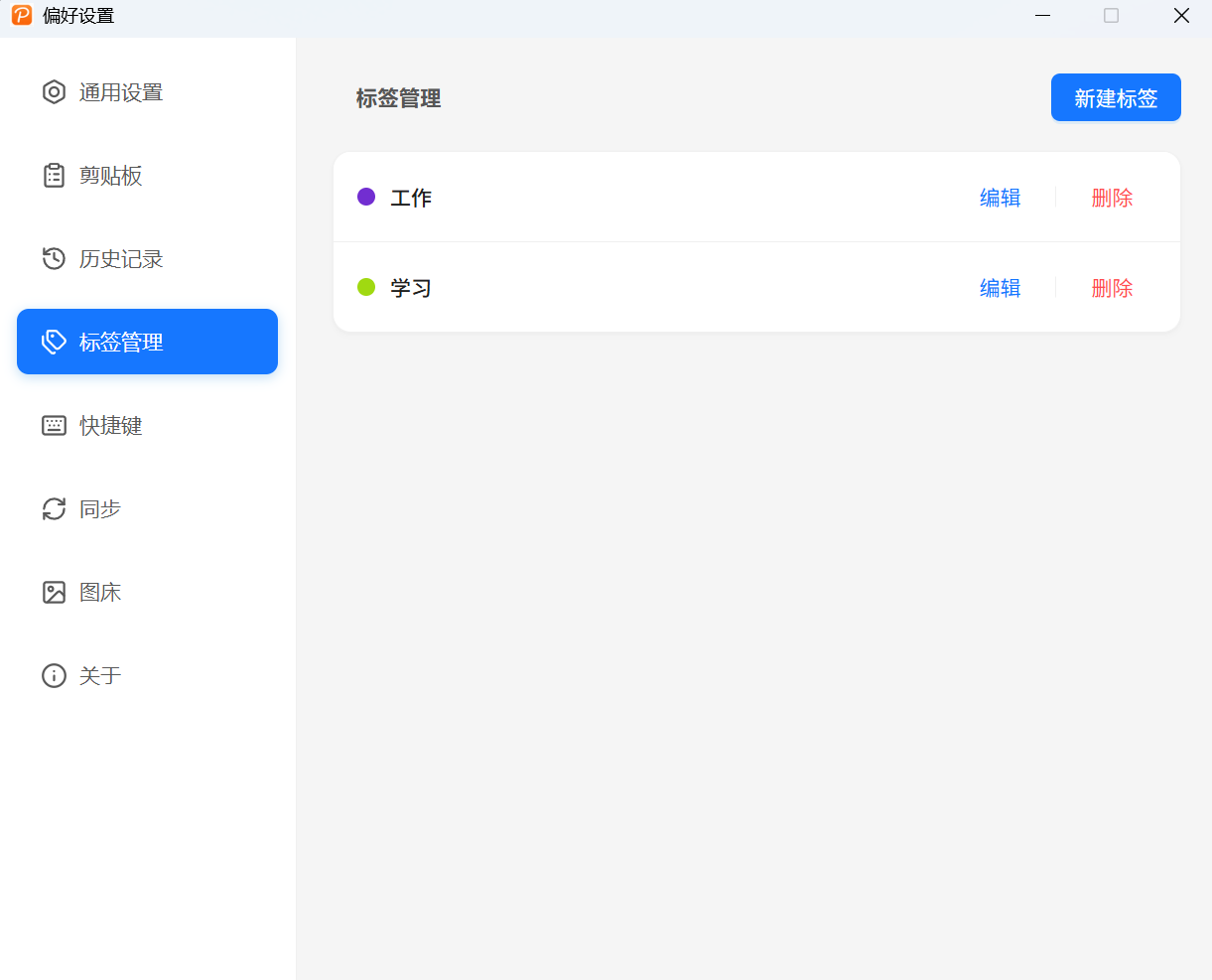
2. Custom Tag System
No more tangled history list—you can create tag categories for clipboard content:
- 🏷️ Work-related code snippets
- 🏷️ Frequently used command lines
- 🏷️ Reference material to be organized
Click a tag to filter quickly and multiply your efficiency.
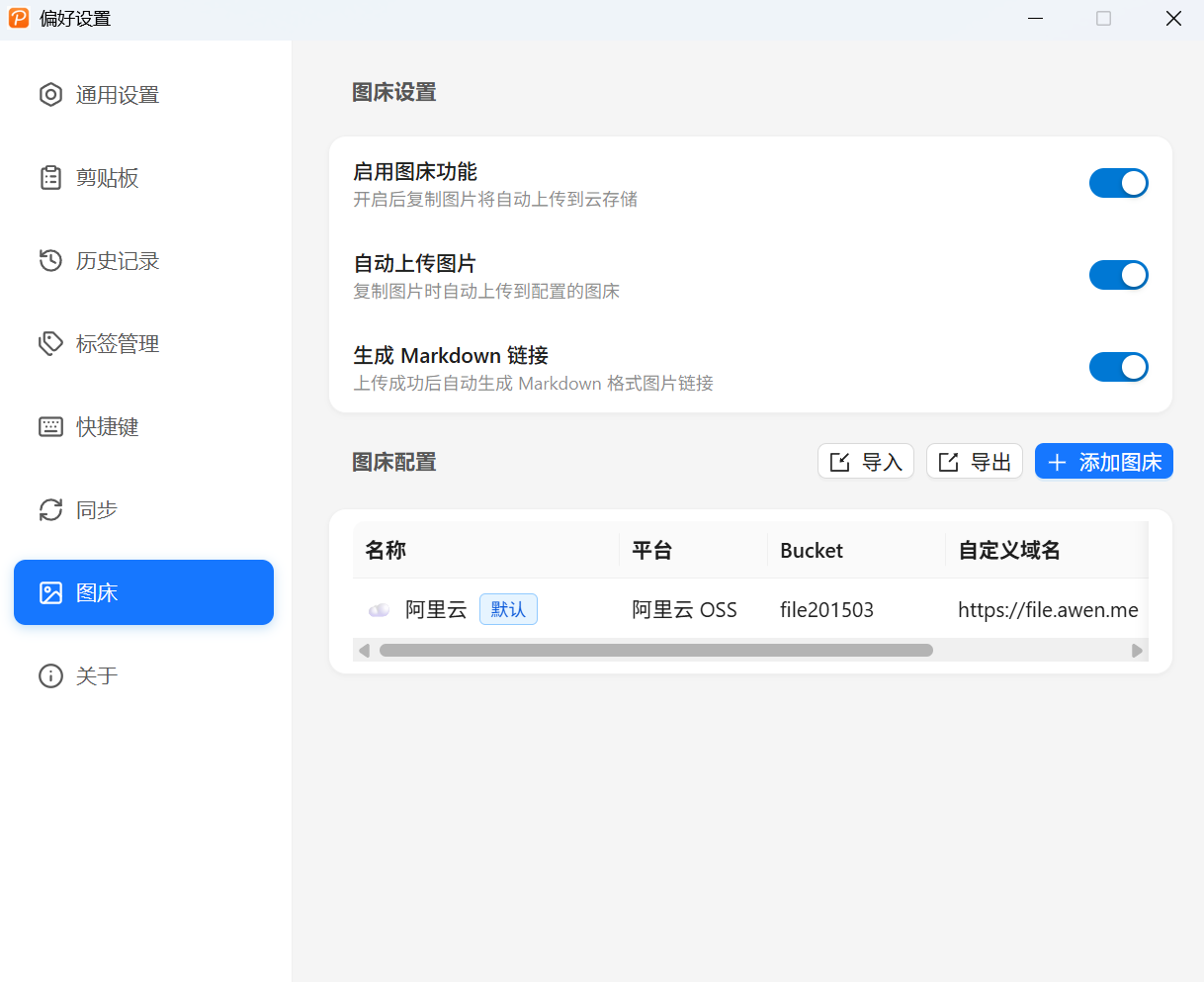
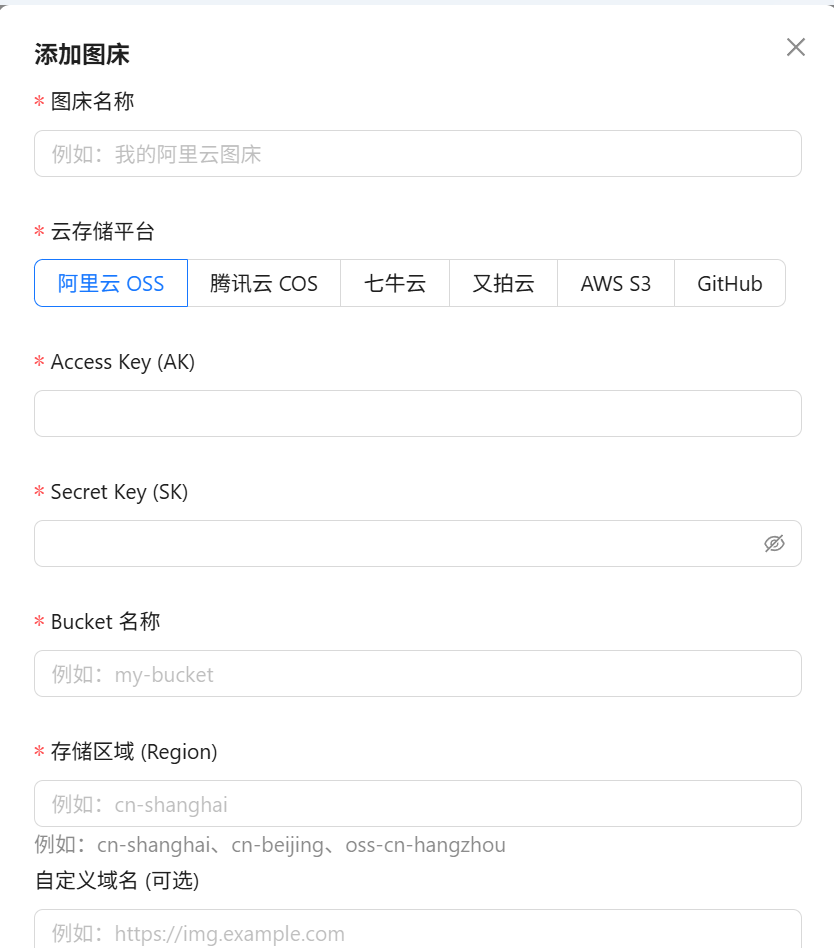
3. Image Host Management (Developer’s Holy Grail)
This is my favorite feature! When writing blogs, filing GitHub issues, or taking notes, you often need to insert images:
- Take a screenshot, then press
Ctrl + Shift + P - The image is automatically uploaded to Alibaba Cloud OSS / Qiniu Cloud
- Get a Markdown-formatted image link
It supports custom image-host configuration and is currently compatible with:
- Alibaba Cloud OSS
- Qiniu Cloud
- Tencent Cloud COS
- More platforms being added…
4. End-to-End Encrypted Sync
Worried about data leaks? ClipVault supports:
- AES-256 encryption: data is encrypted locally before syncing
- Cloud drive sync: sync across devices via iCloud, OneDrive, Dropbox, etc.
- Privacy protection: you can exclude clipboard content from specific apps (such as 1Password, KeePass)
5. Keyboard Shortcuts
| Function | Windows/Linux | macOS |
|---|---|---|
| Open clipboard | Ctrl + Shift + V |
Cmd + Shift + V |
| Open settings | Alt + X |
Option + X |
| Upload to image host | Ctrl + Shift + P |
Cmd + Shift + P |
| Navigate entries | Tab / ↑↓ |
Tab / ↑↓ |
6. Other Thoughtful Touches
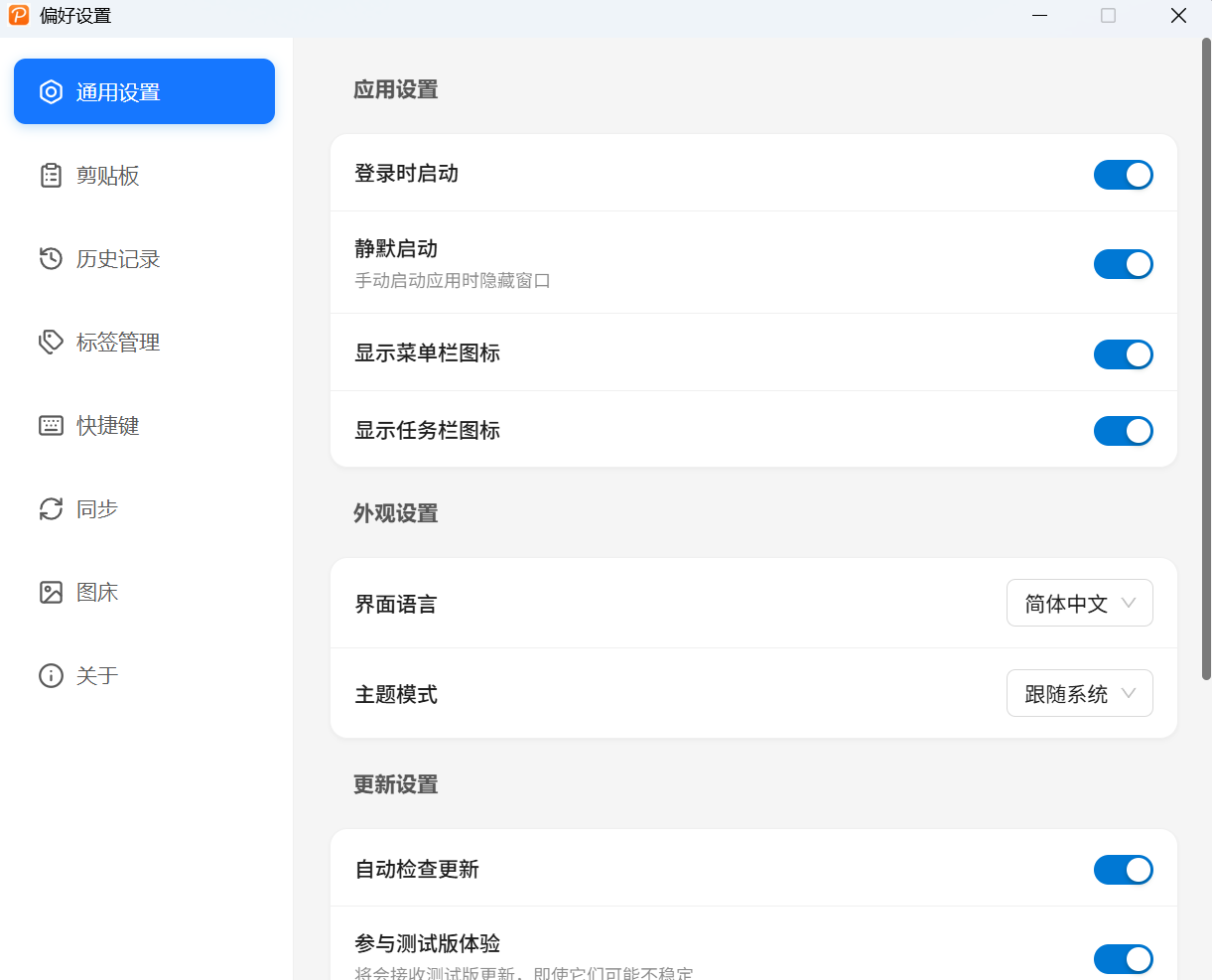
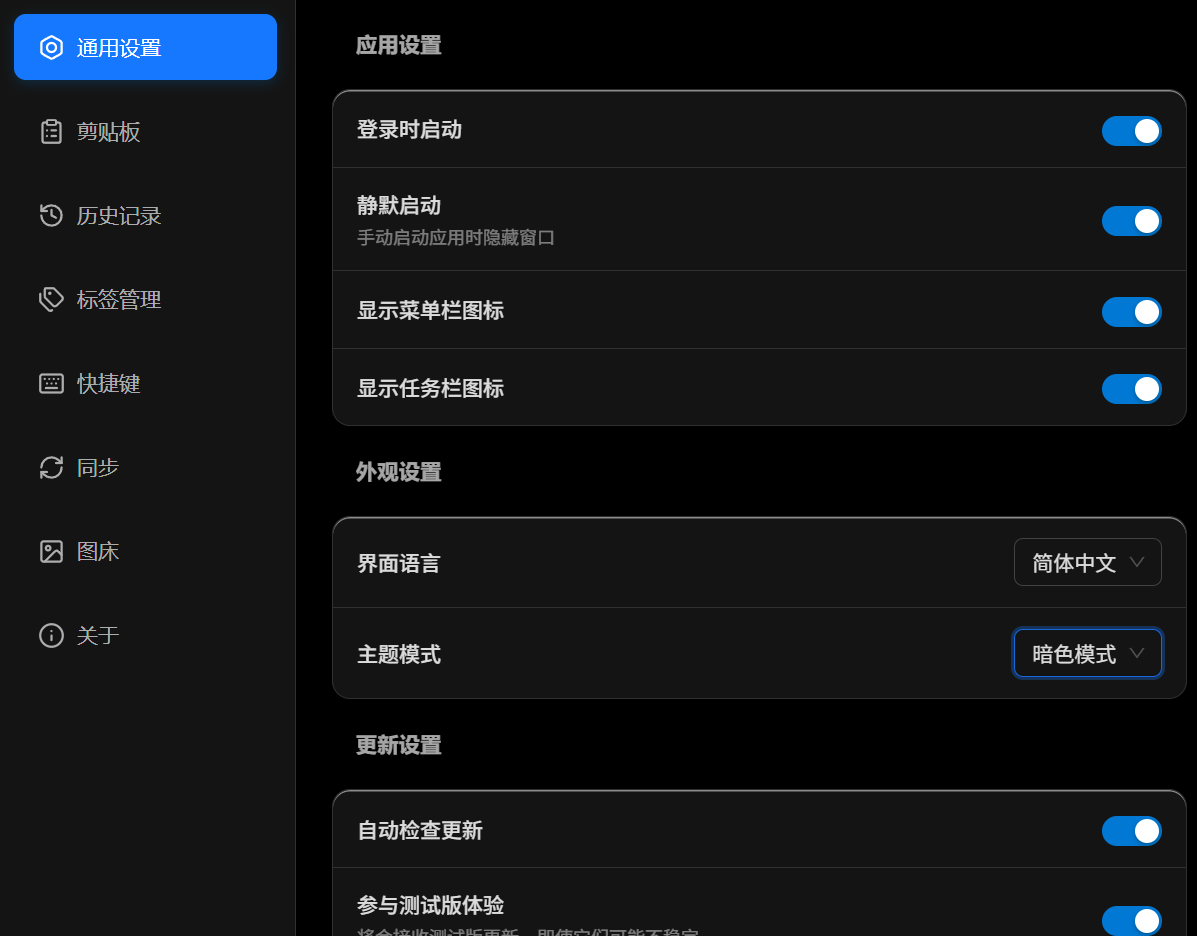
- 🌙 Dark mode: automatically follows the system theme
- 🌍 Multilingual: Simplified Chinese, Traditional Chinese, English, Japanese
- 🗑️ Auto-cleanup: automatically clear history by time/count
- 🎨 Modern UI: Windows 11-style design, clean and beautiful
UI Preview
Main Interface

Image Host Configuration
Tag Management

Settings Interface
Themes support both dark and light
Multilingual support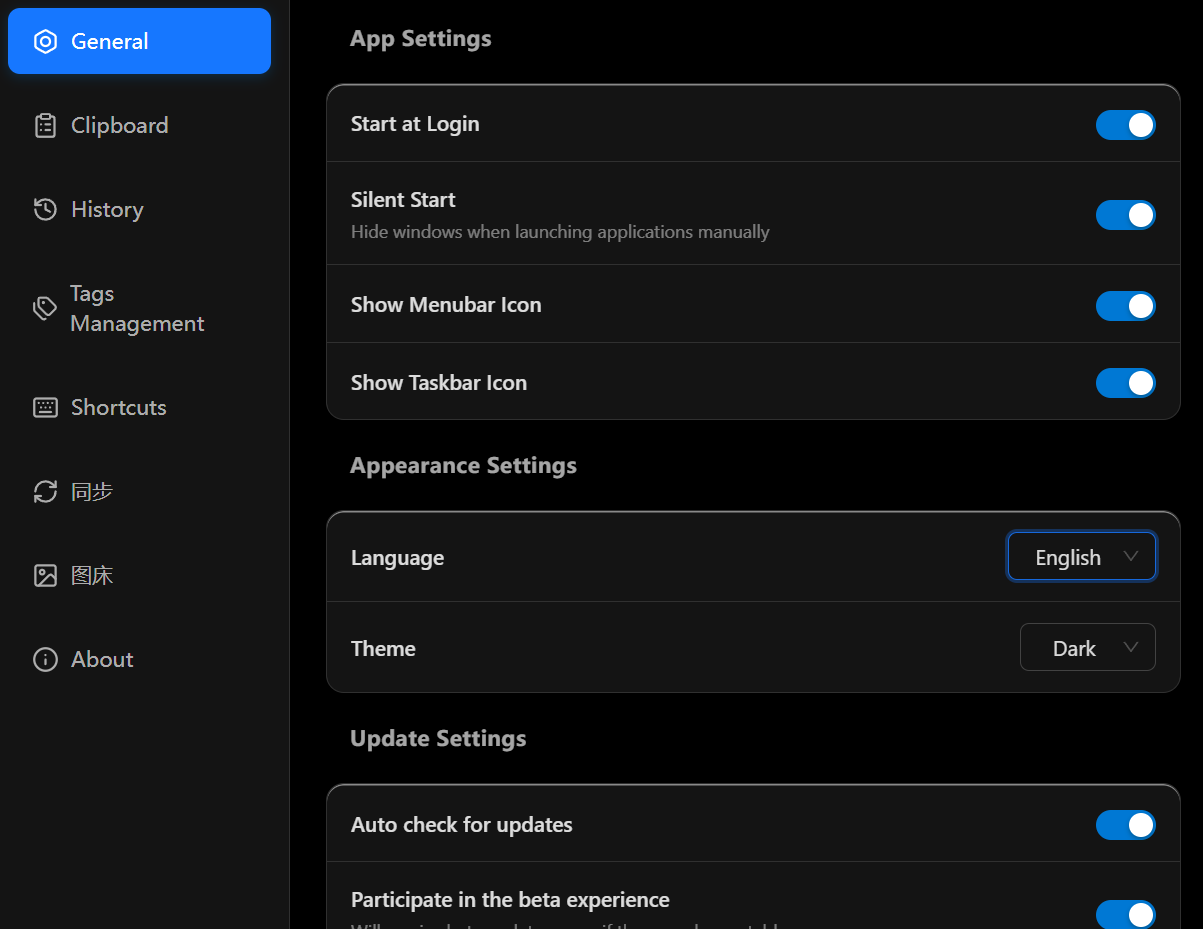
AES-256 Encryption
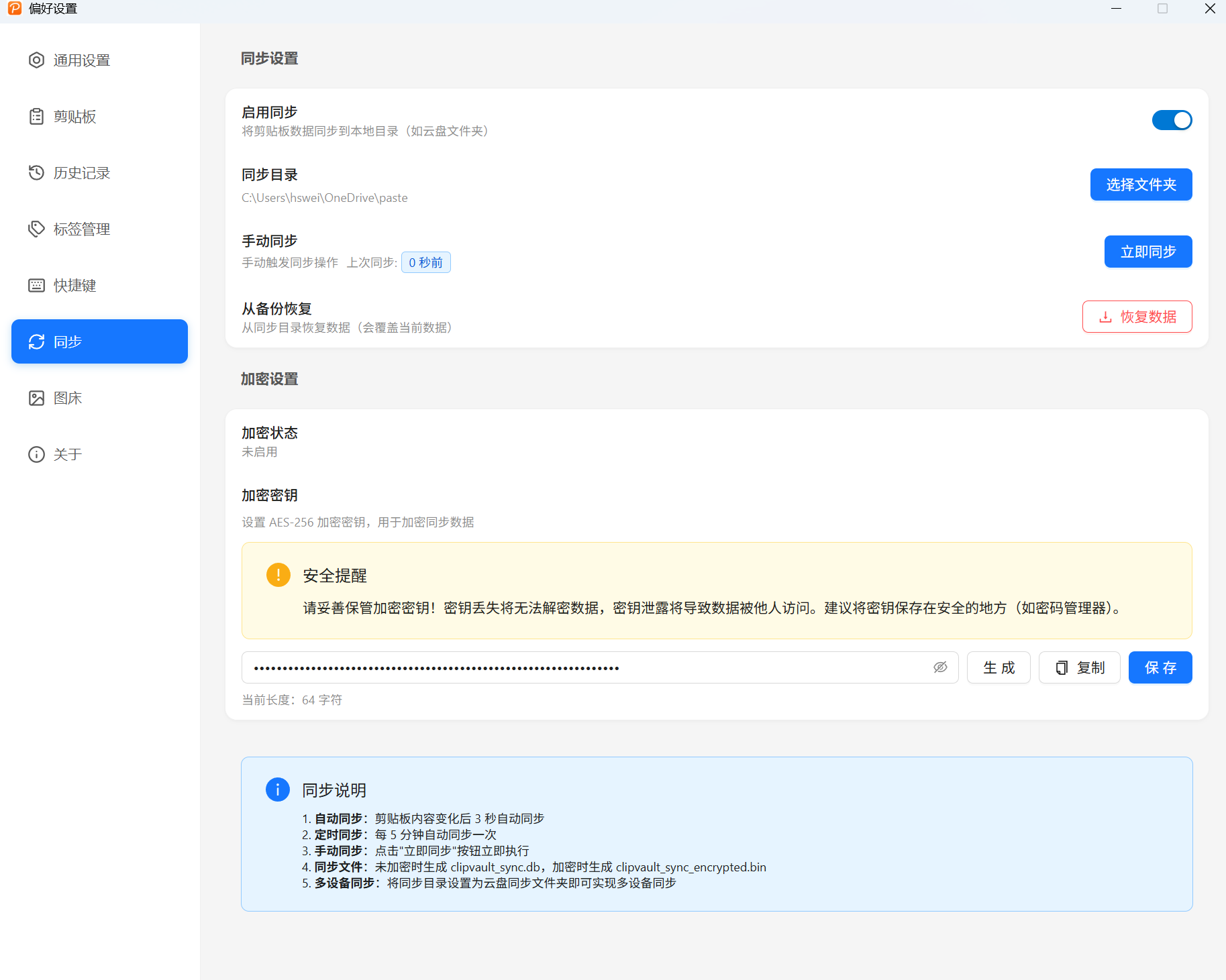
Tech Stack
ClipVault uses a modern tech stack:
- Frontend: React + TypeScript + Ant Design + UnoCSS
- Backend: Rust + Tauri v2
- State management: Valtio
- Internationalization: i18next
Advantages of the Tauri framework over Electron:
- ✅ Smaller installer size (~10MB vs 100MB+)
- ✅ Lower memory usage
- ✅ Better native system integration
- ✅ Safer sandboxing
Download and Install
Download the latest version from the GitHub Releases page:
- Windows:
.exe/.msi - macOS:
.dmg(Intel / Apple Silicon) - Linux:
.AppImage/.deb/.rpm
Get Involved
ClipVault is an open-source project under the Apache-2.0 license. If you’re interested in contributing:
|
Issues and PRs are welcome—let’s make it better together!
Final Words
ClipVault is a personal project I completed during a period of unemployment. If you find it helpful, I’d appreciate it if you:
- ⭐ Give it a Star on GitHub
- ☕ Buy me a coffee to support continued development
- 🐛 File bug reports and feature suggestions
Every bit of support is the fuel that keeps me building!
Project: https://github.com/monkey-wenjun/ClipVault
Download: https://github.com/monkey-wenjun/ClipVault/releases
评论
0 条评论