深夜提醒

现在是深夜,建议您注意休息,不要熬夜哦~

🏮 🏮 🏮

新年快乐

祝君万事如意心想事成!

share-image
中
ESC

Integrating Alipay Face-to-Face Payment into a Chrome Extension: Monetizing a Tech Product from 0 to 1

English 阅读中文版

Chrome Extension Payment Flow

Preface

As an independent developer, I built a Chrome extension called WeRead Sync Pro — it helps users sync WeRead notes to note-taking platforms like Notion and Obsidian. As the user base grew, how to monetize the tech became a real problem.

This article shares in detail how to integrate Alipay Face-to-Face Payment into a Chrome extension, enabling QR-code payments that let your tech product actually generate revenue.

1. Why Choose Alipay Face-to-Face Payment?

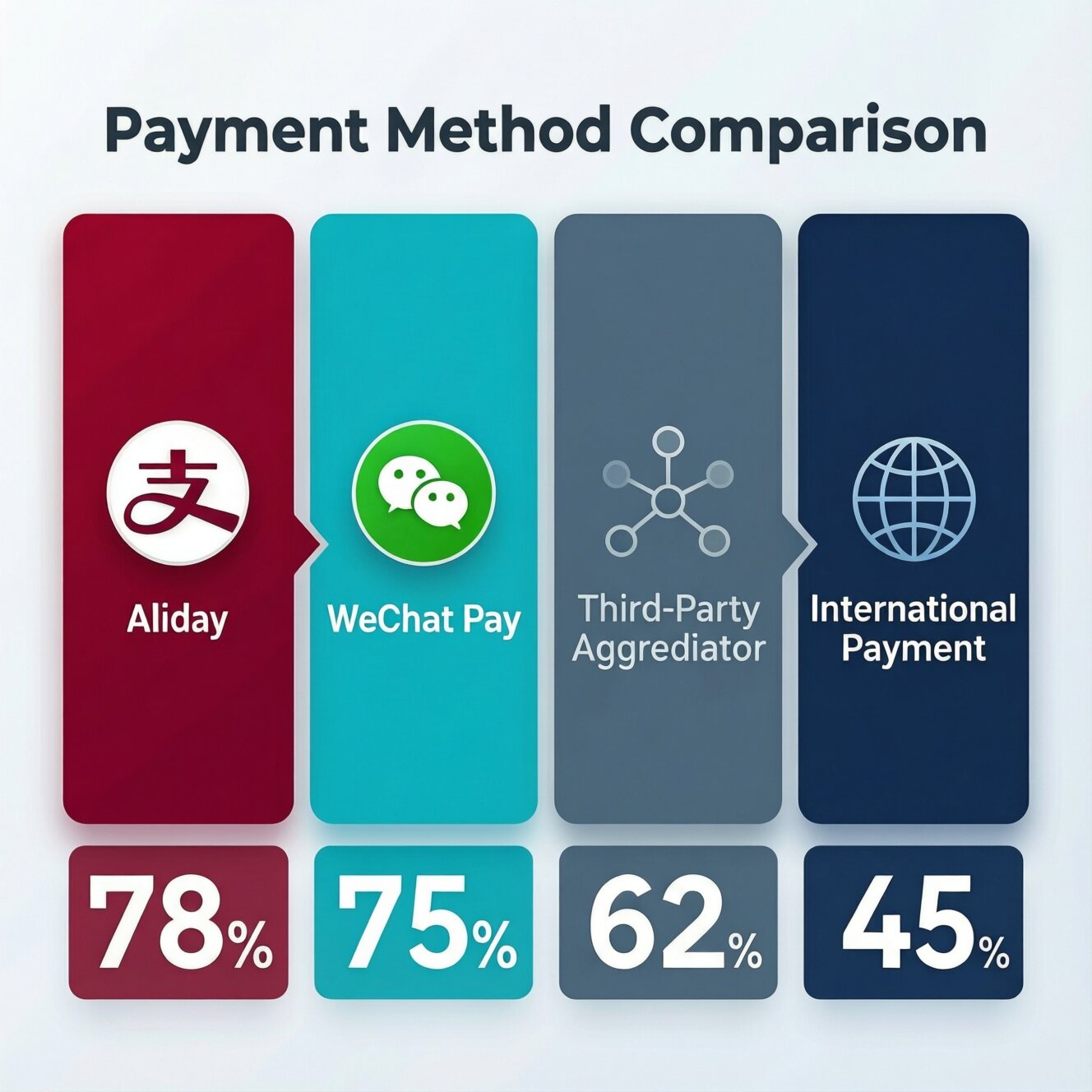
Among the many payment options, Alipay Face-to-Face Payment has the following advantages:

Option Integration difficulty Fee rate Suitable scenarios
Alipay Face-to-Face Payment ⭐⭐⭐ 0.6% Online QR-code payments
WeChat Pay JSAPI ⭐⭐⭐⭐⭐ 0.6% Requires a WeChat environment
Third-party payment aggregator ⭐⭐ 1%+ Fast integration but high cost
Overseas payments (Stripe) ⭐⭐⭐ 3%+ Overseas users

Face-to-Face Payment fits the Chrome-extension scenario especially well:

  • User clicks buy → QR code pops up → scan to pay → auto-activate
  • No need to jump to an external page; smooth experience
  • Directly connected to the official platform; funds are safe

2. System Architecture Design

2.1 Overall Flow

┌─────────────────┐     ┌─────────────────┐     ┌─────────────────┐
│ Chrome ext. │────▶│ Backend server │────▶│ Alipay Open │
│ (payment.js) │ │ (Go + MySQL) │ │ (Face-to-Face │
│ │ │ │ │ Payment API) │
└─────────────────┘ └─────────────────┘ └─────────────────┘
│ │ │
│ │ │
▼ ▼ ▼
User scans to pay Generate order/ Async notify of
license key payment result

2.2 Core Interaction Sequence

sequenceDiagram
participant U as User
participant E as Chrome Extension
participant S as Backend Service
participant A as Alipay

U->>E: Click to buy a plan
E->>S: POST /payment/create
S->>A: Create Alipay order
A-->>S: Return QR code link
S-->>E: Return order info
E->>U: Show payment QR code
U->>A: Scan to pay
A->>S: Async notify of payment success
S->>S: Generate license key
S->>U: Email the license key
E->>S: Poll order status
S-->>E: Return paid + license key
E->>U: Auto-activate extension

3. Alipay Open Platform Configuration

3.1 Create an Application

Log in to the Alipay Open Platform and follow these steps:

  1. Create an application

    • Application name: WeRead Sync Pro
    • Application type: Web/Mobile app
    • Application icon: Upload a 256x256 PNG
  2. Add a capability

    • Search for “Face-to-Face Payment” and add it
    • Submit for review (usually approved in 1-2 business days)

3.2 Configure the Keys (the Core Step)

Alipay Face-to-Face Payment uses RSA2 asymmetric encryption, so you need to generate a key pair:

# Generate a key pair with OpenSSL (recommended)
openssl genrsa -out app_private_key.pem 2048
openssl rsa -in app_private_key.pem -pubout -out app_public_key.pem

# View the private key (PEM format)
cat app_private_key.pem

# View the public key
openssl rsa -in app_private_key.pem -pubout -outform PEM

Key concepts to distinguish:

  • App private key: Your server uses it to sign requests; absolutely confidential
  • App public key: Upload to Alipay; Alipay uses it to verify your requests
  • Alipay public key: Alipay gives it to you to verify Alipay callbacks; obtained on the Open Platform

3.3 Configure Callback Addresses

App gateway: https://your-domain.com/api/v1/payment/notify
Authorization callback address: https://your-domain.com/api/v1/payment/return

⚠️ Important: You must use HTTPS, and the domain must be registered/approved

4. Backend Service Implementation (Go)

4.1 Project Structure

weread-payment-server/
├── cmd/
│ └── server/
│ └── main.go # Entry point
├── internal/
│ ├── config/ # Configuration management
│ ├── handler/
│ │ └── payment.go # HTTP handler
│ ├── payment/
│ │ └── alipay.go # Alipay SDK wrapper
│ ├── service/
│ │ └── order.go # Order business logic
│ └── models/
│ └── order.go # Data models
├── configs/
│ └── config.yaml # Config file
└── go.mod

4.2 Alipay SDK Wrapper

// internal/payment/alipay.go
package payment

import (
"crypto/rsa"
"crypto/x509"
"encoding/base64"
"encoding/pem"
"fmt"
"net/url"
"sort"
"strings"

"github.com/go-resty/resty/v2"
)

// Client is the Alipay client
type Client struct {
AppID string
PrivateKey *rsa.PrivateKey
AlipayPublicKey *rsa.PublicKey
GatewayURL string
NotifyURL string
ReturnURL string
Sandbox bool
}

// NewClient creates an Alipay client
func NewClient(appID, privateKeyPEM, alipayPublicKeyPEM string, sandbox bool) (*Client, error) {
// Parse the app private key
block, _ := pem.Decode([]byte(privateKeyPEM))
if block == nil {
return nil, fmt.Errorf("invalid private key format")
}
privateKey, err := x509.ParsePKCS1PrivateKey(block.Bytes)
if err != nil {
return nil, fmt.Errorf("failed to parse private key: %w", err)
}

// Parse the Alipay public key
block, _ = pem.Decode([]byte(alipayPublicKeyPEM))
if block == nil {
return nil, fmt.Errorf("invalid public key format")
}
pubInterface, err := x509.ParsePKIXPublicKey(block.Bytes)
if err != nil {
return nil, fmt.Errorf("failed to parse public key: %w", err)
}
publicKey, ok := pubInterface.(*rsa.PublicKey)
if !ok {
return nil, fmt.Errorf("not a valid RSA public key")
}

gateway := "https://openapi.alipay.com/gateway.do"
if sandbox {
gateway = "https://openapi-sandbox.dl.alipaydev.com/gateway.do"
}

return &Client{
AppID: appID,
PrivateKey: privateKey,
AlipayPublicKey: publicKey,
GatewayURL: gateway,
Sandbox: sandbox,
}, nil
}

// CreateOrderRequest is the create-order request
type CreateOrderRequest struct {
OutTradeNo string
Subject string
TotalAmount float64
}

// CreateOrderResponse is the create-order response
type CreateOrderResponse struct {
Code string `json:"code"`
Msg string `json:"msg"`
QRCode string `json:"qr_code"` // QR code content
}

// CreateOrder creates a face-to-face payment order
func (c *Client) CreateOrder(req *CreateOrderRequest) (*CreateOrderResponse, error) {
bizContent := fmt.Sprintf(`{
"out_trade_no": "%s",
"total_amount": "%.2f",
"subject": "%s",
"product_code": "FACE_TO_FACE_PAYMENT"
}`, req.OutTradeNo, req.TotalAmount, req.Subject)

params := map[string]string{
"app_id": c.AppID,
"method": "alipay.trade.precreate",
"format": "JSON",
"charset": "utf-8",
"sign_type": "RSA2",
"timestamp": time.Now().Format("2006-01-02 15:04:05"),
"version": "1.0",
"notify_url": c.NotifyURL,
"biz_content": bizContent,
}

// Generate the signature
sign, err := c.sign(params)
if err != nil {
return nil, err
}
params["sign"] = sign

// Send the request
client := resty.New()
resp, err := client.R().
SetFormData(params).
Post(c.GatewayURL)

if err != nil {
return nil, fmt.Errorf("request to Alipay failed: %w", err)
}

// Parse the response...
return parseResponse(resp.Body())
}

// sign generates the RSA2 signature
func (c *Client) sign(params map[string]string) (string, error) {
// 1. Filter out empty values and the sign field
filtered := make(map[string]string)
for k, v := range params {
if k != "sign" && v != "" {
filtered[k] = v
}
}

// 2. Sort by key
var keys []string
for k := range filtered {
keys = append(keys, k)
}
sort.Strings(keys)

// 3. Join into a string
var parts []string
for _, k := range keys {
parts = append(parts, fmt.Sprintf("%s=%s", k, filtered[k]))
}
content := strings.Join(parts, "&")

// 4. SHA256WithRSA signature
hash := sha256.Sum256([]byte(content))
signature, err := rsa.SignPKCS1v15(
rand.Reader,
c.PrivateKey,
crypto.SHA256,
hash[:],
)
if err != nil {
return "", err
}

return base64.StdEncoding.EncodeToString(signature), nil
}

4.3 Order Service Implementation

// internal/service/order.go
package service

type OrderService struct {
db *gorm.DB
alipay *payment.Client
email *email.Client
}

// CreateOrder creates an order
func (s *OrderService) CreateOrder(req *CreateOrderRequest) (*CreateOrderResponse, error) {
// 1. Get the plan config (pricing is controlled by the backend)
plan, ok := s.config.Pricing.GetPlan(req.PlanType)
if !ok {
return nil, fmt.Errorf("invalid plan type: %s", req.PlanType)
}

// 2. Generate the order number (with a prefix for easy identification)
orderNo := utils.GenerateOrderNo() // e.g., WEREAD2024031812304512345
subject := fmt.Sprintf("WeRead Sync Pro - %s", plan.Name)

// 3. Call Alipay to create the order
aliResp, err := s.alipay.CreateOrder(&payment.CreateOrderRequest{
OutTradeNo: orderNo,
Subject: subject,
TotalAmount: plan.Price,
})
if err != nil {
return nil, fmt.Errorf("failed to create Alipay order: %w", err)
}

// 4. Save to the database
order := &models.Order{
OrderNo: orderNo,
Status: models.OrderStatusPending,
PlanType: models.PlanType(req.PlanType),
Amount: plan.Price,
Subject: subject,
BuyerEmail: req.BuyerEmail,
}

if err := s.db.Create(order).Error; err != nil {
return nil, fmt.Errorf("failed to save order: %w", err)
}

// 5. Return the QR code link
return &CreateOrderResponse{
OrderNo: orderNo,
QRCodeURL: aliResp.QRCode, // the QR code link returned by Alipay
Amount: plan.Price,
ExpireTime: time.Now().Add(30 * time.Minute).Unix(),
}, nil
}

// HandleAlipayNotify handles Alipay's async notification
func (s *OrderService) HandleAlipayNotify(notifyData map[string]string) error {
// 1. Verify the signature (to prevent forged notifications)
ok, err := s.alipay.VerifyNotify(notifyData)
if err != nil || !ok {
return fmt.Errorf("signature verification failed")
}

// 2. Parse the notification data
tradeStatus := notifyData["trade_status"]
orderNo := notifyData["out_trade_no"]
tradeNo := notifyData["trade_no"] // Alipay transaction number
buyerEmail := notifyData["buyer_email"]

// 3. Look up the order
var order models.Order
if err := s.db.Where("order_no = ?", orderNo).First(&order).Error; err != nil {
return fmt.Errorf("order does not exist: %s", orderNo)
}

// 4. Idempotency check: already-processed ones return directly
if order.Status == models.OrderStatusPaid {
return nil
}

// 5. Handle payment success
if tradeStatus == "TRADE_SUCCESS" {
return s.handlePaymentSuccess(&order, tradeNo, buyerEmail)
}

return nil
}

// handlePaymentSuccess handles a successful payment
func (s *OrderService) handlePaymentSuccess(order *models.Order, tradeNo, buyerEmail string) error {
// 1. Generate the license key
licenseKey := utils.GenerateLicenseKey(
s.config.License.Prefix, // e.g., "WS"
string(order.PlanType), // e.g., "yearly"
s.config.License.Secret, // signing secret
)

// 2. Update the order status
now := time.Now()
order.Status = models.OrderStatusPaid
order.AlipayTradeNo = tradeNo
order.PaidAt = &now
order.LicenseKey = licenseKey
if buyerEmail != "" {
order.BuyerEmail = buyerEmail
}

if err := s.db.Save(order).Error; err != nil {
return err
}

// 3. Create the license record
plan, _ := s.config.Pricing.GetPlan(string(order.PlanType))
license := &models.License{
LicenseKey: licenseKey,
PlanType: order.PlanType,
Status: "unused",
TotalDays: plan.Days,
OrderID: order.ID,
}
s.db.Create(license)

// 4. Send the email notification asynchronously
if s.email != nil && order.BuyerEmail != "" {
go s.email.SendLicenseEmail(order.BuyerEmail, licenseKey, string(order.PlanType))
}

return nil
}

4.4 Signature Verification in Detail

Signature verification of Alipay callbacks is the core of security:

// VerifyNotify verifies the Alipay notification signature
func (c *Client) VerifyNotify(params map[string]string) (bool, error) {
sign := params["sign"]
signType := params["sign_type"]

// 1. Remove sign and sign_type
filtered := make(map[string]string)
for k, v := range params {
if k != "sign" && k != "sign_type" && v != "" {
filtered[k] = v
}
}

// 2. Build the string to verify
var keys []string
for k := range filtered {
keys = append(keys, k)
}
sort.Strings(keys)

var parts []string
for _, k := range keys {
parts = append(parts, fmt.Sprintf("%s=%s", k, filtered[k]))
}
content := strings.Join(parts, "&")

// 3. Verify the signature
signBytes, _ := base64.StdEncoding.DecodeString(sign)
hash := sha256.Sum256([]byte(content))

err := rsa.VerifyPKCS1v15(
c.AlipayPublicKey,
crypto.SHA256,
hash[:],
signBytes,
)

return err == nil, nil
}

5. Frontend Integration (Chrome Extension)

5.1 Payment Page Implementation

// payment.js - payment client

const PAYMENT_API_BASE = 'https://pay.awen.me/api/v1';

/**
* Create an order and show the QR code
*/
async function initiatePayment(planType, buyerEmail) {
try {
// 1. Create the order
const response = await fetch(`${PAYMENT_API_BASE}/payment/create`, {
method: 'POST',
headers: {
'Content-Type': 'application/json',
'X-Extension-ID': chrome.runtime.id
},
body: JSON.stringify({
plan_type: planType,
buyer_email: buyerEmail
})
});

const result = await response.json();
if (result.code !== 0) {
throw new Error(result.message);
}

const orderData = result.data;

// 2. Display the QR code
showQRCode(orderData);

// 3. Start polling the order status
startPolling(orderData.order_no);

} catch (error) {
console.error('Payment initialization failed:', error);
showError(error.message);
}
}

/**
* Show the QR code
*/
function showQRCode(orderData) {
const qrcodeContainer = document.getElementById('qrcode');

// Generate the QR code with QRCode.js
new QRCode(qrcodeContainer, {
text: orderData.qrcode_url, // the QR code link returned by Alipay
width: 200,
height: 200,
colorDark: '#000000',
colorLight: '#ffffff',
correctLevel: QRCode.CorrectLevel.H
});

// Show the order info
document.getElementById('order-no').textContent = orderData.order_no;
document.getElementById('amount').textContent = `¥${orderData.amount}`;
}

/**
* Poll the order status
*/
function startPolling(orderNo) {
const pollInterval = setInterval(async () => {
try {
const response = await fetch(
`${PAYMENT_API_BASE}/payment/order/${orderNo}`
);
const result = await response.json();

if (result.code === 0 && result.data.status === 'paid') {
clearInterval(pollInterval);

// Save the license key
await saveLicenseKey(result.data.license_key);

// Show payment success
showPaymentSuccess(result.data.license_key);
}
} catch (error) {
console.error('Failed to query order status:', error);
}
}, 3000); // Query every 3 seconds

// Stop polling after 30 minutes
setTimeout(() => clearInterval(pollInterval), 30 * 60 * 1000);
}

/**
* Save the license key to Chrome Storage
*/
async function saveLicenseKey(licenseKey) {
await chrome.storage.local.set({
'license_key': licenseKey,
'license_activated': true,
'license_activated_at': Date.now()
});
}

5.2 An Elegant QR Code Display

<!-- pricing.html -->
<div class="payment-modal" id="paymentModal">
<div class="modal-content">
<h3>Scan to pay</h3>
<p class="plan-name">Annual subscription</p>
<p class="amount">¥48</p>

<!-- Email input -->
<div class="email-form" id="emailForm">
<input type="email" id="email" placeholder="Enter your email to receive the license key" />
<button onclick="submitEmail()">Confirm and generate QR code</button>
</div>

<!-- QR code area -->
<div class="qrcode-container hidden" id="qrcodeContainer">
<div id="qrcode"></div>
<p class="tip">Please scan with Alipay to pay</p>
</div>

<!-- Payment success -->
<div class="success-container hidden" id="successContainer">
<div class="checkmark">✓</div>
<p>Payment successful!</p>
<p class="license-key" id="licenseKey"></p>
<p class="tip">The license key has been sent to your email</p>
</div>
</div>
</div>

5.3 manifest.json Configuration

{
"manifest_version": 3,
"name": "WeRead Sync Pro",
"version": "1.1.0",
"permissions": [
"storage",
"activeTab"
],
"host_permissions": [
"https://weread.qq.com/*",
"https://pay.awen.me/*"
],
"web_accessible_resources": [
{
"resources": ["pricing.html", "payment.js"],
"matches": ["<all_urls>"]
}
]
}

6. Security Considerations

6.1 Key Management

# ❌ Wrong: committing keys to Git
config.yaml # contains the Alipay keys

# ✅ Right: using environment variables
export ALIPAY_APP_ID="2024XXXXXX"
export ALIPAY_PRIVATE_KEY="-----BEGIN RSA PRIVATE KEY-----..."
export LICENSE_SECRET="random-secret-key"

6.2 Anti-Replay Attacks

// Check whether the notification has already been processed (idempotency)
func (s *OrderService) isNotifyProcessed(tradeNo string) bool {
var count int64
s.db.Model(&models.PaymentLog{}).
Where("trade_no = ? AND type = 'notify'", tradeNo).
Count(&count)
return count > 0
}

6.3 Force HTTPS

# nginx.conf - force HTTPS
server {
listen 80;
server_name pay.awen.me;
return 301 https://$server_name$request_uri;
}

server {
listen 443 ssl http2;
server_name pay.awen.me;

ssl_certificate /path/to/cert.pem;
ssl_certificate_key /path/to/key.pem;

# Security headers
add_header Strict-Transport-Security "max-age=31536000" always;
}

7. Deployment

7.1 Deploy with Docker

# Dockerfile
FROM golang:1.21-alpine AS builder
WORKDIR /app
COPY . .
RUN go build -o server cmd/server/main.go

FROM alpine:latest
RUN apk --no-cache add ca-certificates
WORKDIR /root/
COPY --from=builder /app/server .
COPY --from=builder /app/configs ./configs
EXPOSE 8085
CMD ["./server"]
# docker-compose.yml
version: '3.8'
services:
app:
build: .
ports:
- "8085:8085"
environment:
- DB_HOST=mysql
- ALIPAY_APP_ID=${ALIPAY_APP_ID}
- ALIPAY_PRIVATE_KEY=${ALIPAY_PRIVATE_KEY}
depends_on:
- mysql

mysql:
image: mysql:8.0
environment:
MYSQL_ROOT_PASSWORD: ${DB_PASSWORD}
MYSQL_DATABASE: weread_payment
volumes:
- mysql_data:/var/lib/mysql

volumes:
mysql_data:

7.2 Monitoring and Logging

# View live logs
docker logs -f weread-payment-server

# View payment stats
mysql -e "
SELECT
DATE(created_at) as date,
COUNT(*) as orders,
SUM(amount) as revenue
FROM orders
WHERE status = 'paid'
GROUP BY DATE(created_at)
ORDER BY date DESC;
"

8. Summary

Through this article, we fully implemented Alipay Face-to-Face Payment integration for a Chrome extension:

  1. Alipay configuration: Create the app, generate keys, configure callbacks
  2. Backend development: Order creation, signature verification, async notification handling
  3. Frontend integration: QR code display, status polling, license key management
  4. Security hardening: Key management, idempotency, HTTPS

Key Code Repositories

Next Improvements

  • Add a coupon-code system
  • Implement an automatic refund API
  • Integrate WeChat scan-to-pay
  • Add a payment data analytics dashboard

Hope this article helps you! If you have questions, feel free to leave a comment below.

This article first appeared on awen.me; please credit the source when reposting.

文章作者:阿文
文章链接: https://www.awen.me/post/4ab8a8f8.html
版权声明:本博客所有文章除特别声明外,均采用 CC BY-NC-SA 4.0 许可协议。转载请注明来自 阿文的博客!
本文于 2026-03-18 16:00 发布,已超过半年(212天),请注意甄别内容是否已过期。

评论

0 条评论
😀😃😄 😁😅😂 🤣😊😇 🙂🙃😉 😌😍🥰 😘😗😙 😚😋😛 😝😜🤪 🤨🧐🤓 😎🥸🤩 🥳😏😒 😞😔😟 😕🙁☹️ 😣😖😫 😩🥺😢 😭😤😠 😡🤬🤯 😳🥵🥶 😱😨😰 😥😓🤗 🤔🤭🤫 🤥😶😐 😑😬🙄 😯😦😧 😮😲🥱 😴🤤😪 😵🤐🥴 🤢🤮🤧 😷🤒🤕 🤑🤠😈 👿👹👺 🤡💩👻 💀☠️👽 👾🤖🎃 😺😸😹 😻😼😽 🙀😿😾 👍👎👏 🙌👐🤲 🤝🤜🤛 ✌️🤞🤟 🤘👌🤏 👈👉👆 👇☝️✋ 🤚🖐️🖖 👋🤙💪 🦾🖕✍️ 🙏💅🤳 💯💢💥 💫💦💨 🕳️💣💬 👁️‍🗨️🗨️🗯️ 💭💤❤️ 🧡💛💚 💙💜🖤 🤍🤎💔 ❣️💕💞 💓💗💖 💘💝💟 ☮️✝️☪️ 🕉️☸️✡️ 🔯🕎☯️ ☦️🛐⛎ ♈♉♊ ♋♌♍ ♎♏♐ ♑♒♓ 🆔⚛️🉑 ☢️☣️📴 📳🈶🈚 🈸🈺🈷️ ✴️🆚💮 🉐㊙️㊗️ 🈴🈵🈹 🈲🅰️🅱️ 🆎🆑🅾️ 🆘❌⭕ 🛑⛔📛 🚫💯💢 ♨️🚷🚯 🚳🚱🔞 📵🚭❗ ❕❓❔ ‼️⁉️🔅 🔆〽️⚠️ 🚸🔱⚜️ 🔰♻️✅ 🈯💹❇️ ✳️❎🌐 💠Ⓜ️🌀 💤🏧🚾 ♿🅿️🈳 🈂🛂🛃 🛄🛅🛗 🚀🛸🚁 🚉🚆🚅 ✈️🛫🛬 🛩️💺🛰️
加载中...

留言反馈

😀😃😄 😁😅😂 🤣😊😇 🙂🙃😉 😌😍🥰 😘😗😙 😚😋😛 😝😜🤪 🤨🧐🤓 😎🥸🤩 🥳😏😒 😞😔😟 😕🙁☹️ 😣😖😫 😩🥺😢 😭😤😠 😡🤬🤯 😳🥵🥶 😱😨😰 😥😓🤗 🤔🤭🤫 🤥😶😐 😑😬🙄 😯😦😧 😮😲🥱 😴🤤😪 😵🤐🥴 🤢🤮🤧 😷🤒🤕 🤑🤠😈 👿👹👺 🤡💩👻 💀☠️👽 👾🤖🎃 😺😸😹 😻😼😽 🙀😿😾 👍👎👏 🙌👐🤲 🤝🤜🤛 ✌️🤞🤟 🤘👌🤏 👈👉👆 👇☝️✋ 🤚🖐️🖖 👋🤙💪 🦾🖕✍️ 🙏💅🤳 💯💢💥 💫💦💨 🕳️💣💬 👁️‍🗨️🗨️🗯️ 💭💤❤️ 🧡💛💚 💙💜🖤 🤍🤎💔 ❣️💕💞 💓💗💖 💘💝💟 ☮️✝️☪️ 🕉️☸️✡️ 🔯🕎☯️ ☦️🛐⛎ ♈♉♊ ♋♌♍ ♎♏♐ ♑♒♓ 🆔⚛️🉑 ☢️☣️📴 📳🈶🈚 🈸🈺🈷️ ✴️🆚💮 🉐㊙️㊗️ 🈴🈵🈹 🈲🅰️🅱️ 🆎🆑🅾️ 🆘❌⭕ 🛑⛔📛 🚫💯💢 ♨️🚷🚯 🚳🚱🔞 📵🚭❗ ❕❓❔ ‼️⁉️🔅 🔆〽️⚠️ 🚸🔱⚜️ 🔰♻️✅ 🈯💹❇️ ✳️❎🌐 💠Ⓜ️🌀 💤🏧🚾 ♿🅿️🈳 🈂🛂🛃 🛄🛅🛗 🚀🛸🚁 🚉🚆🚅 ✈️🛫🛬 🛩️💺🛰️