web 服务器是用来干什么的
web 服务器是一种用来提供 网页展示的程序,是响应来自 Web 浏览器的请求发送出 Web 页的软件,比如微软的 IIS 、apache httpd 、nginx、tomcat 等都是 web 服务器。
那这么些年,最火的是 nginx。几乎大中型站点都开始拥抱 nginx。本文主要讲解如何从源码编译安装 nginx,这也将是我们后来学习 web 协议的第一课。
安装依赖
yum -y install gcc gcc-c++ pcre-devel openssl-devel zlib-devel
下载
wget -c https://nginx.org/download/nginx-1.12.1.tar.gz

wget -c https://www.openssl.org/source/openssl-1.0.2l.tar.gz

wget -c ftp://ftp.csx.cam.ac.uk/pub/software/programming/pcre/pcre-8.41.tar.gz

wget -c http://zlib.net/zlib-1.2.11.tar.gz
安装 zlib
zlib 是一些和压缩相关的库。比如网页要进行压缩 配置 gzip 就需要用到 zlib 库
tar zxvf zlib-1.2.11.tar.gz

cd zlib-1.2.11

./configure

make
make install
安装 pcre
pcre 是一些和正则相关的库,比如 nginx 需要配置 rewrite 规则
tar zxvf pcre-8.41.tar.gz
cd pcre-8.41
./configure
make && make install
安装 openssl
openssl 是一些和加密相关的库,比如需要配置证书
tar zxvf openssl-1.0.2l.tar.gz
安装 nginx
1.创建组和用户
groupadd www
useradd -s /sbin/nologin -g www www
2.解压编译
tar zxvf nginx-1.12.1.tar.gz
cd nginx-1.12.1
./configure --prefix=/usr/local/nginx --user=www --group=www --with-pcre=/root/pcre-8.41 --with-http_ssl_module --with-zlib=/root/zlib-1.2.11 --with-openssl=/root/openssl-1.0.2l
make && make install
3.查看安装路径下的程序
# cd /usr/local/nginx/sbin/
# ./nginx  -V
nginx version: nginx/1.0.1
built by gcc 4.8.5 20150623 (Red Hat 4.8.5-11) (GCC)
built with OpenSSL 1.0.2l  25 May 2017
TLS SNI support enabled
configure arguments: --prefix=/usr/local/nginx --user=www --group=www --with-pcre=/root/pcre-8.41 --with-http_ssl_module --with-zlib=/root/zlib-1.2.11 --with-openssl=/root/openssl-1.0.2l
- 启动
|
然后访问
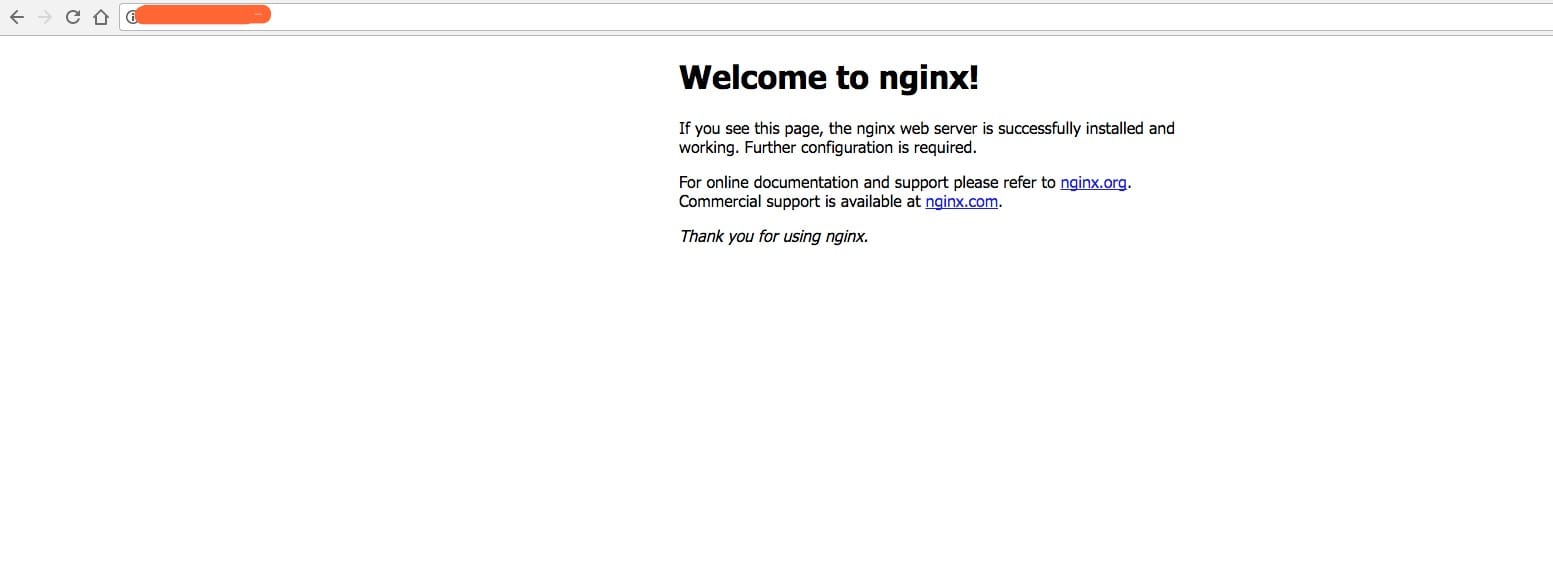
5.关闭
|
但是这样关闭很费劲,我们创建一个脚本来启动停止和重启 nginx
# vim /etc/init.d/nginx
然后加入如下内容
#! /bin/sh
# chkconfig: 2345 55 25
# Description: Startup script for nginx webserver on Debian. Place in /etc/init.d and
# run 'update-rc.d -f nginx defaults', or use the appropriate command on your
# distro. For CentOS/Redhat run: 'chkconfig --add nginx'

### BEGIN INIT INFO
# Provides:          nginx
# Required-Start:    $all
# Required-Stop:     $all
# Default-Start:     2 3 4 5
# Default-Stop:      0 1 6
# Short-Description: starts the nginx web server
# Description:       starts nginx using start-stop-daemon
### END INIT INFO


PATH=/usr/local/sbin:/usr/local/bin:/sbin:/bin:/usr/sbin:/usr/bin
NAME=nginx
NGINX_BIN=/usr/local/nginx/sbin/$NAME
CONFIGFILE=/usr/local/nginx/conf/$NAME.conf
PIDFILE=/usr/local/nginx/logs/$NAME.pid
if [ -s /bin/ss ]; then
    StatBin=/bin/ss
else
    StatBin=/bin/netstat
fi


case "$1" in
    start)
        echo -n "Starting $NAME... "

        if $StatBin -tnpl | grep -q nginx;then
            echo "$NAME (pid `pidof $NAME`) already running."
            exit 1
        fi

        $NGINX_BIN -c $CONFIGFILE

        if [ "$?" != 0 ] ; then
            echo " failed"
            exit 1
        else
            echo " done"
        fi
        ;;

    stop)
        echo -n "Stoping $NAME... "

        if ! $StatBin -tnpl | grep -q nginx; then
            echo "$NAME is not running."
            exit 1
        fi

        $NGINX_BIN -s stop

        if [ "$?" != 0 ] ; then
            echo " failed. Use force-quit"
            exit 1
        else
            echo " done"
        fi
        ;;

    status)
        if $StatBin -tnpl | grep -q nginx; then
            PID=`pidof nginx`
            echo "$NAME (pid $PID) is running..."
        else
            echo "$NAME is stopped."
            exit 0
        fi
        ;;

    force-quit|kill)
        echo -n "Terminating $NAME... "

        if ! $StatBin -tnpl | grep -q nginx; then
            echo "$NAME is is stopped."
            exit 1
        fi

        kill `pidof $NAME`

        if [ "$?" != 0 ] ; then
            echo " failed"
            exit 1
        else
            echo " done"
        fi
        ;;

    restart)
        $0 stop
        sleep 1
        $0 start
        ;;

    reload)
        echo -n "Reload service $NAME... "

        if $StatBin -tnpl | grep -q nginx; then
            $NGINX_BIN -s reload
            echo " done"
        else
            echo "$NAME is not running, can't reload."
            exit 1
        fi
        ;;

    configtest)
        echo -n "Test $NAME configure files... "

        $NGINX_BIN -t
        ;;

    *)
        echo "Usage: $0 {start|stop|restart|reload|status|configtest|force-quit|kill}"
        exit 1
        ;;

esac
然后赋予其可执行权限
# chmod +x /etc/init.d/nginx
启动 nginx
# chkconfig nginx on
# /etc/init.d/nginx restart
Stoping nginx... nginx is not running.
Starting nginx...  done
升级 nginx 并且隐藏版本号
比如我们要升级 nginx为1.13.1
# wget -c https://nginx.org/download/nginx-1.13.4.tar.gz
# cd nginx-1.13.4
替换src/core/nginx.h如下部分的内容,修改 nginx 为 awne,将版本号改问1.0.0
#define nginx_version      1000000
#define NGINX_VERSION      "1.0.0"
#define NGINX_VER          "awen/" NGINX_VERSION
这个内容通常会在 http 响应头中显示
Server:nginx/1.0.1
替换src/http/ngx_http_header_filter_module.c
static u_char ngx_http_server_string[] = "Server: nginx" CRLF;
这个内容也是在 http 响应头中显示
替换src/http/ngx_http_special_response.c 中的如下内容中的 nginx 为 awen
static u_char ngx_http_error_tail[] =
"<hr><center>awen</center>" CRLF
"</body>" CRLF
"</html>" CRLF
;
这个内容通常是在 body 里面显示

然后我们还用上面的编译参数
# ./configure --prefix=/usr/local/nginx --user=www --group=www --with-pcre=/root/pcre-8.41 --with-http_ssl_module --with-zlib=/root/zlib-1.2.11 --with-openssl=/root/openssl-1.0.2l
之后我们
# make
注意,升级时,此处不需要 make install
然后我们停止 nginx,并且将编译好的文件拷贝/usr/local/nginx/sbin/进行替换
# /etc/init.d/nginx stop
Stoping nginx...  done
# cp ./objs/nginx /usr/local/nginx/sbin/
cp: overwrite ‘/usr/local/nginx/sbin/nginx’? y
然后重启 nginx,访问查看
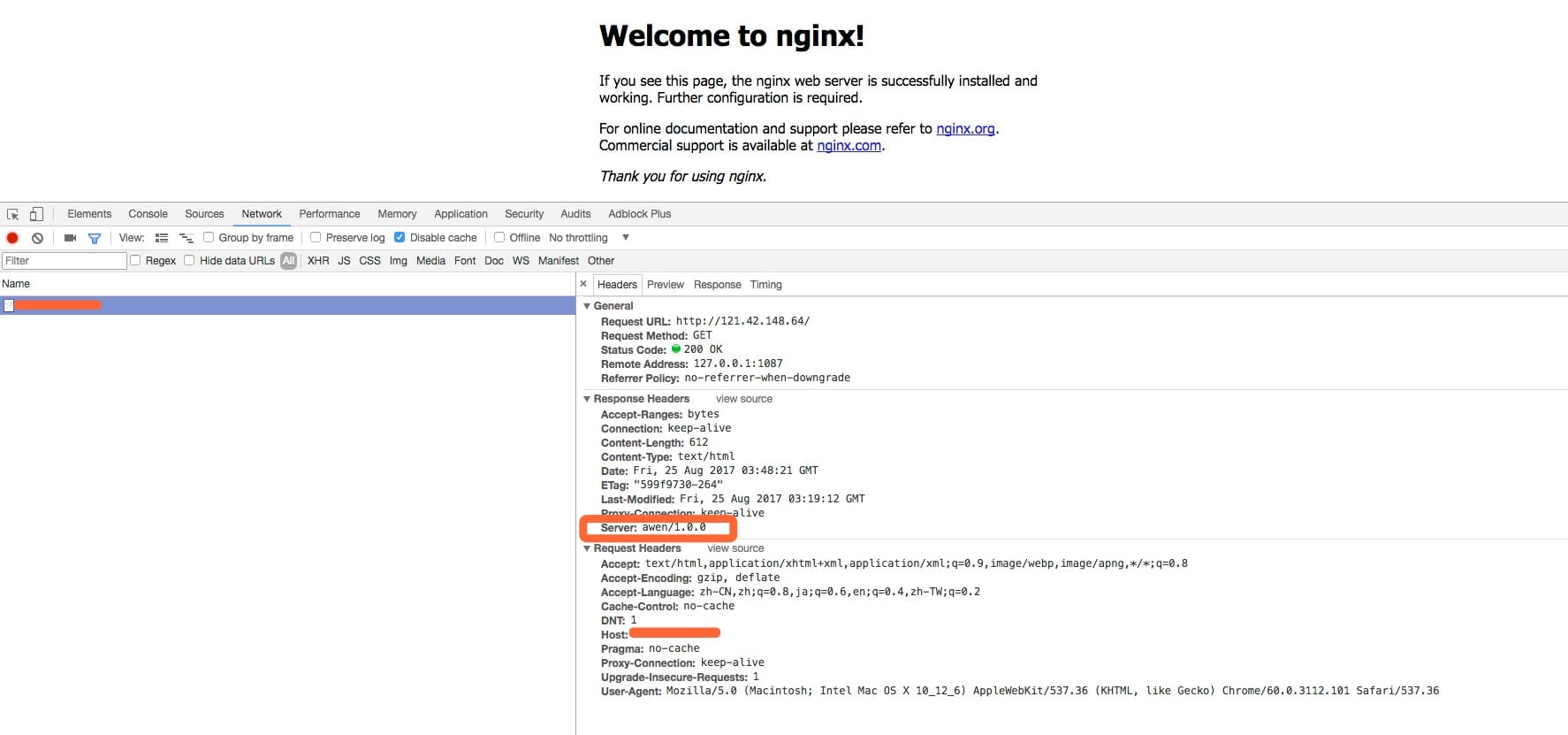
一键安装脚本
|
评论
0 条评论