我们通过bs4去爬取网页中的图片资源,然后将其上传到又拍云存储
申明,本文图片做完实验已全部删除
代码
我们先看下完整代码
#!/usr/bin/env python
#-*-coding:utf-8-*-
import upyun
from bs4 import BeautifulSoup
import requests
import time
|
up = upyun.UpYun('servername', 'username', 'password', timeout=30, endpoint=upyun.ED_AUTO)
notify_url = 'http://httpbin.org/post'

def requrl(url):
	try:
		headers = {"User-Agent":"Mozilla/5.0 (Macintosh; Intel Mac OS X 10_12_6) AppleWebKit/537.36 (KHTML, like Gecko) Chrome/60.0.3112.90 Safari/537.36","Referer":"http://pic.hao123.com/static/pic/css/pic_xl_c.css?v=1482838677"}
		r = requests.get(url,headers=headers)
		r.raise_for_status()
		r.encoding = r.apparent_encoding
		demo = r.text
	except:
		print("请求异常")
	soup = BeautifulSoup(demo, "html.parser")
	all_images = soup.find_all("img")
	return all_images

def fetch(url):
	for i in url:
		url = i['src']
		filename = str(int(time.time()))+".jpg!awen)"
		print(url)
		print(filename)
		fetch_tasks = [
			{
				'url': url,
				'random': False,
				'overwrite': True,
				'save_as': '/upyun/'+filename,
			}
		]
		time.sleep(5)
		print(up.put_tasks(fetch_tasks, notify_url, 'spiderman'))

url = requrl("http://pic.hao123.com/meinv?style=xl")
fetch(url)
|
在开始之前,需要先安装又拍云的库以及requests库和BeautifulSoup
pip3 install requests
pip3 install upyun
pip3 install BeautifulSoup
|
函数requrl
def requrl(url):
  	try:
  		headers = {"User-Agent":"Mozilla/5.0 (Macintosh; Intel Mac OS X 10_12_6) AppleWebKit/537.36 (KHTML, like Gecko) Chrome/60.0.3112.90 Safari/537.36","Referer":"http://pic.hao123.com/static/pic/css/pic_xl_c.css?v=1482838677"}
  		r = requests.get(url,headers=headers)
  		r.raise_for_status()
  		r.encoding = r.apparent_encoding
  		demo = r.text
  	except:
  		print("请求异常")
  	soup = BeautifulSoup(demo, "html.parser")
  	all_images = soup.find_all("img")
  	return all_images
|
这个函数的作用是传入一个url,会去请求这个url并获取页面中所有的img元素并返回
函数fetch
def fetch(url):
 	for i in url:
 		url = i['src']
 		filename = str(int(time.time()))+".jpg!awen)"
 		print(url)
 		print(filename)
 		fetch_tasks = [
 			{
 				'url': url,
 				'random': False,
 				'overwrite': True,
 				'save_as': '/upyun/'+filename,
 			}
 		]
 		time.sleep(5)
 		print(up.put_tasks(fetch_tasks, notify_url, 'spiderman'))

 url = requrl("http://pic.hao123.com/meinv?style=xl")
 fetch(url)
|
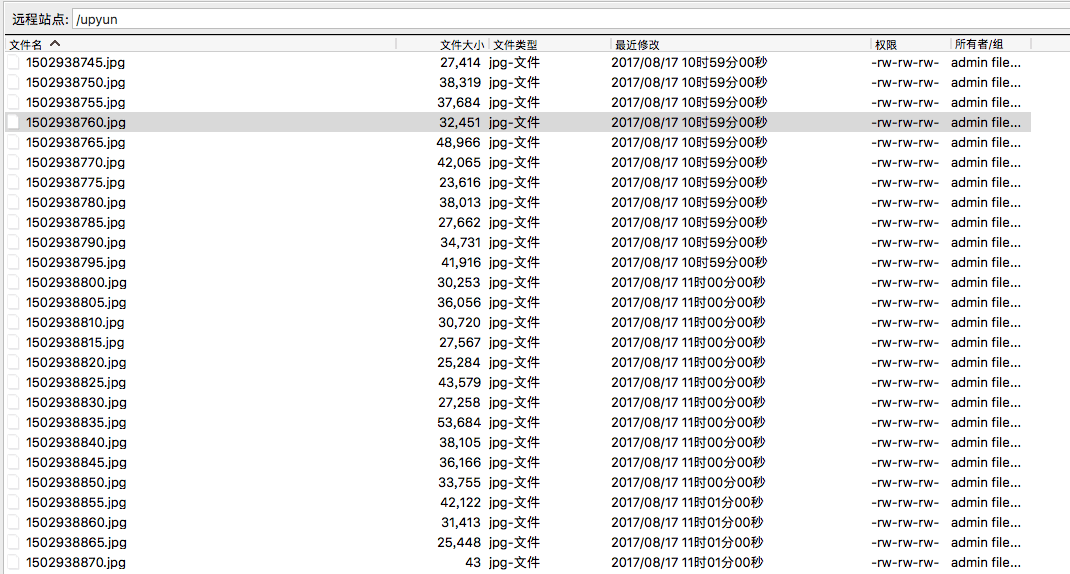
该函数主要是把requrl请求后的返回值传入,然后调用又拍云的异步拉取接口拉取
评论
0 条评论