Let an AI assistant post to WeChat Moments for you—freeing your hands while keeping you socially active.
Introduction
As a developer who’s used Ubuntu for a long time, WeChat’s experience on Linux has always been a pain point. Although Tencent officially released a Linux version of WeChat, its features are still relatively barebones compared to the Windows/Mac versions, not to mention any open API.
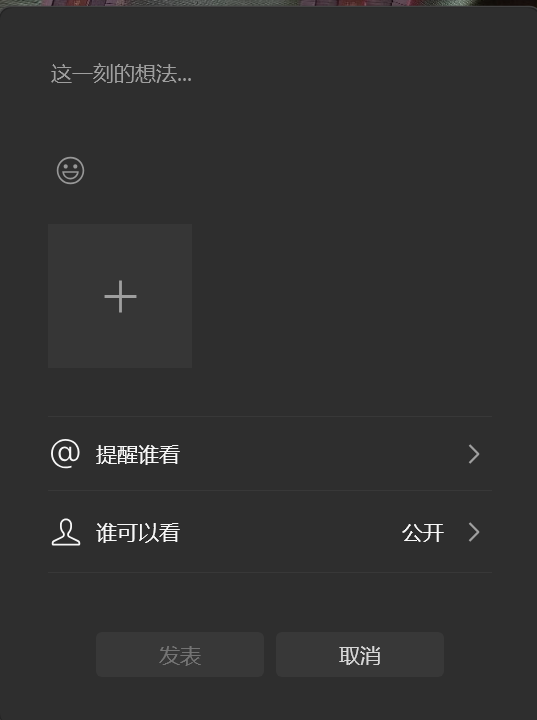
But as a heavy OpenClaw user, I’ve been wondering: could OpenClaw post to WeChat Moments for me? The answer is yes. Through GUI automation, we can have OpenClaw simulate manual operations to auto-post to WeChat Moments.
Choosing the technical approach
Why can’t we just call an API?
The WeChat Linux client provides no official API, and WeChat Web was discontinued long ago. So unlike Feishu, we can’t just call an interface to send messages.
GUI automation: xdotool
xdotool is a powerful X11 automation tool that can:
- Simulate mouse clicks and movement
- Simulate keyboard input
- Manage windows (find, activate, move, etc.)
- Get window geometry information
Paired with xclip for handling Chinese input, we can perfectly simulate the manual operation flow.
The implementation
Overall architecture
|
Core script design
I created two core tools:
| Tool | Function |
|---|---|
wechat-moments-config |
Calibrate screen coordinates, save the config file |
send-wechat-moments |
Execute the automated Moments-posting flow |
Detailed implementation steps
Step one: install dependencies
|
- xdotool: the core X11 automation tool
- xclip: a command-line clipboard tool, used for inputting Chinese
Step two: calibrate coordinates
Since everyone’s screen resolution and WeChat window position differ, we need to calibrate the coordinates of key positions first:
|
This interactive script will guide you through the following steps:
- Moments icon position - the Discover/Moments entry in WeChat’s left sidebar
- Camera button position - the publish button in the top-right of the Moments page
- Text input area - the position of the text input box
- Publish button position - the publish confirmation button in the top-right
Once configuration is complete, the coordinates are saved to ~/.openclaw/tools/wechat-moments.conf.
Step three: the posting script
The core script send-wechat-moments workflow:
|
Key snippet - window activation:
|
Key snippet - Chinese input:
|
Directly typing Chinese is a hard problem in X11 automation; going through the clipboard is the most reliable way.
How to use it
Direct command-line use
|
Integrating into OpenClaw
Create a Skill config file ~/.openclaw/skills/wechat-moments/SKILL.md:
|
|
User: Kimi, post a Moments entry for me with the caption “Finally got OpenClaw posting to Moments working!”
OpenClaw:
📱 Activating the WeChat window…
✓ WeChat window activated
📷 Opening the publish interface…
✓ Publish interface opened
⌨️ Typing the text…
✓ Text entered
🚀 Publishing…
✓ Publish complete
✅ Moments posted successfully!
Content: Finally got OpenClaw posting to Moments working!
|
Combined with AI-generated content
Have OpenClaw first call AI to generate the Moments caption, then auto-publish:
|
Multi-account support
If you have multiple WeChat accounts, you can create multiple config files:
|
Full code
The complete scripts have been uploaded to a GitHub Gist; you can copy them directly:
|
Summary
By combining xdotool and OpenClaw, we’ve successfully implemented auto-posting to WeChat Moments in a Linux environment. Although this is just a GUI-automation workaround, it’s a practical and reliable solution given that WeChat offers no official API.
The core value of this approach lies in:
- Automating repetitive operations - freeing your hands
- AI-driven - combining with OpenClaw’s natural language understanding
- Extensible - can be further integrated with scheduled tasks, AI content generation, etc.
I hope this write-up helps friends who also use WeChat on Linux!
Related resources:
Happy hacking! 🚀
评论
0 条评论