Preface
As a tech blogger, visitors often reach out to me with questions through the blog’s online chat. The problem is — I can’t sit in front of a computer 24 hours a day answering messages. And a lot of what visitors ask is actually fairly generic, like:
- “How do I solve this technical problem?”
- “Can you recommend some learning resources?”
- “What kind of work do you do?”
These questions could totally be answered by AI on my behalf! So I started looking for an AI customer service solution that was lightweight, deployable on my own server, and customizable in its persona.
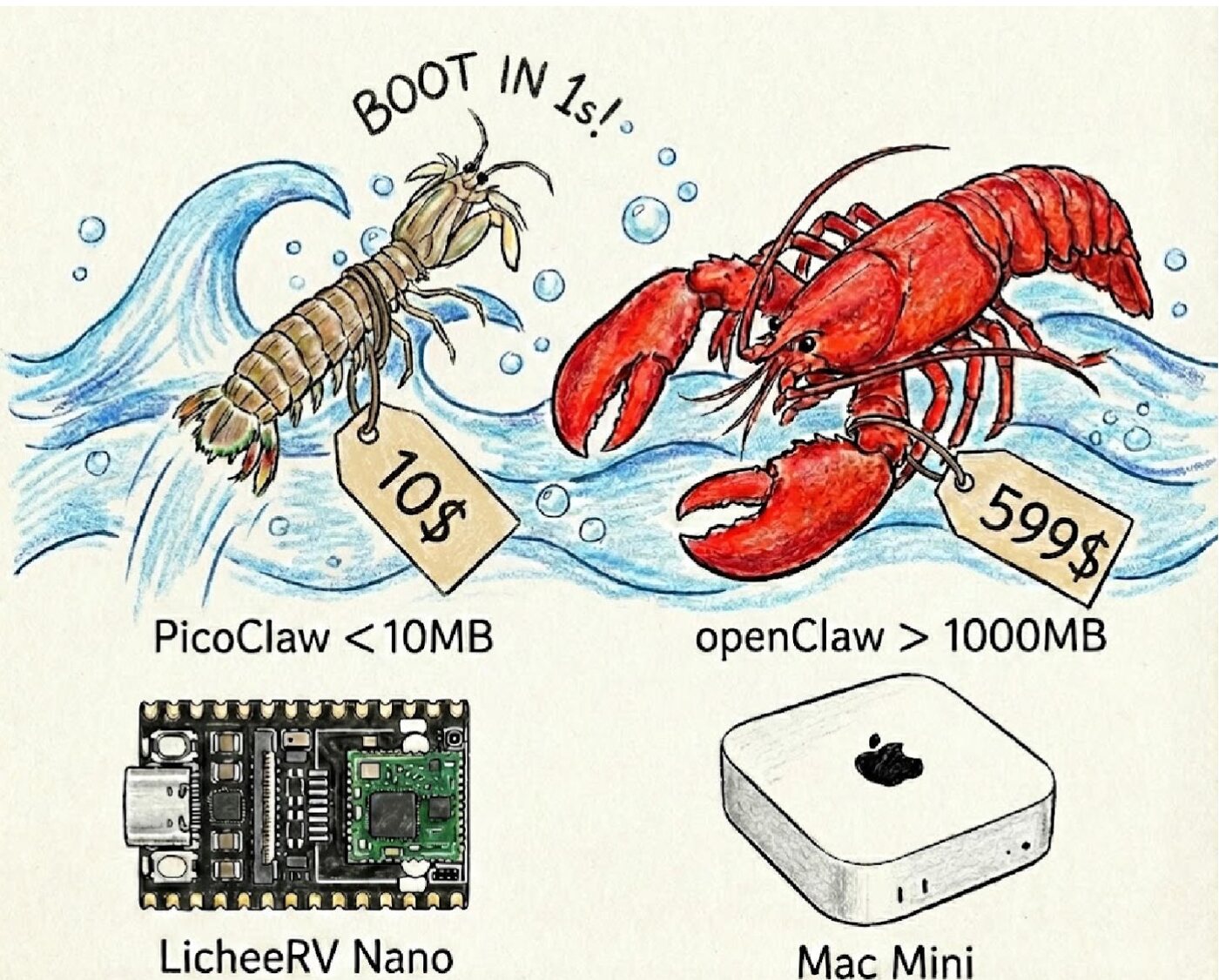
Why PicoClaw?
There are plenty of AI customer service options out there, but I ultimately chose PicoClaw for these reasons:
| Feature | PicoClaw | Other Options |
|---|---|---|
| Resource usage | <10MB memory | Usually 100MB+ |
| Startup speed | <1 second | Tens of seconds |
| Deployment cost | Runs on a $10 device | Needs a high-spec server |
| Model support | DeepSeek, Kimi, Zhipu, etc. | Usually only OpenAI |
| Customization | High, deeply customizable | Limited |
What attracted me most was PicoClaw’s Agent capability — it doesn’t just do simple Q&A, it can also use context, call tools, and even execute code.
Deployment Architecture
The architecture of the whole system is as follows:
|
- Visitor side: connects to the blog backend via WebSocket
- Blog backend: Go + Gin framework, handles WebSocket message forwarding
- PicoClaw HTTP Wrapper: converts HTTP requests into PicoClaw command-line calls
- DeepSeek: provides large model capability
Deployment Process
1. Install PicoClaw
|
2. Configure the DeepSeek API
Edit ~/.picoclaw/config.json:
|
3. Create the HTTP Wrapper
Since PicoClaw itself only provides a command-line interface, I wrote a simple Go HTTP Wrapper:
|
4. Modify the Blog Backend
In the blog backend’s WebSocket handling logic, when a visitor message is received, automatically forward it to PicoClaw:
|
5. Set the AI Persona
To make the AI better match my style, I gave it a detailed persona:
|
Results Showcase
After deployment, when visitors click the bubble icon in the bottom-right corner of the blog, they see an “AI online” status and can start a conversation at any time:
After clicking “Chat online,” you can have a real-time conversation with the AI assistant:
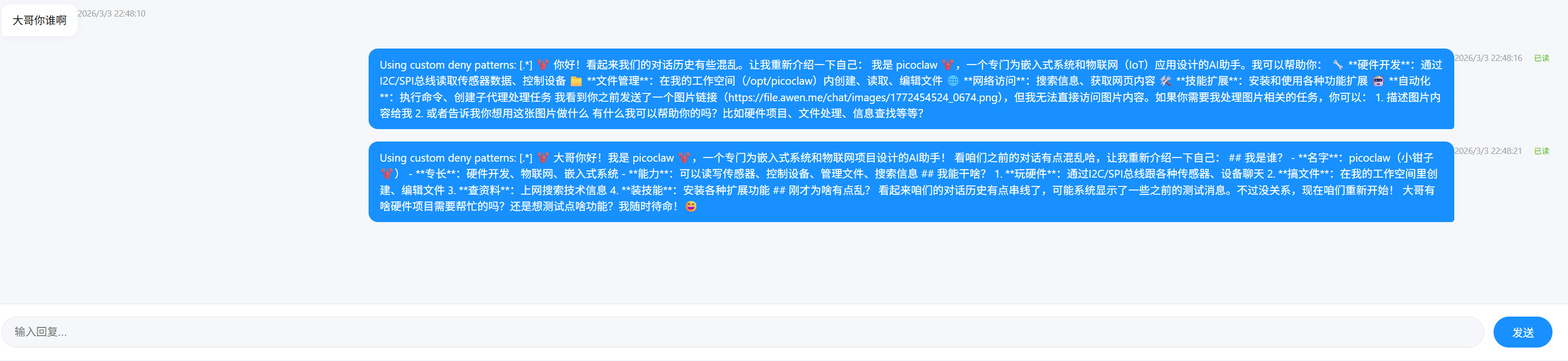
Feature highlights:
- AI online: shows an “AI online” status, no longer a cold “offline”
- Real-time replies: after a visitor sends a message, the AI replies within 1-3 seconds
- Line break support: AI replies support line breaks, no longer one blob of text
- Context memory: the AI remembers previous conversation content for continuous exchanges
- Human takeover: for complex questions, the AI honestly says so, and I see it in the backend and reply manually
Real-World Results
Data one week after deployment:
- Total conversations: 50+
- AI auto-resolution rate: about 80%
- Average response time: 2 seconds
- Labor saved: on average 1-2 hours of reply time saved per day
The visitor feedback is pretty amusing too:
“Your customer service replies so fast!” —— There’s no customer service at all, it’s AI 😄
“This AI really knows its tech” —— Because I fed it a lot of my tech articles as context
“Finally it’s not ‘offline’ anymore” —— The old pain point is solved
Problems Encountered
1. API Key Expired
At first I used a Kimi API Key and kept getting 401 errors, until I realized it was a format issue. Switching to DeepSeek solved it perfectly.
2. Timeout Configuration
PicoClaw takes a few seconds to start up and load its config, so at first a 30-second timeout frequently threw errors. After changing it to 120 seconds, it ran stably.
3. Frontend Display
The visitor side showed “offline” because it was detecting the admin’s online status. I modified the frontend code to show “AI online” and always enable the chat button.
Summary
PicoClaw is an AI customer service solution very well suited to a personal blog:
✅ Lightweight: 10MB memory footprint, won’t affect server performance
✅ Low cost: DeepSeek API fees are low, averaging a few dimes per day
✅ Highly customizable: can deeply customize the persona and reply style
✅ Easy to deploy: a single binary file, simple configuration
If you also want to add AI customer service to your blog, why not give PicoClaw a try!
Reference Links
- PicoClaw GitHub
- DeepSeek Open Platform
- My Blog AI Customer Service - click the bubble in the bottom-right corner to try it
About the author: Awen, a 15-year tech veteran, passionate about automation and productivity tools. Currently in Hangzhou, always happy to chat!
评论
0 条评论