This is the first time you run this script, please follow the instructions:
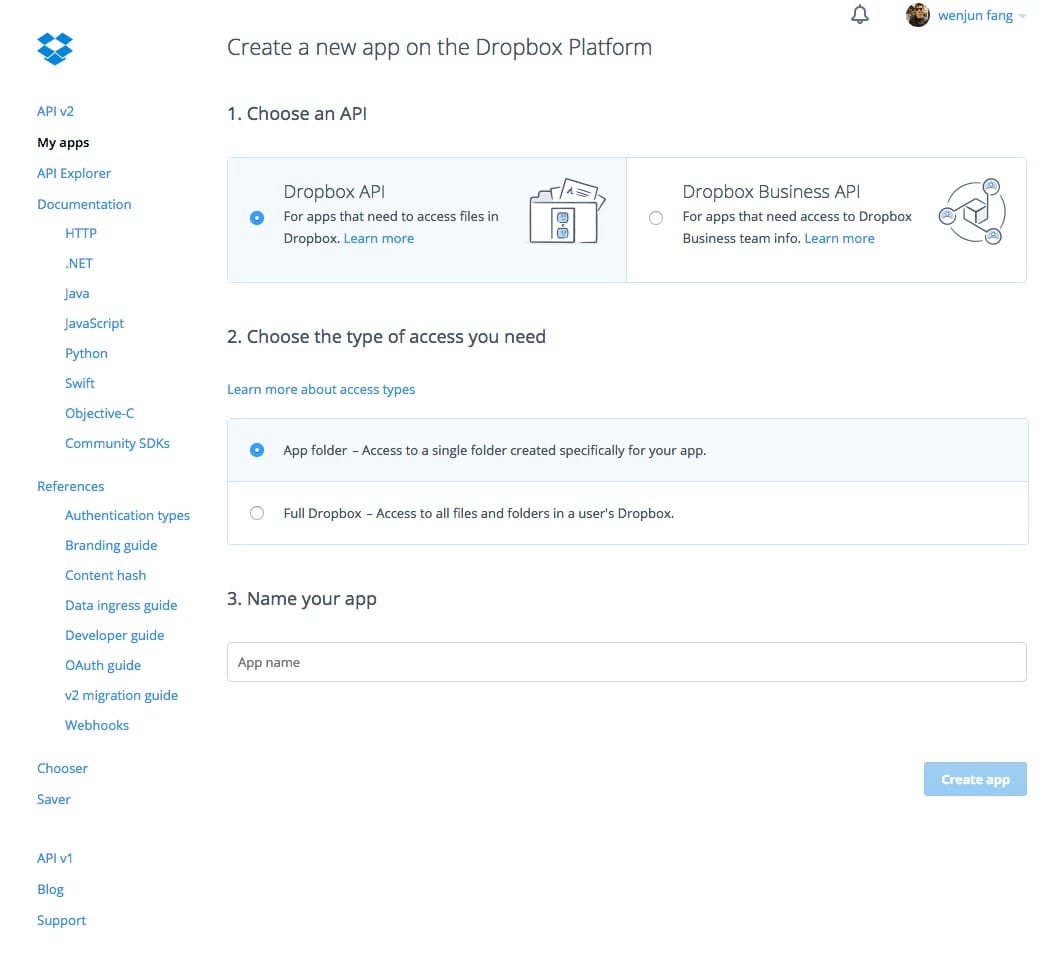
1) Open the following URL in your Browser, and log in using your account: https://www.dropbox.com/developers/apps 2) Click on"Create App", thenselect"Dropbox API app" 3) Now go onwith the configuration, choosing the app permissions andaccess restrictions to your DropBox folder 4) Enter the "App Name" that you prefer (e.g. MyUploader120623263730051)
Now, click on the "Create App" button.
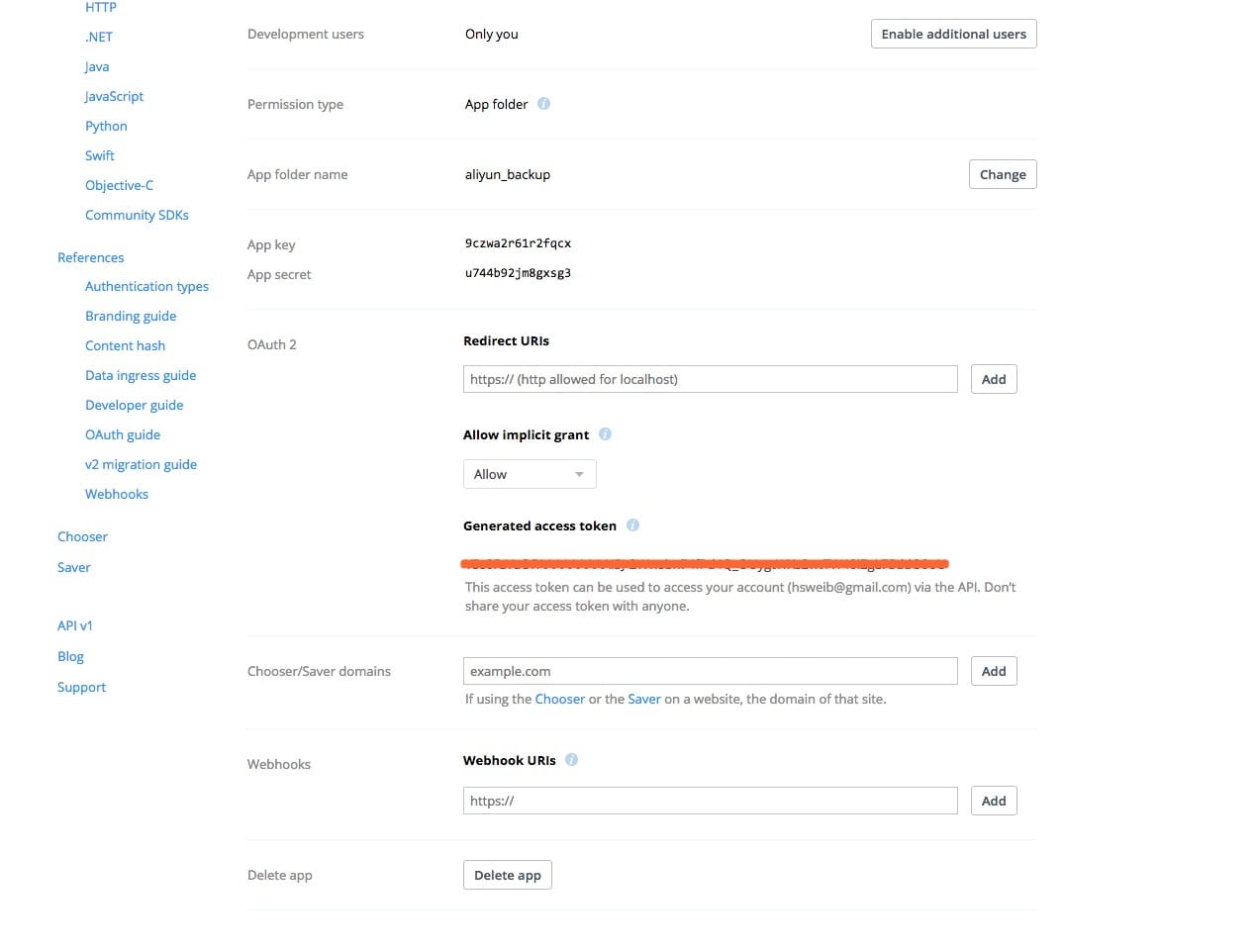
When your new App is successfully created, please click on the Generate button under the 'Generatedaccess token' section, then copy and paste the newaccess token here:
评论
0 条评论